Up next in 10



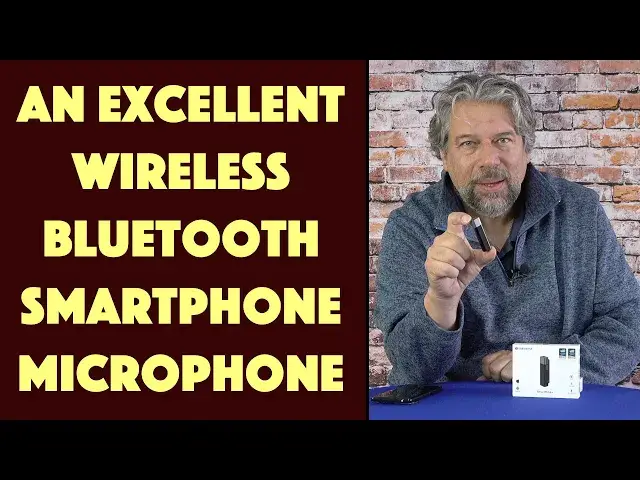
I know you want to be able to walk around without having poor audio recorded on your smartphone. Enter the terrific SabineTek SmartMike+ Wireless Bluetooth Microphone with its 50-foot range and great stereo audio pickup. Tech expert Dave Taylor tries out the SmartMike+ with a Google Pixel 6 Pro, demonstrating the audio-only and audio + video capabilities. It's pretty dang sweet...
Check it out at: https://amzn.to/3wlHWr7
Then check out Dave's Q&A Web site at: https://www.AskDaveTaylor.com/
#smartmike #microphone #sabinetek #android #ios #iphone #bluetoothmic #askdavetaylor
Show More Show Less View Video Transcript
0:00
This wireless mic gives you huge flexibility
0:03
Let's check it out. Dave Taylor here and I'm checking out this
0:14
This tiny little device is the Sabintech Smart Mic Plus Wireless Bluetooth Microphone
0:20
It's pretty sweet. Now, you're hearing me from my lavalier mic, but I'm going to go ahead and I'm going to switch
0:26
and I'm going to actually let you hear this audio is coming from this microphone
0:32
and I've just synchronized things up. So, that's the difference in how it sounds
0:36
Let me switch back to my other mic. Now, what makes this really interesting is that it's a real-time stereo mic
0:46
so you're not getting just a mono channel. And through their software, which I'll demo in a second
0:52
you get four levels of noise cancellation using the Qualcomm CVC tech
0:57
So, it's the same thing a lot of earbuds and headphones use
1:01
to give you reduced background noise on phone calls. So, this does that and one of the features it offers is it reduces wind noise
1:09
Now, let's start out with a couple of close-ups because it's pretty small in my hand
1:13
As you can see, there's a mic pickup on the side. There's a 3.5 millimeter monitor plug, so you can hear yourself while you're talking
1:23
which is handy to make sure it's working. And then that red button on the side is the power on-off sort of multifunction button
1:31
And then on the back, there's a clip. Now, how do you charge it
1:35
Well, it is battery-powered, so you charge it using a micro USB connection on the bottom
1:42
And it does include a micro USB charging cable if you need one
1:46
And once it's fully charged, which didn't take very long, it gives you six hours of battery life
1:52
which if you're doing six hours of live streaming or video, then you're on camera for a mighty long time
1:58
Maybe you need to spin that down a little bit. Anyway, okay, 48 kilohertz of audio, Bluetooth 5.0
2:05
when Bluetooth 5.0 gives you a 50-foot or 15-meter transmit distance. So, given you all of these characteristics and stuff, let's do a couple of demos
2:16
So I'm going to start by having this paired with my Google Pixel 6 Pro
2:21
and then I'm going to use the actual camera app. And you'll see that it's going to be using the mic for audio
2:29
even though it's using my phone for the camera. Then I'll use the SmartMic Plus app, because using their app gives you a bunch of cool features
2:39
So let's do those demos. All right, so I'm about 30 feet away from my phone, and there's a window between us
2:46
So if it was the case that I was just using the audio pickup on the phone, you wouldn't hear me
2:52
But as you can hear, it's actually really good quality audio, and I have lots of freedom of motion
2:58
I can do things like get the snow off of my mailbox
3:02
Ooh, it's cold. All right, now let me switch to the SmartMic app
3:07
Now I'm using the SmartMic app and, of course, the SmartMic itself
3:12
and you can hear, most importantly, that this works really well. Now, I also, again, now I'm about 40 feet away, and I can go even further if I want
3:22
because it's a line of sight, so it's going to do pretty well
3:26
And you can see if there's a car behind me. Anyway, here's the demo
3:30
So let me jump back on camera. Pretty impressive demos, actually. And it turns out that SmartMic Plus app you can get for Android or iOS
3:40
So if you have an iPhone, you can use this with your iPhone too, and it's super easy to work with
3:45
You just clip it on your shirt or your blouse, or if you have a lanyard because you're at a trade show
3:51
you can clip it on the string for the lanyard or something, and then you just go
3:56
So even if you're holding your phone and doing a selfie, you're still getting much better audio quality than you would from your phone's microphone
4:04
These phones are amazing at doing a ton of things, but they're not specifically designed for any one task
4:11
So they might have great cameras, but if you're 10 feet away from your phone or even 4 feet away
4:17
the audio is not going to be very good. And if you're in a noisy environment, as they say, forget about it
4:23
So let me give you at least one quick screenshot of the SmartMic Plus app
4:28
and you can see there's a lot of different settings you can adjust here, and you can do that live with the monitor
4:34
Now, let me also show you what's in the box. It's a nice, simple, very elegant, heavy-duty box
4:40
and it comes with a manual, which I think is printed in about one-point type
4:47
If you can read that, props to you. I kind of need a magnifying glass for that sort of thing
4:52
And then there's a quick start guide, which is very handy because it does have a lot of features
4:57
And then it includes this single earbud monitor, which is perfect for using with the device because then you can just have it in one ear
5:08
and you can even, because it's dark, probably get away without people even seeing it
5:13
But it does give you some significant benefits. And then there is a big, fuzzy windsock if you're in a noisy environment
5:22
and if you don't want that one, then there's a smaller, more modest little wind cover
5:27
And I will note that when you have the wind cover on
5:31
you then can't access the plug for the ear monitor. So it's sort of an A or B, but to do both
5:38
then you either have to be stabbing a hole in one of these things, or you're just kind of out of luck
5:44
And then finally, the only other thing left in the box is the charging cable
5:48
which is micro USB on one end, and USB 3, which is to say the rectangle on the other end
5:56
And that's everything. Super straightforward. And I would say that I got this up and running in, I don't know, maybe 30 seconds
6:05
It's really easy to work with. I mean, literally, the first time you turn it on, just push and hold down that red button
6:11
and then the little status LED will switch between red and blue, red and blue, red and blue
6:16
which means it's ready to pair. Go to your device, choose Bluetooth, choose new device, pair it, and you're done
6:23
That's all there is to do. And then it's something like the audio recording app here on my Android phone
6:29
All I had to do was tap and make sure it had chosen the smart mic plus so that it worked properly
6:36
And that was it. Really, really easy to work with. So there's just really not much else I can tell you
6:42
It's a really straightforward, simple, very effective device. I think the audio quality is really good. I'm really happy with it
6:50
And I think that what I most like about it is it gives me significant flexibility
6:55
So if I go to, say, an auto show with an assistant, they can hold their phone
7:01
and then if the microphone's paired, I can then walk around a car or be sitting in a car
7:07
and they can walk up to me, and the whole time I have a nice, even, professional-sounding audio
7:13
So for you vloggers and live streamers out there, this is an absolute godsend
7:18
It's a great little piece of electronics. So all that we need to talk about at this point is we need to talk about the price
7:25
Oh, let me give you some dimensions real quick. It's 2.3 inches by .4 by .6 inches, and it's just an ounce or two
7:34
It's super light. I mean, you will clip this on and forget you have it
7:38
And with that six-hour battery life, you can forget and then just record whenever you want
7:43
and it'll work just fine. So super, like I said, easy to work with
7:48
So before we get to the price, I'm going to ask if you could subscribe to my channel
7:52
A click or a tap on that little red subscribe button on the lower right, and we're connected. Fantastic
7:59
Okay, this amazing little piece of electronics is the Sabine Tech SmartMic Plus Wireless Bluetooth Microphone
8:07
It comes in black, which is what this is, or white, and it's $139 at Amazon.com
8:14
And I will give it a 99% thumbs up. The only criticism I have, the only thing I don't like about it is I really don't like micro USB
8:23
I wish they would use USB-C as a charging plug instead, because then you don't have to worry about orienting it correctly
8:30
But seriously, that's my only complaint. So that means that it is, like I said, 99% very cool
8:37
Definitely one worth checking out, and I'll catch you in my next video
8:53
Visit www.Flydreamers.com for more