Up next in 10



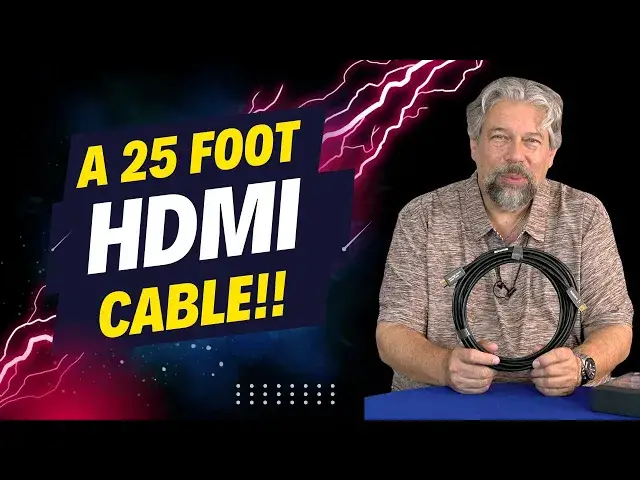
HDMI cables are not all created the same, but with RUIPRO you're good to go, even with really long runs. Tech expert Dave Taylor checks out and tests the RUIPRO 8K 25-foot HDMI cable and finds that it works perfectly for his tasks. Not long enough? The company makes even longer HDMI cables!
Check it out at: https://amzn.to/3yVSn81
Visit Dave's Q&A Web site at: https://www.AskDaveTaylor.com/
#ruipro #hdmi #hdmi2 #cables #hdmicables #askdavetaylor
Show More Show Less View Video Transcript
0:00
A long-run HDMI cord? Actually, it's pretty interesting. Let's check it out
0:05
[♪ Music Playing ♪ Dave Taylor here, and it's really easy to forget that a modern electronic ecosystem
0:18
requires not just the gadgets themselves, but all the interconnectivity too. So, power cables, power strips, charging cables, HDMI cables
0:30
I'll tell you, when I got my 4K Blu-ray player and plugged it into my 4K television
0:36
I didn't get 4K, and I puzzled it out over a period of time and realized
0:41
I needed a better quality, higher speed cable. My cable wasn't rated for that much data, and it was very frustrating
0:49
because nothing just popped up a message saying, you're not getting enough data on your transmission bandwidth
0:55
So, I learned that it was really important to make sure all of your components were quality
1:01
Enter this. This is the RoiPro 8K 25-foot HDMI cable. And you're thinking, an HDMI cable, how boring is that
1:13
But I'll tell you, with the wrong HDMI cable, you're not going to be able to get your system to work the way you want
1:19
You're going to get flickering, you're going to get interference, it's not going to be as crisp as you expect, it might not work at all
1:26
or it might just downscale to HD instead of 4K or something
1:30
So, super frustrating. That's where cables like this come in, and this is a spendy cable
1:36
But it does a great job, and it's a super long cable. 25 feet is a long range
1:42
In fact, let me just jump in and give you a quick demo of what 25 feet looks like
1:47
I tried to figure out an interesting way to demo this, and here's what I came up with
1:51
Ready? I'm going to plug this in. And now, look at the top of the stairs
1:57
because that is a 25-foot cable stretched all the way out to a second display at the top of my staircase
2:09
This gives you a sense for how this works. But, let's go ahead and play this video
2:16
And the sound's coming out from here, but I could just as easily redirect the sound there
2:22
Let me just actually mute it. But notice, if you look up there, it's all playing just fine
2:29
This cable is working perfectly well at this range. So, it accomplishes exactly what we hope
2:35
Now, let me jump back on camera. I hope that was pretty fun to have things that far apart
2:40
but you could see, even with it being just a little screen at the top of the stairs
2:45
it was working flawlessly, and that was really nice, because these longer cables give you so much more flexibility with placement of all your gear
2:55
Now, some specs. This is HDMI 2.1b certified, and certified's important. It means that it's been tested and proven to actually transmit all of the information seamlessly
3:08
It is CL2 rated, which means that it can actually, and it has been certified to be able to transmit 8K data at 60Hz
3:17
and 4K data at 120Hz. So, it's a 48 gigabit per second cable, which is an enormous amount of data
3:26
But, if you think about it, even just a 4K signal, you have all of that video signal, and you also have the audio, all on this cable
3:35
Now, it turns out that these HDMI connectors have a lot of different pins
3:39
as you can see in this pin-out illustration. So, there's a lot going on, and there's a lot of wires running through this cable
3:46
but it does it flawlessly. It also supports eARC, which is Enhanced Audio Return Channel
3:53
and it supports Dynamic HDR, which is really important. You want to get the maximum possible depth and variation of colors
4:02
even if you're 20 feet away from your source. This gives you that
4:06
It also is HDCP 2.3, and this is also important, backwards compatible with HDMI 2 and HDMI 1.4
4:16
So, I always recommend get the very best cable you can, so you don't have to worry about why it's not working when you upgrade your gear
4:24
So, if you have something that's still working with HDMI 1.4, and that's a pretty old standard at this point
4:30
this will work perfectly fine with that. Now, a lot of this sounds very obtruse, and then you look at this
4:36
and you're like, oh, and why does it actually have a label on it? And one side says display, and the other side says source
4:44
And you're like, hmm, aren't better cables bidirectional? And the answer is no, actually
4:50
A unidirectional cable lets them really focus on best possible shielding, because you want to pick up zero interference
4:58
because that's going to bring noise to the signal. So, it is really important
5:03
Most HDMI cables are unidirectional, so all you have to do is look at the two and say display
5:10
Okay, that goes to my television, that goes to my computer monitor, whatever
5:15
And then the source, and sometimes that will be labeled something, or the display might be labeled TV, for example
5:22
But the source is going to be your 4K Blu-ray player, it might be your cable box, it might be something like an Apple TV 4K
5:30
It could be your cable box, right? And it could be a computer
5:35
But all you have to do is figure out which is which, and then you're good to go. That's it
5:40
One other thing worth mentioning here is that these have a five-year warranty
5:45
And it's a pretty tough, thick cable, but it is still quite flexible, as you can see here
5:52
So, you know, you can still get it around tight corners and get it to be exactly where you want
5:59
and that's really the goal here. So, not the most glamorous product
6:03
but I think if you're looking for really future-proof cabling for your home theater or your computer setup
6:11
or whatever gear you have that you're connecting, then this ROYPRO is definitely one to check out
6:16
Now, I am going to ask you to subscribe to my channel. So, click or tap on that subscribe button
6:21
Go ahead and hit that bell icon for notifications, and hit that thumbs-up if you found this of value
6:26
Definitely appreciate that. Cool. This is the ROYPRO 8K 25-foot HDMI cable
6:34
and it is $109.99 at Amazon.com. So, if you just picked up a budget 40-inch television from Walmart for $200
6:44
this is probably overkill as a cable. But I'm guessing you actually have much nicer gear
6:49
and you want to make sure that the cable is not the weak link in the chain
6:54
but instead is able to beautifully and flawlessly transmit the signal however far you need it to go
7:02
And that's exactly what this is. Definitely a brand to check out
7:06
and they do have them in a bunch of different lengths. So, if you don't need 25 feet, which is pretty long
7:12
then you can get shorter ones. But if 25 feet is not long enough, they have even longer cables that you can explore
7:18
That's all I got. I'm going to go back and try to figure out
7:22
how to control that monitor that's at the top of the stairs. That cursor is awful small in that setup
7:28
Anyway, I'll catch you in my next video
#Online Video
#TV & Video Equipment
#Media Streaming Devices