Up next in 10



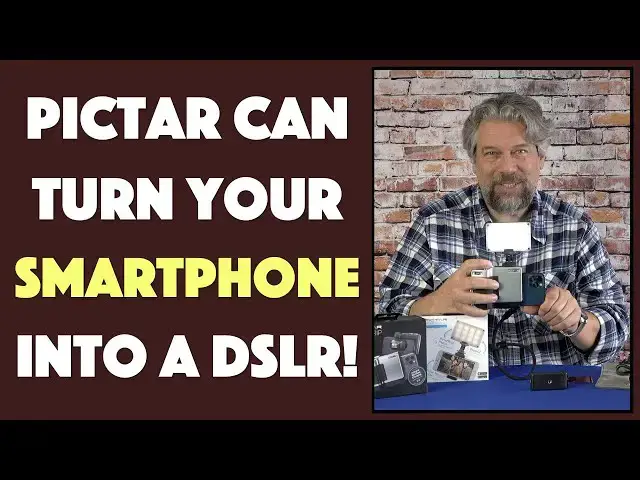
There's a lot to like about modern smartphone cameras, not the least of which is that they slip into your pocket, but if you used to shoot with an SLR or a DSLR, you know what you're missing. That's why Pictar offers some tech to convert your smartphone (Android or iPhone) into a DSLR! Tech expert and camera buff Dave Taylor of https://www.AskDaveTaylor.com/ checks out both the Pictar Pro Grip Charge and Pictar Smart Light with his iPhone 12 Pro. With, admittedly, mixed results, as he clearly demonstrates.
You can learn more about the gear at https://www.PictarWorld.com/
Show More Show Less View Video Transcript
0:00
Turn your phone into a DSLR. Let's check all this out
0:12
Smile All right. So what the heck am I looking at? Well, I'm looking at the PICTAR Pro Grip Charge on the bottom
0:22
And I'm looking at the PICTAR Smart Light on the top So it's gonna make a little more sense if I do these as two separate items
0:29
So let's put the smart grip aside for a minute and I'll just show you the light
0:34
This is a little LED light and it's actually really pretty slick as you can see in this close-up on the edge
0:40
there are bars that show you your battery charge an on-off switch and the ability to
0:47
Make it brighter or softer But not only that it has a diffuser plate
0:53
You can take on or off and it comes with admittedly an extremely flimsy
0:59
gel that you can put on and then you put the diffuser on top and
1:05
Now you have an even different color, but even as I did that it's not really centered
1:10
So I have to actually do that again because the gel is I guess it's like a sort of a photographic
1:18
Gel, but I'm even having problems with static electricity on my fingers
1:22
So, let's get that. There we go Now it's in the right position and now I have the ability to change the color now
1:30
this is really great for portraits and selfie work because if you want to take a selfie and you have a bright background behind you like
1:38
A sunset or something using something like this is a fill flash is an obvious win
1:43
Now it's not just this slick little device and it has a two hour battery life
1:49
It's a 2350 milliamp hour battery so you can keep it on and obviously it'll last longer at lower brightness
1:57
But you can keep it on for a couple hours and then it comes with these two little mounts now
2:03
They have what these called a cold shoe. So if you remember old DSLRs
2:07
They had hot shoes so that the camera could communicate with the light. This is not like that
2:13
This is not an external flash. This is an external light so slightly different I
2:20
Can use this little tiny guy and it does give you the ability to bend it a little bit so I can use this
2:26
Or I can use the larger camera Holder or I should say phone holder. Let me pull my phone out of here
2:36
hopefully without Calling what's going on here without calling 911, which is what iPhones tend to do if you leave them
2:46
So now I can assemble all these pieces so I can put the shoe on the top
2:54
Let's see. Oh from the other side. I put the shoe on the top screw it on
3:00
screw my light on and Then slip my phone in here and these
3:08
Expand which is nice. So it's really easy to work with So now I want to let's see my lens is here my flash is here or my light is here
3:18
I should say so I can do this With only some level of awkwardness
3:24
Now I am ready to roll and I can use my phone
3:28
Or I could even spin this around by just doing this and now if I want to take a selfie, I cannot take a selfie with the illumination or
3:38
Obviously I can do something like this too depending on the angle and then since you can bend it I can point it and
3:45
Bend it slightly more towards the subject of the composition. So This is a really cool little light
3:54
the only thing that I will say is that that gel is
3:59
Problematic and I wish they would have just used a thicker gel. Now. This might be a perfectly fine
4:04
Photographic level gel but since you're gonna be outdoors in the field most likely when you're using this the fact that it is
4:12
So flimsy will inevitably have you end up either losing it or damaging it to the point where you can't use it
4:20
Any further so then you're left with this now This is not bad and it still gives you a nice bright and adjustable light source, which is definitely worthwhile
4:31
This whole setup is really slick and it has not only a tripod mount on the bottom
4:36
But it has one on the back too so if you have I guess a
4:40
tripod that you have like one of the gripper ones that you can put on a pipe or something and then you can put your
4:47
Camera literally or sorry your phone Literally in front like that, right and then now you can see you have this whole terrific setup. So that's really nice
4:58
So I'm gonna give you all the prices at the end because really this is cool, but the sort of
5:05
Centerpiece of this is this this is the PICTAR pro grip charge
5:10
and it basically lets you put your phone in and act as if your phone is a
5:17
DSLR or digital single lens reflex camera now I have spent many happy hours taking photos with my own
5:28
DSLRs I've had various Nikon's and before that I had a Konica
5:32
So definitely know what that's like. My daughter has a top-end Canon
5:37
So, you know, they still take better pictures than your phone does but the phones are catching up
5:42
so this is an iPhone 12 Pro and Once I unlock it
5:48
It actually the system comes with a paired app and it's very interesting because it communicates with your phone
5:55
Via ultrasonics, which is cool because it doesn't need Bluetooth or Wi-Fi or anything
6:01
But it's also problematic because the biggest issue that I had with the pro grip
6:07
Controller is that not every action I took was registered in the app and that proves to be super frustrating
6:15
So the app you can get for Android or iOS it's called ingeniously PICTAR and
6:21
These gives you four functions on the grip itself so in the front you have a zoom forward and backward and
6:31
They sort of doubled up every single control, which was another mistake trying to get so much functionality
6:37
It ends up being really confusing So this gives you zooming in and out but if you push it you can then adjust the zoom settings
6:46
There is a shutter button If you push it halfway if you push it and hold it if you push it quickly all of those do different things
6:53
Just give me a button. I push and take a picture right nice and easy then on the top the other two
6:59
one of them is the exposure control Which you can just spin back and forth and the other one is the smart wheel which does different things depending on what mode you're
7:10
In you want to do wireless charging it can do that too by
7:16
Pushing both of them at the same time and you've really got a time that perfectly
7:20
So now I'm wirelessly charging my phone while it's in here, which is pretty cool. So if I push it again
7:26
Then that turns that feature off so I can save the battery for this unit itself
7:33
Obviously, that's the Qi wireless charging is how that works and then this also has I mean
7:39
There's a lot going on here. It has the cold shoe mount
7:43
So if I want to use this light as you saw at the very beginning I can simply slide it on to here
7:51
It doesn't go very far in which is a little disconcerting So you definitely will want to tighten it up
7:57
But now I have my light ready to go with the DSLR setup so two separate products at two separate prices
8:06
important to know the Grip does have a tripod mount on the bottom, which is really nice and they've really engineered it
8:14
Well, there's actually a big cutout on the end So if you need to plug in an external microphone, for example, you can do that. It's all
8:22
Accessible and it's all easy to get to so let me go ahead and start the app and
8:29
You'll see what I'm gonna do is I'm gonna screen capture the app and show that as an inset as you'll be able to watch
8:36
Me take a couple of pictures. So that means let's see. I need to
8:41
Get things working It's there. Okay so now Hopefully you're seeing what's on screen and you can see now I can zoom in
8:56
Zoom out. Nope. I can't see this is part of what's really frustrating with this device. Let's see if that does it. Nope
9:03
So it's really pretty erratic whether or not things work and I've found that I
9:10
sometimes have to actually I think I might have my Phone in too far. Let's see. Does that help
9:19
Nope, I find that I have to quit the PICTAR app and start it again. So let's try that. So I'm gonna
9:27
quit the app and then we'll start it again and Now it shows you there are four different modes from which you can choose and you can always switch back and forth
9:38
But it gives you different functionality. I'll go into pro and now see now the zoom works
9:44
So that's a very good example of what's so challenging about this device is that the engineering the design the
9:52
Concept it's all really great. But the actual usage is a little bit frustrating
9:58
So now let's see I can change exposure. You can see how it's getting darker or I can go the other way and
10:07
Really super overexpose it if I'm so inclined Not sure why I'd want to overexpose it but you can really just like blow out the entire picture
10:16
Or I can get it back to See that looks right and then this is our smart button and now since I'm in pro mode
10:29
It's giving me manual or shutter priority or motion or macro or you can go to movie
10:36
I can go to ISO if I want to use this one and then maybe now with the ISO set
10:42
I'm going to go ahead and I can tap on the screen where it says ISO and I can change it
10:50
So that ostensibly I can force it to take a super fast photo to for example capture motion if I want to stop
10:58
Someone a cat running past my camera Whatever right so you can do that and then I can go and press mode and you're seeing what I'm already doing, right
11:08
I'm touching the screen on my phone not using the controls here
11:13
That is something that I've found actually seems to work a little better
11:17
Which is again sort of indicative of the problem, but let's take a picture
11:22
Okay, so that was easy. I can also take a picture by tapping on the little blue button, which is actually quite handy
11:30
And then because Pictar has all these other things They also have lenses if you put on an external clip-on lens
11:38
You can choose which one you're using and it'll know how to adjust it if I use this external light
11:44
Let me turn it on and now I can specify that I am using the light
11:49
So it doesn't do anything magic. It just knows to compensate for that additional light source
11:55
I can switch so now I'm seeing myself. That's a really big thumb
12:02
Kind of hard to avoid that when your controls are right there and of course I can get to the timer
12:08
So there's a lot of cool features in the app. I you know, there's there's a lot I really like about this
12:14
it's just the interface tends to be a little problematic, so let me get back to automatic and
12:23
Let me see well, well actually let's try Macro, and I have an interesting sort of
12:29
Die here. So let's go into macro mode, which I might or might not be able to find
12:36
Let's just leave it as automatic. Oh, no, here's here's macro Okay, maybe
12:44
Okay, what's happening here there's macro so now Theoretically what macro should do is it should let me zoom in a lot and really focus tightly on this, right
12:54
So, let's see how that works out And then when I've got it just where I want and I'm using the light
13:04
So there's my photo and then I can view photos in the gallery so I did pretty good without the tripod
13:11
It's obviously a little tricky to get your to get your phone slash DSLR set up to be super stable
13:18
But overall, I think that's a pretty nice job and I've gone into the photo I can share from here
13:24
But let's try one more thing and I'm gonna just actually have the camera much closer
13:31
To the table so I can balance it with my hand and then I'm going to use
13:35
That button there. I'm gonna do it again the blue button on the screen itself
13:41
and Now let's have another look at that picture and here's a close-up
13:46
You can see the iPhone 12 Pro did a great job this lighting definitely improved things
13:51
You know lots and lots to like here I mean, there's there's a lot about this whole setup that is I think really pretty cool
14:00
But the biggest problem, let me just go ahead and turn off that recording
14:04
The the biggest challenge that I have with this is that it has too many modes
14:10
It's too complicated and there are modes you can get into where you don't know where you are
14:15
And you don't know why for example, the zoom button isn't working
14:19
So, you know the fact that I have to quit the app and then start it again is just not good design
14:24
It should never have to have you do that and then the second thing is that by using the ultrasonic communication between the phone and the
14:34
Pro grip charge. It's a great idea It's interesting to not use Bluetooth
14:39
But the fact that it doesn't actually work a hundred percent of the time every single time immediately is
14:46
really challenging because you push a button and you want something to happen you spin the dial and you want
14:52
Immediately some feedback and it's just not there now I should mention while I'm at it that there are some other things that come with the
15:05
pro grip and They are worth mentioning. So there's charging it is a micro USB plug on the side
15:13
That's how you charge this thing up and there's a little LED on the top that shows you when you push a button
15:19
It shows you a tiny little blue light. It also will quickly flash if it's telling you that you are
15:26
Approximately out of power or about to be out of power There's this really interesting viewfinder that pops out
15:33
So they thought well what if you're doing all this and you are outside and it's really bright and you just don't have the ability
15:40
To see what's on your screen. So that's gonna definitely get in the way of using this device, right
15:46
So they've got a solution so they have this that this viewfinder pops out
15:51
It slides into a hole just below that cold shoe and then you can do this
15:58
Because it takes all of the information in the app and squishes it into a
16:03
Smaller rectangle that fits inside here So then with this shading you can actually see outdoors in super bright light and still work with your phone
16:14
Really interesting idea really unfortunate. There's nowhere to store it or keep it when you're not actually using it
16:22
So I feel like either you're gonna keep it in the cab little carrying bag, which is not a bad strategy
16:27
Or you're gonna lose it or you're not gonna take it with you in the first place and then you're gonna regret it. So
16:34
This is a very qualified. I don't know. I don't even know if it's a recommendation
16:40
I think let's get to the price and then I'll give you some final thoughts
16:44
But before I get to the price, I'm gonna ask if you can give me some feedback Give me a thumbs up if you found this candor
16:50
Appreciative and useful Give me some comments If you think there's other stuff you wish I would have demonstrated that I didn't
16:58
And go ahead and subscribe to my channel if you're so inspired and I appreciate that
17:02
So there are two parts that I'm looking at here. This is the picked our smart light and this one's a definite
17:10
Yes, this is something worth picking up. It's $49.99 you can pick it up at amazon.com or picked our world calm this one
17:18
I really like only criticism I have of it is this film is really almost pointless. It is so thin and flimsy
17:27
But then when we get to the picked our pro grip charge
17:32
This just is a rally Challenging and somewhat frustrating device to try out. I love the concept. It feels really good
17:41
I love the idea that I can like just push a button here and I'll be taking pictures and stuff
17:45
That's really neat But in practice as you saw the software is a little problematic and the controls aren't in fact
17:54
Perfectly responsive which leaves you wasting a lot of time going beyond what you wanted trying to get back to where you wanted to get
18:01
To pushing buttons spinning things not knowing which dials which Can be something that's a little more gimmicky than useful
18:09
The wireless charging and everything that's pretty helpful Okay, this is the picked our pro grip charge and with the charging capability
18:19
It's a hundred and ninety nine ninety nine Discounted to one seventy nine ninety nine on their website without that wireless charging capability. It's one forty nine ninety nine
18:30
Discounted to one twenty nine ninety nine. So that's a pretty big range
18:34
So for a hundred and twenty nine bucks, would I get this to add to my phone
18:38
I'm not sure. I would I definitely like the light but this grip feels like maybe we need one more generation
18:46
Or maybe they could give me the option of having it be Bluetooth paired
18:50
Even if it lowers my battery life the fact that every single in interaction every single button every single spin
18:58
Will be clearly accurately and immediately communicated to the software would be a win
19:04
Having said that the software could do with being simplified You don't need every single possible function feature and mode in the app
19:13
Give me a version where it just gives me a half dozen basic features
19:18
It makes it impossible for me to get into a mode where for example The zoom doesn't work and then we can talk because then it'll be a really cool addition
19:27
That's all I have. Sorry. I'm not a little more upbeat about this, but I've spent a couple of days being really frustrated
19:34
Just so you know Other people have found it to work really well for them
19:37
So definitely read other reviews check out other reviews here on YouTube and you know, leave me a comment
19:43
Let me know what you think. All right, that's all I got I'm gonna go back to taking some more pictures and trying to figure it all out
19:49
So I'll hope to catch you in my next video You
#Online Media
#Visual Art & Design
#Camera & Photo Equipment
#Gadgets & Portable Electronics