Up next in 10



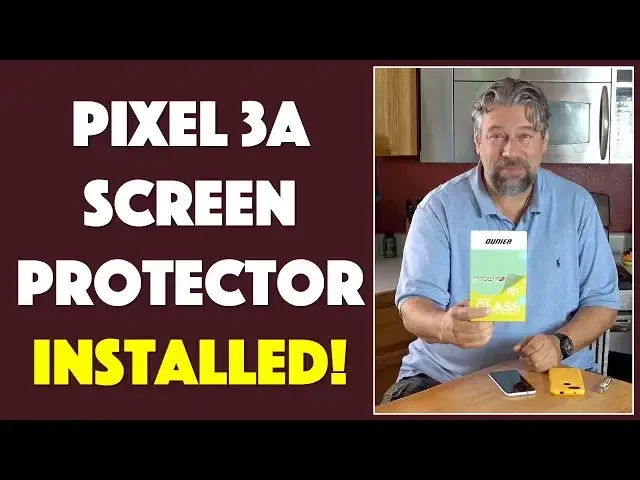
Your Google Pixel 3a smartphone has a pretty tough screen, but do you really want to trust that it will resist all scratches and chips? Much smarter is to spend a few dollars on insurance: A tempered glass screen protector is a simple and smart investment. Like the Ounier Glass Screen Protector for the Google Pixel 3a.
Tech expert Dave Taylor of https://www.AskDaveTaylor.com/ unboxes and installs an Ounier Glass Screen Protector on his own Pixel 3a and finds it's a super easy installation task. Better yet, the results (after a bit of fiddling) are perfect.
Check it on Amazon at: https://amzn.to/2JYv7ca
Show More Show Less View Video Transcript
0:00
A screen protector for the price of a latte? Let's check it out
0:11
Dave Taylor here with my Google Pixel 3a. It's a great little phone, but you know you can always
0:16
have a little more protection. So I got an OtterBox case for it, but we'll come back to that because
0:22
that doesn't protect the screen. Enter the Ounier Glass Screen Protector for the Google Pixel 3a
0:30
And I will tell you this is about the same price as a Frappuccino at Starbucks. So it is pretty
0:36
darn inexpensive. Question is, will it install? And what's it going to look like? So let's get
0:42
to it. First off, my handy unpackaging or unboxing tool. We will use this. And I will also tell you
0:49
that before I started filming, I did something that I believe is super important. Anytime you're
0:55
doing a screen protector or anything is I thoroughly washed my hands with soap and dried
0:59
them. Now there's oils on your hand and you want to try to avoid having them be a problem. So okay
1:06
we open this up and let's see what's inside. So there is the screen protector itself in the
1:13
envelope. That makes sense. We will put that here. Let's see what else it comes with. It comes with a
1:18
lifetime warranty. That's pretty handy. And a package of installation accessories. Very exciting
1:26
I will open that up. And this is pretty standard stuff. So let's see what's in here. So we have a
1:34
lint-free cloth. We have a basically wet wipe. It's an LCD screen cleaner. And then we have this
1:43
sticker to get off that last little bit of dust. So let me give myself some room to work with. So
1:49
I'm going to just get that off camera. That moves here. And then let's see. So the standard way
1:56
actually, let's pull this back on camera because I noticed at the back of the little warranty card
2:04
is some instructions. So let's see. Use the alcohol wipe to thoroughly clean your screen
2:10
So we'll do this in order the way they suggest. So alcohol wipe. It doesn't smell very good
2:18
In case you're thinking, hey, that's an inexpensive way to like have a party. This is not
2:22
It would not go well. So I'm going to use this and just wipe it and it gets it a little moist
2:28
but that's OK because we are going to use other tools to get that moisture off. So we've done
2:35
that. Now, step two, clean the cloth or clean the phone with the microfiber cloth. That's what this
2:42
is. So this is not just lint-free, but it's microfiber. So that's pretty fancy sounding
2:50
And the screen was already pretty clean. So I'm not too worried about this. But let's see
2:57
Looking pretty good. And I will say I do have three cats in my house right now. So there's a
3:03
lot of dust and a lot of free floating particles and particulate matter. So that is an issue
3:10
because I don't want any of that underneath my screen protector. So part three, remove any dust
3:16
on the screen with the dust sticker. That's what this is. And it's super easy. It's like what you're
3:23
not supposed to do, right? You put the sticker on and then take it off again. But that's OK
3:28
That's what we're supposed to do this time. So I'll do this. And that looks like it's done. So
3:34
now, now the part that's scary and intense, right? We take the screen protector out and let's see
3:41
what do they say. They say peel off the protective film, align it and place quickly in case of dust
3:48
then gently use the cloth to push it properly into place. So I'm just going to remove it
3:55
from its backing, which, as you can see, pretty easy. And now the trick is to get everything to line up properly. Let's see. I don't see any
4:09
dust has arrived. So there's actually the flash for the selfie cam turns out to be an easy thing
4:16
to align with. Let's see. That looks almost exactly perfect. And what's fun is the way these
4:24
adhesives work is I don't actually have to do anything and I can see it starting to sort of
4:29
adhere. But we're going to use this cloth and I'm going to help it along a little bit
4:35
And it's adhering very nicely. A couple of air bubbles to work out
4:42
and that's easy to do with the cloth. And let's see. Sometimes it takes a minute or two to
4:51
fully and completely adhere. But right now I would say we are ninety nine percent of the way there
4:58
and it is on my phone and you really can't tell. Right. So if I actually wake my phone up
5:07
there's no impact on the screen brightness, although I should probably turn the brightness up
5:12
Let's see. So I'll get the brightness all the way up. So there's no real impact on the
5:17
brightness of the screen. And that's really important now with it installed. And while it
5:23
does that last tiny bit of adhering, let me tell you a little bit about the screen protector itself
5:28
It is only a phobic, which means they have a coating to avoid having your fingerprints leave
5:33
oil on the screen. It's an anti scratch with a nine H hardness level. It is bubble free
5:40
although we'll see how that goes in a second or two, because there's still a little bit on the
5:44
top there that I'm going to look at. It's case friendly. Let's find out. Right. They say it's
5:50
case friendly. I'm going to put it back in my Otterbox and Otterbox makes pretty aggressive
5:55
cases. So if it works with Otterbox, then it's going to be just fine. And it does indeed. It's
6:02
just like the tiniest bit smaller than that. So I can see all the way around it on the reflection
6:08
and it works perfectly well with my case. And this is really sort of the ideal setup. So
6:15
now this is, you know, HD clear tempered glass with a thin design. It's anti scratch. It, you
6:21
know, gives me just an additional little bit of insurance. And this is, you know, the Pixel 3a
6:26
is not the most expensive phone in the world, which is awesome, but you still don't want to
6:31
have it get damaged and have to buy a new one. Or you certainly don't want to have to replace the
6:35
screen. So this minimal investment is a smart move. Now, let me just see what's happened here
6:43
So there's still a tiny little bit of air bubble on the very top. What I've found sometimes with
6:48
these is if you actually pull it off up to where it hasn't adhered and then let it adhere again
6:55
then that generally solves all the issues. And I can see it's done just that with this one too
7:01
where all of those have gone away and now it's perfect. And I literally have no air
7:06
bubbles or anything. I can't even see that I have a screen protector on there. So that is optimal
7:13
Now let's talk about the price. I told you it was about the price of a Frappuccino. So we'll talk
7:18
about that. But before we do, let me ask if you can subscribe to my channel. I try out, I test
7:24
I review. I'm super honest. Please go ahead and subscribe so we can keep up to date and you can
7:29
keep up to date with what I'm looking at. I look at a lot of stuff. Great. Now this is the Onier
7:37
Glass Screen Protector for the Google Pixel 3a. And it is, ready for this, $6.59 at Amazon.com
7:48
$6.59. So this is really ridiculously inexpensive. Little bit of additional insurance to make sure
7:56
if you put this in your pocket with your keys or something that this gets scratched or this
8:01
gets cracked rather than the actual screen of your phone. I'm a big fan of these. I have these
8:06
on all my devices and now I have it on my Pixel 3a. So awesome. Nice job. It works beautifully
8:13
You can see there's zero impact. The screen all works the way you would expect it to
8:19
Let's see, I can do that. All of this stuff just works as you would expect. So it has almost
8:26
no impact at all. Once you put this on, you're going to forget you even installed it
8:30
but it gives you that extra little bit of insurance, that extra little bit of protection
8:34
and that's a good thing. So with that, I will catch you in my next video
8:48
Take care
#Consumer Resources
#Product Reviews & Price Comparisons