Up next in 10



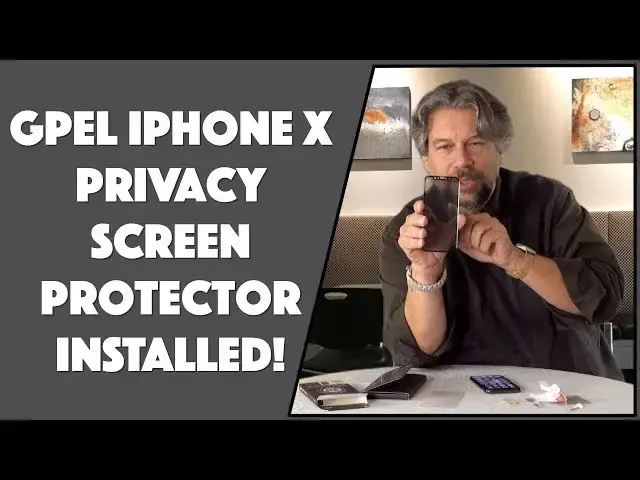
Got yourself a beautiful new Apple iPhone X and loving the bright, vivid OLED screen? Now, have you found out how expensive the screen on the iPhone X is to fix? But that's not the only reason to be interested in the GPEL iPhone X tempered glass screen protector: it's also a privacy filter so that people looking at your screen obliquely or at an angle won't be able to see what you're viewing.
Tech expert Dave Taylor of https://www.AskDaveTaylor.com/ checks out the GPEL iPhone X privacy shield and demonstrates just how easy it is to install on your phone. He also shows how the privacy shield works too, a must-see if you don't want everyone in the room sneaking peeks at your screen.
Learn more: http://amzn.to/2nz4yTg
Show More Show Less View Video Transcript
0:00
an iPhone 10 privacy screen you're gonna
0:02
want to check this one out Dave Taylor
0:11
here and this time I'm gonna look at a
0:13
screen protector for my new shiny Apple
0:16
iPhone 10 why would I do such a thing
0:18
when it has such a gorgeous o LED screen
0:21
because it costs a whole lot of money to
0:23
fix it if the screen gets cracked or
0:25
scratched so why not put something on
0:29
top of it and this can be the
0:31
sacrificial lamb as it were and it can
0:34
break or be cracked or scratched and
0:36
then the phone is still pristine totally
0:39
logical but this this is the GPL privacy
0:42
screen protector has a secret skill too
0:46
and that is that it's privacy glass so
0:50
what the company says is it gives you a
0:52
60 degree field of vision so if
0:55
someone's looking at your phone from an
0:57
angle it'll just be dark and they won't
0:59
see anything that's pretty interesting
1:01
cuz you don't really want people looking
1:03
at everything you do on your phone all
1:05
the time so I can give you all the specs
1:08
but let's go ahead and put this on the
1:09
phone and see how that goes and then
1:11
we'll come back and we'll look at the
1:13
specs so let's see what's in the box and
1:17
I've done a lot of these so usually it's
1:20
pretty straightforward so let's see what
1:22
we have here we have the actual screen
1:25
protector itself in a little envelope
1:27
and then in a second envelope we have
1:30
very snazzy dust removal stickers which
1:36
look a lot like regular stickers and an
1:38
alcohol swab hmmm which actually doesn't
1:41
have any smell which is good because it
1:43
shouldn't shouldn't leak right and a
1:45
lint-free cloth which hopefully will
1:47
remain lint-free now let's see somewhere
1:51
there are gonna be directions here we go
1:52
so I like to do things in the order they
1:55
say because presumably they've figured
1:56
this all out so step number one place
2:00
your device on a surface with the screen
2:02
facing up got it
2:04
screen facing down not gonna work as
2:06
well and let's see clean the screen with
2:11
the alcohol wipe
2:13
and the microfiber cloth and the dust
2:15
removal stickers so basically everything
2:17
you do is jammed into step number two of
2:20
six steps so the other five steps must
2:23
be pretty easy so we shall start with
2:26
the alcohol swab and
2:29
my screens pretty clean anyway but let's
2:32
do this just for good luck so what you
2:35
really want to do is you want to get a
2:37
hundred percent of everything off the
2:39
screen because I can tell you from
2:41
experience if you leave anything any
2:44
spot of dust any bit of hair or anything
2:47
it's gonna be sitting there on the glass
2:49
bugging the heck out of you forever so
2:52
you really want to try to avoid that so
2:54
let's go ahead and we'll finish cleaning
2:57
it and I'm pretty sure we don't need to
3:00
use the stickers but you know what
3:02
they include dust removal stickers will
3:04
use dust removal stickers so screens
3:07
looking good and nice and clean and now
3:10
we will use dust remover sticker number
3:13
one and I shall use this I don't know up
3:17
at the top and voila dust removed now
3:21
step two is done so step three is to
3:25
actually take the case out and let's see
3:29
what we got here
3:30
so this is pretty interesting you can
3:33
see when I hold it straight on it's one
3:36
color but as I turn it that's the
3:38
privacy glass kicking in where it
3:40
suddenly gets really dark that's kind of
3:42
cool
3:43
so what we're gonna do let's make sure
3:46
we do this right is remove the adhesive
3:50
cover from the back of the screen
3:51
protector well that looks like this so
3:56
we will remove this and interestingly
4:00
okay the cover has all these holes on
4:04
the top seems to me that I just have a
4:06
cutout but I guess there have some level
4:09
of enthusiasm that they understand the
4:11
design and now the hard part is really
4:13
just getting it to line up perfectly and
4:15
here's what's really cool about the
4:16
iPhone 10 because there's no home button
4:19
it's really a lot easier to get it to
4:21
work right and in fact let's see I think
4:25
we have it on
4:26
absolutely perfectly the only way to
4:29
find out is to try to do a selfie and
4:31
see if the cameras blocked and I see
4:35
myself I see nothing on any of the edges
4:39
of that so I think we are good to go
4:41
so it's possible we're done but let's
4:44
see what else the instructions say
4:46
carefully placed a screen protector on
4:48
your device by aligning the cutouts
4:51
gently press on the center of the screen
4:53
protector we'll do that with our lint
4:55
cloth and it actually should start
4:59
adhering if bubbles become trapped
5:02
underneath you can gently work them out
5:04
with the cloth but I think we're
5:06
completely good to go I don't think we
5:08
have any issues whatsoever this looks
5:10
about as clean as it's gonna get let's
5:12
see one way to do it is to bring up
5:15
something white and that is looking
5:17
pretty darn good I think we're good I
5:20
think we have a successful screen
5:22
protector install and now the question
5:26
is does it still do the privacy and the
5:28
answer is to some extent I mean you know
5:32
it's not magic it's not going to make it
5:35
where no one can see it unless they're
5:36
perfectly square and sort of tangential
5:39
to the screen but I will say that it
5:42
does actually make a difference I can
5:44
see as I turn it that at certain angles
5:47
it's darker than it would have been
5:49
without the protector and of course the
5:51
screen protector itself is a great
5:53
benefit now now that we've put this on
5:56
and done it well and it's all good and
5:59
we're good to go let me tell you a
6:01
little bit about this so this is the
6:03
well this is the GPL privacy screen
6:08
protector for the iPhone 10 it has a 60
6:11
degree field of vision
6:12
it is a 9h hardness though that 9h
6:16
number might or might not just be
6:17
marketing its tempered glass and here's
6:20
something that I think is really
6:21
important it has what's known as an
6:23
oleophobic coating and what that means
6:25
is that our fingers have greases and
6:28
oils and all sorts of stuff and when I
6:31
touch this surface I don't want
6:33
fingerprints on it
6:34
now the glass that Apple uses for the
6:36
iPhone is oleophobic so you definitely
6:39
want to screen protect
6:40
that's the same otherwise you will
6:42
constantly be saying oh man more
6:44
fingerprints wipe wipe wipe
6:46
super annoying not good and it's also
6:49
what they call a high-def 3d touch
6:52
coating which is to say that it's
6:54
compatible with like force touch and all
6:57
the other things you do on a modern
6:58
iPhone 10 to be able to interact with
7:00
the system this screen protector itself
7:04
is a third of a millimeter thick which
7:06
is pretty small and it has rounded edges
7:09
so it has a nice feel to it as I sort of
7:12
rub my fingers on the edge there's
7:14
definitely nothing sharp and it's in far
7:17
enough that I'm convinced and I will
7:20
test it shortly but I'm sure that it's
7:22
gonna end up being case friendly too
7:24
because you don't want one that doesn't
7:26
work with your favorite iPhone case
7:27
right so that's about all I have to
7:30
share with you you just saw me put it on
7:32
it was a pretty easy process here's my
7:34
iPhone 10 with its cool privacy screen
7:37
and you know is that enough should it be
7:40
30 degrees instead of 60 degrees that
7:43
would be up to you I don't know that
7:45
they make anything a little narrower
7:46
than this but I actually like this and
7:48
I'll give it a whirl
7:49
so you want to pick up one for yourself
7:51
hold on though what I'd like to ask you
7:55
to do is I'd like to ask you to click on
7:56
that subscribe button because I
7:58
appreciate when you subscribe to my
7:59
channel and if this is useful helpful
8:02
and interesting give me a thumbs up
8:03
really appreciate that feedback okay now
8:07
this is the GPL privacy screen protector
8:10
for the iPhone 10 and it runs $30 at GPL
8:15
store.com I am ready to put my case back
8:19
on and I'm ready to get back to my day
8:20
so I'll catch you in my next video
8:25
[Music]
#Product Reviews & Price Comparisons