Up next in 10



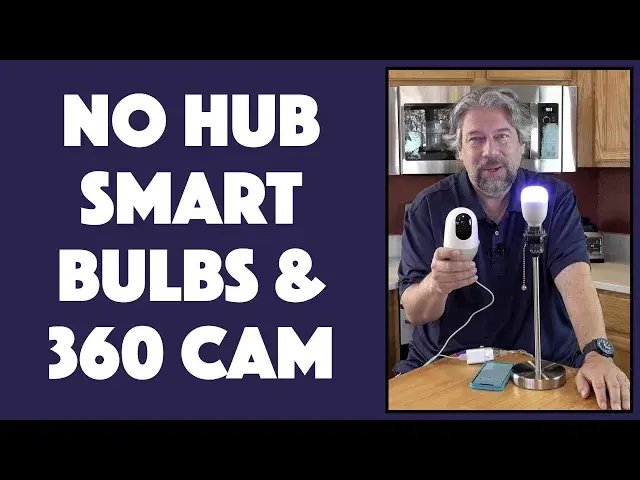
Ready to jump into the world of smart home tech but don't want to break the bank doing so? Tech expert Dave Taylor of https://www.AskDaveTaylor.com/ checks out the Nooie lineup and finds both the Aurora smart lightbulbs and Nooie Cam 360 great starting points, with their rich features, hub-less design, compatibility with Alexa and Google Home, and highly affordable price. Includes IR night vision demo and full Nooie app demo too.
NOOIE CAM 360: https://amzn.to/3s1XH19
Aurora Bulbs: https://amzn.to/38SCPCb
16GB MicroSD: https://amzn.to/390X5BA
Show More Show Less View Video Transcript
0:00
Smart bulbs and a motion tracking camera. Let's check these out. ♪♪��
0:12
Dave Taylor here, and I'm checking out the Newey Cam 360 and the Aurora bulbs
0:18
And they're part of the Newey Smart Home system. And what makes them really cool is there's no hub needed
0:24
Now, this is the sort of latest generation of Smart Home devices, so you don't need to have any controller or hub or anything
0:31
It's all managed from the app. Now, the bulbs, you can see they are a standard size
0:37
These are A19 10-watt, pushing out a maximum of 800 lumens. They're a little heavy for light bulbs, but that's because there's a lot going on inside
0:46
So let's start with this guy. First off, let me turn it on
0:50
But before I even do that, let me go ahead and record my screen
0:54
so you can see what's going on. So we're going to start on my home side of the Newey app
1:01
and that gives me the kitchen light. And I tap, and it turns on
1:06
I can make it brighter, or I can make it much dimmer
1:11
But where this gets really fun is when you actually go and you can change colors
1:16
So I have it on this sort of purple, but let's maybe make it green
1:21
So lots of different moods. You can jump directly to your shortcut colors of yellow, orange, red
1:29
And then if I move over, then I can actually get to regular illumination levels and colors
1:37
So this, in its white-ish mode, can go from 2800 Kelvin to 6000 Kelvin
1:44
So we can start with this, which is a good nighttime color. Let's get it switched to there
1:49
So that's a good nighttime color. There's not much blue in it. But during the day, you might want something that's a lot more of a bright bluish-white
1:57
Easily done. And then there's this sort of middle of the road here
2:01
And again, I can actually change its brightness. And you can do the slider along the bottom
2:08
And of course, there are also themes, so you can have theme lighting, which is really fun
2:13
Now, with that, let me go ahead and turn that brightness way down
2:18
Let's go back here. Oh, I see. I think it still thinks we're in theme mode
2:23
Now let's go back here and turn that way, way down. Just so it's not too distracting
2:31
But it's still that nice little blue. And you can get it in one, two, or four bulbs at a time
2:37
I'll come back to the price in just a minute. Let me tell you also, it comes with a 20-year lifetime
2:43
So these things, when you put them in a light fixture or something, you're not going to have to deal with them for a mighty long time
2:49
Really handy. So, like I said, I'll come back to the pricing in just a second
2:54
I will tell you that all of their devices are compatible with your Amazon Echo or your Google Home device as needed
3:00
You can set up schedules. So remember in the old days where you had that little device you'd time and you'd plug a lamp into
3:07
and then dial the time for on and off? Now you can all do it with your app
3:12
Not only that, but you can set it up so that maybe every day at 6 p.m. the lights turn on
3:18
and every night at midnight everything turns off, whether you're home or not
3:23
So, schedules, controls, all of that inside the app. What's more fun, though, is actually the camera
3:31
So this is the Cam 360. And this is a great entry point
3:36
So let me switch to that now. You can see, if I tap here, you can actually see my camera and my notes that I use to make sure I get all the specs right
3:45
So what can we do with this? Well, we can turn the camera
3:49
So watch. All right. It will turn. And I can also look up
3:57
Or actually, I guess that's down. Or up. It's a little sensitive on the motions
4:05
And what's better is let me go ahead and rotate my phone
4:09
It makes the image bigger. And now we can zoom in. Now you can see my notes
4:15
And let's move to the side. I have a cat over there
4:19
Let's see if we can find him. So there he is. And you can see this is all working remotely
4:26
Now, the Cam 360 is 1080p HD. So they do have 4K units, which should give you better resolution
4:34
But this is a good starting point. And, of course, I can also rotate it back here
4:38
I can record video. I can take a snapshot. I can speak through it
4:44
And I can turn off its microphone. Not only that, but if I go to Settings, then you can see you can set up motion tracking
4:53
And you can set up detection. If we go to Detection, I can set up motion detection
4:58
So one of the other things that it features is it features IR night vision
5:04
And, of course, if you're like me, you're like, hmm, what does that look like? So here's what night vision looked like
5:09
I turned this on and had this in my kitchen last night
5:13
It was totally dark. I turned off all the lights. And I came in and checked the fridge, as you can see
5:19
That's pretty darn impressive for night vision with no lights. So that's really handy
5:25
You do have to pay for cloud storage if you don't want things stored on the microSD
5:29
It doesn't come with one. You'll need to buy one for yourself. But, honestly, if you want to get, like, a 16-gig microSD card, I think it's less than a cup of coffee at Starbucks
5:38
They're pretty darn inexpensive now. It does 360-degree motion tracking, so it can go all the way around if it needs to
5:46
And motion and sound detection, as I already demonstrated. Two-way audio, IR night vision
5:53
It's size-wise about 5 inches by 3 inches, 15 ounces. It comes with its power cord
6:00
And it also comes with this, which is the wall charger. And it is USB 3.0 on one end
6:09
And though it's a sort of curious shape, the other end is a microUSB connection
6:16
It's an unusual plug because they're trying to have nice design. But in the event of a crisis, you could use a regular microUSB connector, and that would work fine
6:25
The trick is you need to remember that it's going to want to rotate, so you don't want to get too complicated
6:32
It also comes with a wall or ceiling mount. So you could just as easily mount it like this on your ceiling and then point it
6:40
So now you have, like, a surveillance cam if you have a commercial business
6:45
And it's actually trying to rotate. So let me give it the freedom to do that
6:50
And it should just be synchronizing itself. I can feel the vibration of things happening
6:56
Let's just put it back down. And here we go. It's just checking its freedom of motion
7:02
So you can see it's just part of that startup routine because I unplugged it and plugged it in again
7:09
So in a moment, we'll hear a beep. So lots to like
7:13
I'm really impressed with these. I love these smart bulbs. I love the fact that I can just have them be any color, any brightness, all from my app
7:20
And you can pair them and collect them. So I have four bulbs working in a group in my living room
7:26
And I just say turn on couch light. Here you go. So I just say turn on couch light, and all the lights in multiple fixtures all turn on at the same time
7:35
And then I can adjust brightness simultaneously. How easy is that? Really, really helpful
7:42
So Newey has some really nice stuff at a really good price. But before we get to the price, I'm going to ask if you don't mind if you can click or tap on that subscribe button and subscribe to my channel
7:53
Really appreciate that. All right. Now let's talk about prices. This is the Newey Aurora bulb, and it's $15.99 a bulb or $22.99 for two bulbs or $48.99 for a box of four smart bulbs
8:10
Really fun, really fun addition to your office, your home, your bedroom, wherever you want to put them
8:16
Really, really nice addition to your house, I believe. And then the Cam 360
8:21
This has a lot of uses. The design makes me think that it's for a baby's room
8:25
But really, you could put this anywhere you want. And it's not the most discreet device in the world, but that's OK
8:31
Sometimes it might be beneficial to actually have someone know that you have a little camera running, right
8:37
So they call these nanny cams. That might be something that you might want to check out
8:42
There's a lot of uses for this. I have a couple of these in my house, and I like to know that if, like, my door unlocks and I get a remote sensor event, then I want to pop over to a camera and see who's in my house right now. Hmm
8:55
Well, I mean, hopefully if they unlock it, it's someone who's supposed to be there, but you never know. Right
9:00
So all of that's pretty cool. So we got the price on this. You'll be surprised is $49.99
9:06
But right now on Amazon, as I record this, there's a $10 discount
9:11
So this is $39.99, which makes it one of the easiest, most budget and affordable entry level remote smart cams that I'm aware of
9:21
So really good. Lots of features. The software is decent. All of these companies, their biggest challenge is getting the software right
9:30
And this software is functional. You can configure it all out, as I showed
9:34
So lots to check out. If you want to create a smart home and you don't want to have to deal with a hub or anything, and you'd like to have it be Alexa compatible or Google Home compatible, these are worth checking out
9:46
And with that, I think I am going to go back and check my fridge again. So I'll hope to catch you in my next video
10:02
Bye
#Consumer Electronics
#Home Safety & Security
#Home Automation
#Home Alarm & Security Systems