Up next in 10



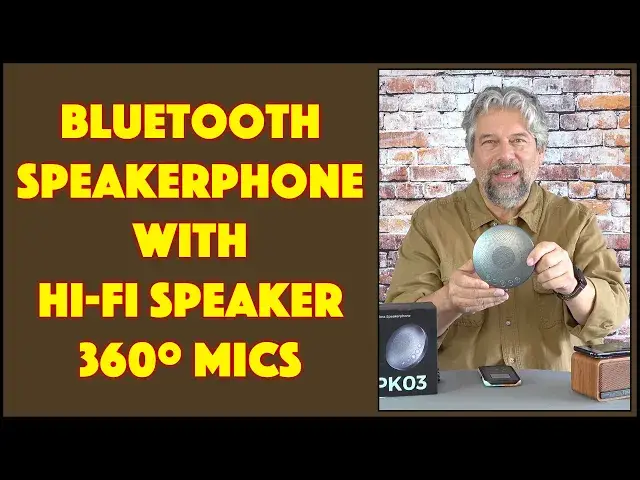
For less than you might think, you can significantly upgrade your Zoom, Microsoft Teams, even Apple FaceTime conversations with the Nexigo SPK03 Bluetooth Speakerphone. It also features VoiceCap noise reduction, as demonstrated by tech expert Dave Taylor in this demo and review video. You'll want one after you watch - and listen! - to this.
Check it out at: https://amzn.to/4372C33
Visit Dave's Q&A Web site at: https://www.AskDaveTaylor.com/
#nexigo #bluetooth #speakerphone #spk03 #conferencecall #conferencephone #askdavetaylor
Show More Show Less View Video Transcript
0:00
It's a highly portable and highly affordable speaker phone. Let's check it out
0:12
Dave Taylor here and I'm checking out this. This is the Nexigo SPK03 Bluetooth speakerphone and
0:18
you can see it's kind of like the world's smallest frisbee or a big hockey puck and it's light and
0:24
small and it does a really nice job of what you get it for which is both to be a speaker and
0:32
especially to be a voice pickup device. So it features 360 degree voice pickup with six microphones
0:40
and 48 kilohertz sampling and it does speaker tracking. As you'll see in a moment there's an
0:46
actual ring of LEDs and it'll highlight to show where it's hearing the sound from. Really pretty
0:52
slick. It's also a hi-fi speaker so we'll talk about the audio quality and Bluetooth 5.0 has
1:00
USB-C connectivity. No big surprise it comes with a nice long USB-C to USB-A cable which means yes
1:10
you can use it in plugged in mode on a computer or you can use that for charging and then you can
1:17
just use this wirelessly hence the Bluetooth. Pretty easy. It also features voice enhancement
1:23
with something called voice cap noise reduction. We're going to test that in just a moment
1:28
Echo cancellation. Everything you want Zoom certified so it's absolutely ready to work with
1:34
Zoom calls but of course it's just an audio input and output device so once you pair it with your
1:39
smartphone, your tablet, your laptop, your computer, you can use it for any software. If you want to use
1:46
something like Microsoft Teams or you're an old school Skype person or you want to use FaceTime on
1:52
your iPad it'll work in all of those scenarios because it's an array of microphones for voice
1:58
input and it's a speaker for output. Now it also has a nice built-in battery giving you eight hours
2:05
of use. I think if you just use that as a speaker you'll probably get a little more out of it but if
2:11
you're using it for input and output, speakerphone, then it's eight hours or thereabouts. Now what I
2:18
want to do is I want to give you some demos. So first I've already paired it with my iPhone 14 Pro
2:24
so we're going to start with a little bit of music and then I'm going to actually record the voice as
2:29
this picks up and then we'll test out some background noise and here's what that's going to
2:35
sound like. So now it's as if I'm in a bar or a coffee shop and I still need to be on the call
2:43
but you know my main microphone doesn't have any noise reduction. This does so we'll hear what that
2:49
sounds like. Okay back from the bar. So we're going to do that test and just see how it all sounds when
2:56
you actually get to hear the actual audio. So let's start with some music. Now let me turn it on and I
3:03
did that deliberately because I want you to hear the sound when you turn it on. This is the nicest
3:08
sound I've ever heard. Isn't that pleasant? Okay so now we have Bluetooth connected and now I can
3:22
play music and it has volume buttons. In fact let me give you a tour of the buttons. I will say they're
3:30
incredibly hard to read what the button functions are. One thing I think Nexigo could do better is
3:35
to use maybe white ink so you can see but there's volume down and they're just touch sensitive volume
3:44
up and then there is a Bluetooth pairing and I think that's a multi-function button. Nope. So it
3:53
is a perfectly functional speaker. There's no bass at all. So that is with it having bass set up on my
4:02
phone. So it's a really tuned for voice even though they say it's a hi-fi speaker but that's okay. In
4:09
a pinch you could use that for a training video or a podcast or something without any problem
4:15
and if you use it to listen to music that's not a crisis. It's just not going to have a lot of bass
4:20
If you're waiting for that drop you'll still be waiting. So let's get into the more fun demo and
4:25
what I want to do is I want to actually go to voice recordings and now let me actually show
4:29
you what's going on on my phone screen. So here's the voice recording app and I'm going to just push
4:36
that button and now what you're hearing is my voice as picked up by this device and you probably
4:43
can't see but there's little tiny green lights that indicate where of its array of microphones
4:49
around the speakerphone where it's actually getting the audio. So as you can hear it is good
4:55
clean crisp high quality audio for my voice which is great. Now let's turn on that background music
5:05
I guess what I should say is let's turn on that background noise and when I look in the
5:10
voice recorder app I can see that the noise is still coming through
5:14
So to switch on and off voice cap which is their noise reduction system
5:20
I push and hold the mute button. So let's try that. So now when it says low level a little confusing when it says low level
5:31
it appears to be removing that background noise which is most noticeable when I'm not talking
5:37
There's just the tiniest bit of background noise and then I'll switch it to the other mode
5:46
Okay now there's no background noise it's a little confusing because it doesn't say
5:50
voice cap on voice cap off but either way you can definitely hear that with this enabled
5:57
it does have some quality impact on my voice but when I'm not talking
6:03
there's essentially no background noise at all which is what you'd want. So now let's leave the
6:08
pub and what they say is that you should really only use this mode when you're in an outdoor
6:14
environment and there's a lot of environmental noise so even my demo of a pub probably isn't
6:19
optimal but let me switch back to my regular microphone. Okay we got it all back and now
6:26
we've done the demo as you can see I got a little confused but part of that is because
6:30
their voice prompt is inconsistent with what their manual says so if I show you it has a really nice
6:38
manual but this is one of these things where I think there's so many different iterations of
6:43
design that it's entirely possible that the people working on this are going to be
6:48
so many different iterations of design that it's entirely possible that the people working on this
6:56
didn't do one final check of the final production shipping unit. So when it says you know volume
7:04
high volume low or whatever the heck it says it's not saying voice cap but in the documentation
7:09
that's exactly what it says is going on. So a little confusing but most importantly I think
7:16
is that if you're using it as a speakerphone in a quiet environment as I was at the initial point
7:22
it really does a really nice job it's a really nice unit that you can just stick in the middle
7:27
of a table and get audio from everyone around it you don't have to be in a big work conference room
7:34
for this to be of value this is great for home if you're you know traveling and you're in a hotel
7:40
room you can put that on the desk and you can have a little more freedom of motion and it's going to
7:44
sound better to the person on the other end most likely than that built-in microphone on your
7:50
laptop or worse on your phone so definitely lots to like here and the price point is terrific
7:57
so let's get to that but before we get there I'm going to ask could you please subscribe to my channel
8:02
click on that subscribe button click on the bell icon for notifications and we're connected and if
8:08
you found this to be valuable interesting and useful then go ahead and give me a thumbs up or
8:13
like also really appreciate that great this is the Nexigo SPK03 Bluetooth speakerphone and it's $89.99
8:23
but currently on Amazon there's a 20% discount dropping it down to $71.99 at amazon.com that is
8:32
kind of a no-brainer price for a unit like this that maybe isn't going to let you hide the fact
8:38
that you're in a busy coffee shop or something but it will still give you really nice results
8:44
that's all I got so like I said it's a pretty straightforward unit oh let's hear what it sounds
8:49
like when I turn it off ah isn't that nice okay on that note I'll hope to catch you in my next video
9:08
so you
#Voice & Video Chat