Up next in 10



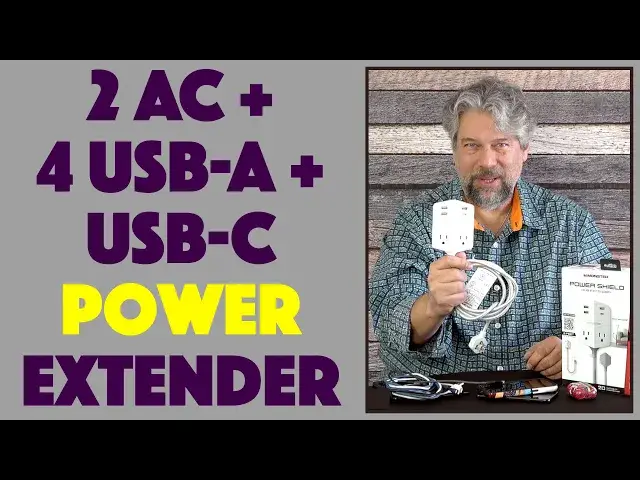
Tired of having to manage all those charging plugs and extension cords? The Monster Power Shield HUB EXTENDER solves all those problems with its great design and integrated dual 3-prong AC plugs, 3 * USB-A ports and USB-C (20W PD) port. The magnetic install system and 6-foot braided power cable complete the picture, as tech expert Dave Taylor explains...
Check it out at: https://www.Walmart.com/
Check out Dave's Q&A Web site at: https://www.AskDaveTaylor.com/
#power #acpower #usbpower #achub #powerhub #monster #monsterpower #askdavetaylor
Show More Show Less View Video Transcript
0:00
This hub extender instantly obsolete your extension cord. Let's check it out
0:12
Dave Taylor here, and I'm checking out this. This is the Monster PowerShield Hub Extender
0:17
and it's really cool. As you can see, it is basically a bunch of plugs on the end of an
0:24
extension wire with three prongs, fully grounded. But it's a lot more than that
0:30
because what you have is you have two AC outlets, and you have three USB-A ports
0:37
and one USB-C 20-watt power delivery port. All of this fits together incredibly gracefully
0:45
There is a magnetic unit that actually is something you just put on the back
0:52
and it will hold it anywhere you want. Now, the magic there is that there's a super strong 3M
0:58
adhesive on it. The idea being that I could put it on the wall, and then I can just snap this on
1:05
at any time. Whoops. Snap this on, and I'm doing it sideways, because if I do a full connection
1:12
with all the paper and all this stuff removed, then I'll probably never be able to get this off
1:18
It is a super strong magnet. But once you have that connected, imagine having this sitting there
1:24
on the wall just by your workspace, by your desk, by your kitchen table, wherever it is you work
1:31
And it's just super handy, and I really like all of the capabilities it has. And in fact
1:38
the other really nice thing is it has this great heavy-duty braided wire that's six feet long
1:44
Let's go ahead and I'll undo these little twisty things. And it is no big surprise that you can
1:52
take it and plug in two devices, for example, your laptop and maybe, I don't know, maybe a second
1:59
laptop or a big display monitor. But then you can plug in other things, too. So here's our six-foot
2:05
wire, and I'm going to plug it in. I just happen to have power here. So now it's powered up, and I have
2:12
a lot of different wires to experiment with. So we're going to start with USB-C, and I'm just going
2:18
to plug that into USB-C, and I'm going to plug in my AirPods Pro, and the little light shows you that
2:25
that is charging. But I got a lot more wires, too. So let's see what else we have. I have a lot of
2:31
smartphones, and they all always need charging. So let's see what we can do. USB-A, and basically I
2:41
have one that's micro USB, one that's lightning, and one that's USB-C. So just happen to have phones
2:49
that work with all those. So first off, the iPhone 13 Pro charging. I got an old Samsung that uses
2:57
micro USB. It's one of these ends here somewhere. Here it is. So we'll plug this in. Really don't
3:07
like micro USB. So glad we're moving away from it. But this one's charging. You see that there
3:14
And then finally, I have one that is USB-C, so we'll plug that in, too. So now all of these are
3:21
charging simultaneously. All of them are charging simultaneously off of this. A little clumsy, but
3:28
it's incredibly functional, and I could still plug in two AC plugs, whether they're two-prong or
3:34
three-prong. It is super straightforward. It's easy to work with, especially when you have this
3:40
whole mounting plate thing going on. It is super convenient that you could just put this on a wall
3:46
or against the side of maybe a hutch on your desk or something. Really, really nice. Now, what it
3:53
doesn't include is it doesn't, at least according to their documentation, it doesn't have any surge
3:59
protection. It doesn't have any over-circuit or overheating or anything like that. My guess is
4:04
there is some circuitry in here that does that, but it's not documented anywhere. So, sorry
4:10
certainly we can't say that it has that. So it is really just a basic extension cord with a bunch of
4:17
built-in USB charging, which honestly I think is fantastic. I could imagine that if I was at, for
4:25
example, the airport and I pulled this out and plugged it into the wall, I would suddenly make a
4:29
lot of new friends. It's really going to be that helpful. So it is a tiny bit spendy for something
4:36
that doesn't have any surge protection or anything, but you have to look at the functionality and you
4:41
have to decide for yourself how much you think it would be worth, which leads to the question
4:46
all right then, dude, how much is it? Now, before we get to the price, I'm going to ask if you could
4:51
subscribe to my channel. A click or a tap on that subscribe button, as should be very obvious, I'm
4:57
really honest and candid in my reviews. I'm going to tell you the straight scoop, the pros and the
5:02
cons. So speaking of the pros, this is the Monster PowerShield Hub Extender and it's $59.99 at
5:11
walmart.com. It's just hitting the channels. It'll show up elsewhere too if you don't want to go and
5:16
shop at Walmart. But in any case, it is a definite improvement if you're just using an extension
5:22
cord like this blue one I have here or anything else where you just take one AC plug and get a
5:27
couple of AC plugs out of it. This is such a smarter design. This is a really great addition
5:33
especially to any home office. That's all I got. I think I might need to plug things back in to
5:38
charge, so I'll have to catch you in my next video
#Consumer Electronics
#Electronics & Electrical
#Shopping
#Electronic Accessories
#Gadgets & Portable Electronics