Up next in 10



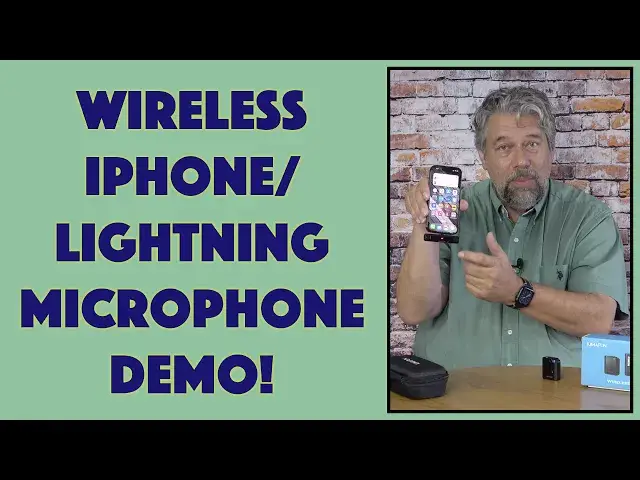
Imagine being able to record yourself with an iPhone or iPad, even if you're ten, fifteen, twenty-five feet from your phone! That's the function of the Kimafun Wireless Lightning Microphone for iPhones & iPads (model MK-G50-5). Tech expert and iPhone 14 Pro owner Dave Taylor plugged in a Kimafun Lightning wireless mic to try it out and had mixed results, as he demonstrates in this candid review video.
Check it out at: https://amzn.to/3SmMFjX
Then visit Dave's Q&A Web site at: https://www.AskDaveTaylor.com/
#kimafun #lightning #microphone #wireless #iphonemic #ipadmic #askdavetaylor
Show More Show Less View Video Transcript
0:00
This is a wireless microphone ready to plug into your iPhone or iPad
0:04
Let's check it out. Dave Taylor here, and I'm checking out this
0:14
This is the main piece of it. This is the Kimmathon Wireless microphone for iPhones and iPads
0:20
It's the KMG 55. And they have a whole bunch of different devices and different configurations that gives you the ability to do
0:29
wireless microphones on a real wide variety of settings, which is a little confusing. Right off the
0:36
bat, for example, on the box, it shows that there are two possible transmitters, one of which
0:41
has a really nice display. That's not the one in the box. This one does not have a display. It just
0:48
has two tiny LED lights, one of which gives you battery status, and the other one gives you
0:53
connection status. That's it. So right off the bat, I think a lot of people probably get confused
0:59
and they're like, that display is not working. Strange. But that's because that's a different model
1:05
and a different design from the same company. Now, this works in cooperation with this
1:12
obviously with the lightning connector on it. And this is the receiver unit
1:17
And together, the two of them operate on the 2.4 gigahertz wireless network
1:22
And the receiving unit has a 3.5 millimeter audio jack, which is pretty cool
1:27
So it actually serves as a wired connection adapter for your phone too
1:33
So even without this, this is actually valuable. But obviously working in cooperation, it works great
1:39
So all you have to do, it's ridiculously easy to work with. Plug it into your phone
1:44
This is my iPhone 14 Pro. And you can see that blue light is now flashing, which means it's looking for the transmitter
1:53
But that's literally all the configuration I have to do, which is none
1:57
So then on the transmitter, there's a power button on the side, and I'll push that for a couple of seconds
2:04
And then you can see that blue light is now solid because it's paired
2:10
And then this has also become solid blue. So it indicates that these are now paired together
2:16
And this has on the top a 3 millimeter jack so you can actually plug in earbuds or headphones if you want to monitor And then it has a microphone right there in the middle And then on the side there a power switch which doubles as a mute switch
2:31
If a quick tap, mutes it, quick tap, unmutes it, the color will show you the status
2:36
And then if you push and hold, you can turn it on or off. It's really all the functionality you need
2:42
And then there are volume control for the actual audio jack. So basically that's it
2:48
And then on the receiving unit, you have on the bottom the volume up and down for the earbuds
2:56
but it seems to be also the volume for the overall audio signal, sort of
3:01
We'll come back to that. And then there's that same button. So a single tap will let me put it in mute mode, see how that went red
3:10
And then if I push it again, then it goes back to blue. but if I push and hold, it'll turn it off
3:16
But of course, you don't really need to do that because all you're going to do is pop it out when you don't want to use it
3:20
So again, now this is flashing blue because it can't find its receiver
3:25
If I put this in, then they will both pair literally that fast
3:30
They're ready to roll. So really, really easy to work with. Now, it has a 50 meter or 160 feet range
3:39
That's a long distance. And latency is less than 20 milliseconds. And so it will actually have your lips in sync with your audio if you're 5, 10, 15 feet away
3:50
If you're further away, no one's going to be able to see your lips moving anyway. So probably doesn't matter
3:55
But I will tell you, these are so light that when I opened up the box and pulled this out
4:00
I was afraid that they had accidentally sent me an empty case. It's that light
4:04
It's ridiculous. It's 1.8 inches by 1.5 inches by about a half an inch thick
4:10
It has a clip on it. So it's easy to clip onto, for example
4:13
your shirt and you're ready to go. So it charges via USBC. You will need to charge this. And it takes
4:22
about an hour and a half from zero to 100 percent to charge it. And then that charge is going to give you
4:27
five to six hours of use. So if you're using it for an hour and then you turn everything off
4:33
because you're doing something else, then you're not using the bower, obviously. So you could really
4:37
use this realistically for many many hours Looks like I put out mute There we go And again that was because the light was red not blue So it has some noise cancellation It the gains a little high but let me just demonstrate
4:53
Instead of talking about this, let's switch to a quick demo that I recorded. You know, if I was just using my phone, then you would never be hearing any of this audio
5:01
because I'm just too darn far away. But with the wireless microphone, this is great
5:06
I can talk at a normal volume and you hear me really well. Now, because of the really low latency, it's also the case that my lips are perfectly in sync with the audio
5:16
Really nice, really easy to work with, and with that multi-hour battery life, it's super flexible
5:22
Cool. Now, let me jump back on the other camera so I can tell you just a little more about it
5:26
The demo definitely works, but you can hear what I was talking about
5:30
It's just like the gains a little high. You really want this microphone to be maybe like five feet away from you, which is inconvenient because it's designed to just clip on
5:39
But if it's this close, it's getting a really loud signal. And it just isn't like the greatest audio quality
5:46
That's something that they could have you adjust with a gain control either on here or here or in some software
5:54
None of those are an option as far as I can tell. It does tell you to adjust this volume with earbuds
6:00
And I just have these ancient earbuds from, I don't know, probably an iPhone 2 or something
6:05
But they're wired earbuds. I plugged them in. I tried adjusting things
6:09
didn't seem to make a lot of difference. But you heard the audio
6:14
It's certainly functional enough for most vloggers and most people that just want to be able to have the freedom
6:19
to tilt their phone up or put it on a little mini tripod or something and then just wander
6:25
around and not worry about having to be really loud because you're far from the phone
6:30
All of that goes away. Now, I want to tell you, the receiver, again, it's so light
6:35
It's kind of ridiculous. It's 31 grams. That's all. It's super easy to work with
6:40
And it comes with a travel case that's actually pretty nice. It's kind of big for the functionality required because all that it's going to have is it has these two units and a USBC to USBA charging cable
6:56
And there a couple of little furry microphone covers that you can clip on to the transmitter so that if you in a windier or noisier environment this will help cut down some of that ambient noise So that basically everything that puts in the case And this case ends up being kind of large
7:15
I think they could have cut this down at least 50%. But be that as it may, as you can see, it's super easy to just drop everything in here
7:24
And then you're just ready to be on the road or something. So I'm not going to put it all in right now
7:30
So that's really everything. It is a really slick design. I feel like they could do with one iteration on the engineering side
7:39
to just give us a little bit more flexibility, even at the cost of another $10 or $15
7:45
I think having a little bit more capability would be a really wonderful thing
7:50
Maybe it's just software. Maybe there's an app that the company could recommend to you
7:54
that is, if you're having any issues, download this app and it will let you adjust your audio input signal
8:02
But that was my experience. Yours might be different. And let's see
8:06
All else I can tell you is that it comes with a 30-day no-hassel return and a one-year warranty
8:12
So that's pretty nice. You can use this and try it out in different environments that you're in and see how it works for you
8:19
which is always the best way to do this. Now, not much else to talk about other than the price
8:25
But before we get to the price, I'm going to ask if you could subscribe to my channel
8:29
Click or tap on that subscribe button. then make sure you turn on notifications
8:33
We're connected. Great. Now, these two comprise the chemophone wireless microphone for iPhones and iPads
8:41
It is KMG 50-5, and it is 8799 minus 10% right now on Amazon, putting it down to 7919 at Amazon.com
8:53
Definitely one to check out. There are a lot of options for wireless microphones on the iPhone side because there's so many darned iPhones
9:01
out there so you might do your homework but this is definitely one to keep on your
9:05
short list and check out it's all I got I'll hope to catch you in my next video
9:31
You know
#Online Video
#Audio Equipment