Up next in 10



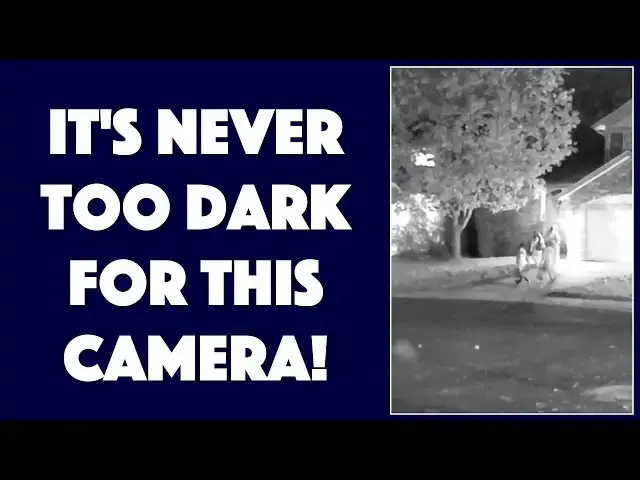
The SiOnyx Aurora is a camera that can capture images at over 800,000 ISO, which means that moonlight and starlight is sufficient to capture video or photos, even in the middle of the desert, a forest or just your own backyard. But the Aurora can do a lot more than that, as tech expert Dave Taylor of https://www.AskDaveTaylor.com/ demonstrates with extensive demo footage in this comprehensive video review.
Learn more at https://www.SiOnyx.com/
Show More Show Less View Video Transcript
0:00
an infrared night-vision camera let's
0:02
check it out Oh Dave Taylor here and I'm
0:12
looking at this this is so cool this is
0:14
the psyonix
0:15
Aurora and it's an infrared night-vision
0:18
camera and video system and as you can
0:21
see it's a pretty modest sized device
0:23
but boy the results that gets are pretty
0:26
startlingly good so let me tell you
0:29
first off water-resistant ip67 so if you
0:32
need to be outside in the forest in the
0:34
rain you can do it
0:35
hi-def color true night-vision but we'll
0:39
talk about specs let's just get right to
0:41
some example footage
0:43
so this first footage is daytime of a
0:46
river as you can see it's just a nice
0:48
video camera but let's switch to
0:51
nighttime so this is a nighttime scene
0:54
at a lake and there are obviously lights
0:57
on the houses on the far edge of the
0:59
lake but you can see it's pretty cool
1:02
the way it captures this let's look at a
1:04
couple of photos too so this first photo
1:07
is actually of it in daytime gain which
1:11
means that it's trying to interpolate
1:13
and actually include color so it's a
1:15
little bit pixelated but then this one
1:18
is just grayscale and you can see is a
1:20
nighttime photo this was basically
1:23
completely dark if I would have tried
1:25
taking a picture of this with my iPhone
1:26
it would have been just a big black
1:28
square so I think that's pretty
1:30
remarkable where this really was fun was
1:33
during Halloween so it was just a little
1:35
while ago and I was probably a little
1:37
bit weird stalkery but I stood outside
1:39
and I actually used the camera to
1:42
capture this footage of some kids
1:44
trick-or-treating across the street from
1:46
me now I think you'll agree that all of
1:50
that footage is pretty remarkable this
1:52
little camera does a really nice job and
1:55
it has a lot of features and
1:57
capabilities one of which is it actually
1:59
creates a Wi-Fi connection of its own so
2:03
when you put it in the right mode and on
2:05
the side here is the dial that gives you
2:07
access to all the different modes but
2:09
when you put it in the right mode it
2:10
becomes basically a Wi-Fi hot
2:13
five and then you connect your phone and
2:15
then you launch the psionics Aurora app
2:17
and let me just step through that real
2:19
quickly as you can see you connect to
2:22
the camera and then the app shows you
2:24
everything that's on the camera and this
2:26
gets a little confusing so these are
2:28
images on the camera and then you can
2:30
transfer them onto the phone but they're
2:33
still in the app on the phone so you
2:36
have a third step that you need to
2:38
transfer them from the app into your
2:40
camera roll if you want to be able to
2:42
share them on Instagram or email them to
2:45
people or whatever so a little bit
2:47
complicated on the app side but totally
2:50
worth it because I think the results you
2:51
get are terrific now let me tell you a
2:54
little bit the app also gives you the
2:55
ability to do remote control camera so
2:58
you can set your camera in just the
3:00
right spot
3:01
and then from the app you can control
3:03
taking photos or starting and stopping
3:05
video footage so if you are a wannabe
3:09
Private Eye or you're trying to catch
3:11
that kid who keeps stealing stuff off
3:13
your porch at night stools like this can
3:16
be really great now let's see it
3:19
features an ultra low light CMOS system
3:22
that's starlight capable and let me give
3:24
you just a couple of specs so the lens
3:28
is a 16 millimeter F one point-four in
3:31
night mode f 2.0 and twilight mode and f
3:35
5.6 in daylight and there's a dial or
3:39
control here on the top that lets you
3:42
change from daytime to Twilight to
3:45
nighttime and I'll tell you that doing
3:48
the right setting makes a world of
3:50
difference when I first got this I was
3:51
doing all the settings wrong takes a
3:53
little while to figure out and I was
3:55
just like boy these aren't very good
3:56
results and then I adjusted the gain and
3:59
I'm like holy cow this is so cool and
4:03
let's see so video or photos it takes
4:07
360 p or 720 p i was shooting at the
4:10
higher resolution at 7.5 15 24 30 or 60
4:15
frames per second 60 frames per second
4:18
is pretty high quality that's better
4:19
than what you're watching right now so
4:21
also has a built-in GPS and compass if
4:24
that's important and it is
4:26
works off of a memory card that you have
4:28
to apply or actually bring your own
4:31
basically but it is non-trivial to
4:34
figure out how to install it I highly
4:36
recommend you go to this psyonix website
4:38
and watch their video because you
4:41
basically take pieces of this apart and
4:43
it's almost like one of those Chinese
4:44
sliding puzzles you'll see when you've
4:47
tried to do that it is doable it took me
4:49
a couple of minutes to try to figure it
4:51
out and I'm like oh that's where it's
4:53
all hidden cool so you can do it and
4:56
then you never really have to mess with
4:57
it again because of that easy Wi-Fi
4:59
connectivity you can just go ahead and
5:02
go and you know get all the images and
5:04
stuff directly it also charges via micro
5:07
USB which see down here and I haven't
5:10
tried it but my guess is that also would
5:12
give you the ability to transfer data
5:14
through that connection and finally has
5:18
a rechargeable battery and the battery
5:19
gives you two hours of recording time on
5:22
a charge so that's pretty nice now
5:24
before we wrap up let me just give you
5:26
just a little bit more of a tour of
5:28
things because on the top there's the
5:31
button that gives you the ability to
5:33
start and stop video or to take
5:35
photographs and then there's all these
5:38
controls for doing the on-screen menu
5:40
there's nothing folds out or anything so
5:43
you spend a lot of time doing this and
5:45
it gets really weird at night because
5:47
this is bright and so when you're doing
5:50
this at night and you're monitoring what
5:52
you're recording you then take it away
5:55
from your eye and of course your eyes
5:57
are like wah-wah because it's a little
5:59
distracting
6:02
let's see otherwise there is a manual
6:04
focus I find that if I just leave a
6:07
focus left on infinity it seems to
6:09
always do the right thing and then on
6:11
the side is really the main control
6:13
which is on/off with you can go to
6:15
camera or video mode they have a slow
6:21
repetitive photo like blanking on what
6:23
the word is so it goes and then there is
6:27
a mode that lets you access all of the
6:29
data on the card so like I said you can
6:31
access it via the cable so that's pretty
6:33
easy the whole thing is really
6:34
remarkably light comes with this
6:37
carrying strap pretty handy also
6:39
comes with a data transfer cable and it
6:41
comes with this sort of soft fabric case
6:44
but here's the one thing that really
6:46
surprised me there's no lens cap I
6:48
really don't understand why there's not
6:50
some sort of a lens cap that you can
6:52
leave on whether or not it's leashed to
6:54
the unit or you just put it in your
6:55
pocket it does make me a little anxious
6:57
just toting it around with the lens and
7:00
there's there's not even any bezel on it
7:02
the lens glass is right there on the top
7:04
surface and I feel like this is just
7:06
gonna get damaged even if it's just
7:08
hanging around my neck so not sure why
7:11
they didn't include one but really
7:13
honestly that's probably my only
7:15
complaint now I will make an observation
7:17
as you saw in the daytime video footage
7:20
it's really hard to have this be stable
7:23
without a tripod if you're doing video
7:25
because holding it this way you have to
7:28
look through the camera the whole time
7:29
and it's really hard to be super stable
7:32
in this configuration versus like a
7:35
camera that you might be able to hold
7:37
like this or hold with both hands or
7:39
something so this might be just my error
7:42
but I found this a little tricky to
7:45
manage in terms of getting really stable
7:47
shots but it does have a standard screw
7:49
mount on the bottom so it would be very
7:51
easy for you to use a tripod and get
7:53
really nice stable images so there's
7:56
that now before I tell you the price let
7:58
me go ahead and ask if you can subscribe
7:59
to my channel I really appreciate when
8:02
you do and hey leave a comment or
8:04
something give me some feedback do you
8:05
have an infrared night-vision camera do
8:08
you want one if you had something like
8:10
this what would you use it for so I find
8:12
this really fun but I'm not really sure
8:14
what my use case is I don't really go
8:16
around late at night trying to take
8:17
videos it sounds a little bit creepy
8:20
actually although of course there's tons
8:22
of valid uses if you're a hunter outdoor
8:24
person whatever could be really fun to
8:27
catch that darn raccoon in your garbage
8:29
can for example so with that this is the
8:33
psyonix Aurora IR night-vision camera
8:36
and it is seven hundred and $99 at
8:39
psionics comm I say if you have a use
8:42
case for something like this this is a
8:44
phenomenally cool device and it does
8:46
remarkably well in almost zero light
8:49
which is quite fun if you're used to
8:51
using like your
8:52
smartphone and saying oh this is
8:55
horrible it just doesn't work because
8:57
it's dark this will work regardless of
8:59
the lighting situation unless I suppose
9:01
you're deep into a cave and there's
9:03
literally zero light in which case this
9:05
probably isn't going to work either
9:06
otherwise I think I'm going back to it
9:08
so that means I will catch you in my
9:12
next video
9:16
[Music]