Up next in 10



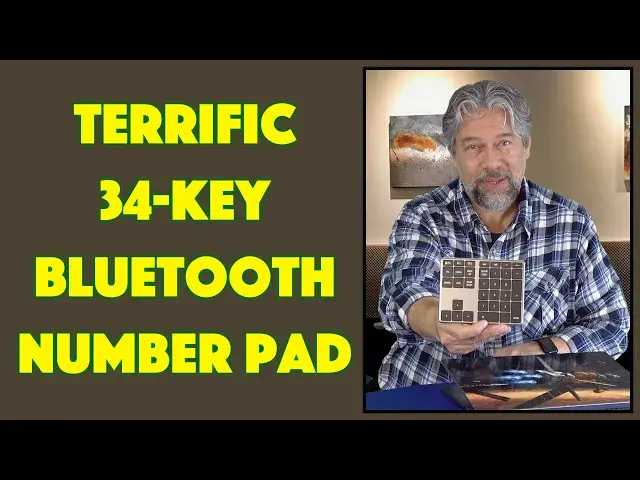
Find yourself entering a lot of numbers into spreadsheets or other documents, but are endlessly frustrated by the single row of number keys on your computer? iClever's Bluetooth 34-Key Number Pad keyboard is going to change your world; it's a solid, simple, easy to use external number pad that will speed up your data entry 100x. Tech expert Dave Taylor checks it out and finds it a solid option, particularly for his daughter who's in an accounting class in college.
Check it out at: https://amzn.to/3YeioX0
Visit Dave's Q&A Web site at: https://www.AskDaveTaylor.com/
#iclever #numberpad #keyboard #mac #windows #ios #android #askdavetaylor
Show More Show Less View Video Transcript
0:00
This tiny keyboard can yield big benefits. Let's check it out
0:11
Dave Taylor here, and I enter a lot of numbers in spreadsheets. Even more so, my daughter is
0:17
taking an accounting class right now in college, and she spends a lot of time on data entry
0:22
That works pretty well if you're typing in words, but when you start entering numbers
0:27
the standard keyboard layout on a laptop or desktop has all those numbers in a row
0:32
That's not very efficient. So, enter this. This is the iClever Bluetooth 34-key number pad
0:40
and it is Bluetooth and powered by a rechargeable battery, and you can see
0:45
has a very nice feel and a very nice design. It's actually made with a stainless steel frame and an
0:52
ABS cover, and the switches are actually scissor switches, so they're very similar in design
0:58
to what's probably already on your laptop or computer. So, there's a lot I like about it
1:03
Now, let me give you a close-up so you can see the key layout, and notably, notice the top left key
1:10
On a Macintosh, that will bring up Searchlight, pushing that button, and on a Windows computer
1:15
that'll actually bring up the calculator, but I just want to say this is just a Bluetooth
1:21
accessory keyboard, so it will work with Mac, Windows, Linux, Chromebook, iOS, Android. If you're
1:28
entering data on your tablet, this might be a really nice way to be punching in all those numbers
1:34
Now, it also supports two different Bluetooth connections, and on the back, there's not much to
1:40
see, but on the back, there's a USB-C charging port, and it does come with a cable, and then there's a
1:46
sliding on-off switch, and I like that it's a switch that it's not going to just be, like
1:50
pushed and accidentally turned on if you toss this into your purse or your computer bag, and
1:56
really not much else to say about it. It's just a very simple, straightforward keyboard, Bluetooth 5.1
2:04
USB-C rechargeable, and they say that one hour gives it a full charge, and it'll run for up to
2:10
100 hours, or about 25-30 days on standby. So, charge this. If you're using this a lot, you'll probably
2:18
want to plug it in sporadically, but, you know, if it stops working, plug it into your computer, give it
2:23
five minutes, and you're back, and you're good to go. So, I did think that it would be interesting for
2:28
you to see a little data entry. So, let's see. There's my computer, and you can see it's very responsive
2:37
and it's really easy to work with, and I really like the arrow keys, because on my Mac, it is the same
2:44
little three and one, as you see here, but on a lot of computers, especially a lot of laptops
2:52
they've moved the cursor keys into different configurations, and that can be very confusing
2:56
and not very helpful. Oh, and there's also, like, an enter key, so, you know, you have a variety of things
3:03
and it really is like a four-function calculator, because you have the slash for divide, the asterisk
3:08
for multiply, minus, plus, the period, an equal sign, escape, tab, there's a lot of different keys
3:16
So, suffice to say, it's a pretty nice setup, and not much else I could tell you about it. It supports
3:23
two devices. The only criticism I've seen from people is that they wish that it had an LED backlight
3:29
on the keys, but, of course, that would be nice, but, number one, why are you doing data entry in the dark
3:35
Maybe we shouldn't talk about that, but, number two, that would then lower the battery life
3:40
Does it actually get 100 hours of use? Well, I haven't used it for 100 hours, so I can't say for sure
3:45
that's the case, but it's really easy to work with, and to plug in, and charge, and you can charge it
3:50
right off your computer. So, I would say that even if it only gets 50% of that battery life
3:56
50 hours of data entry, that's a long time, that's a lot of data. Now, dimensions-wise, 5.7 inches by
4:04
4.4 inches by, at its maximum, half an inch, and I don't see that as half an inch. It looks like less
4:11
and it's 7.8 ounces, so weighs about the same as your smartphone. Really easy to work with, and
4:19
of course, when you're ready to transport it, just slide this to the off position, and you are ready
4:24
to rock and roll. So, this is a very specialized device. Not everyone needs an external numeric
4:31
keypad, but if you do, and if this is something that would be a benefit to you, this is an
4:35
excellent solution. It's simple, it's really well designed, it has a nice key feel to it, and a good
4:42
layout, and these extra keys are actually really beneficial, particularly if you're on a small
4:47
device where you either don't have all of these keys, or they've all been jammed together and
4:53
made small because it's more efficient for size. So, definitely one to check out. We do need to talk
4:58
about the price, but before we get to the price, I'm going to ask if you could please subscribe to
5:03
my channel. Click or tap on subscribe, and the bell icon for notifications, and we're connected. Great
5:09
And if this was useful, I would always appreciate, I do always appreciate a like or a thumbs up, so
5:16
feel free to go ahead and click on that too. Great. This is the iClever Bluetooth 34-key
5:23
number pad, and it's $27.99, currently minus 10%, dropping it down to $25.19 at amazon.com
5:33
If you're the kind of person who's entering a lot of numbers, this is a no-brainer upgrade to your
5:38
system, and one that's definitely well worth it. As for this one, this is going to my daughter
5:43
and I know it will help her with her accounting class. That's all I got. Hope to catch you in my next video
#Computer Peripherals
#Consumer Electronics