Up next in 10



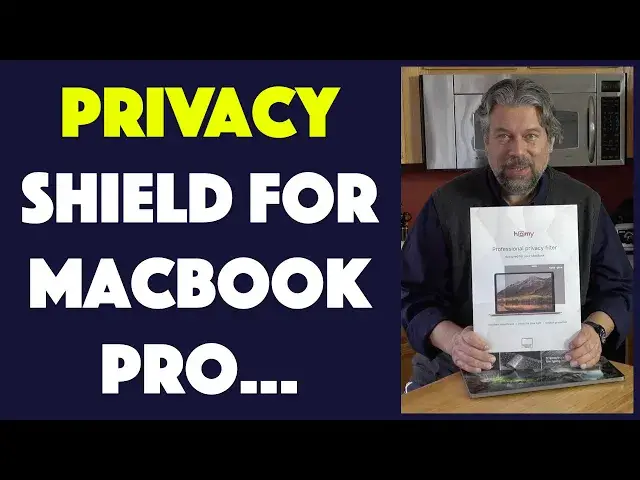
Tired of people watching your screen and giving you zero privacy when you're in public? Or even at home? No problems, tech expert Dave Taylor of https://www.AskDaveTaylor.com/ tests out and demos the slick HOMY privacy screen protector for the MacBook Pro and finds it works great. If only it included the actual installation stickers... But that's okay, as you'll see when you watch this funny and informative review!
Check it on Amazon: https://amzn.to/2UPFHHS
Show More Show Less View Video Transcript
0:00
A privacy screen for your MacBook Pro? Let's have a look
0:12
Dave Taylor here, and you know, when I'm working on my laptop, I don't really want other people
0:15
looking at what's on the screen. Now, right now, probably not so much of a big deal, but when I'm
0:20
back to working in public spaces, when I'm working in the office, when I'm at a cafe, when I'm on an
0:26
airplane, I don't really want everyone else to see what's on my screen. By default, your computer
0:31
screen has a really wide angle of view. So I can demonstrate that by just turning, and as soon as
0:38
I'm on screen, you can see what I'm looking at, which means you could be at a pretty oblique angle
0:44
and still see what's on my screen. Not a big fan of that. Wouldn't it be nice if right here it was
0:50
really, really dark, and then only when you're facing it and directly face on that you would
0:56
actually see what's on my screen, i.e. that would mean that only I would see what's on my screen
1:02
That would be pretty sweet, right? So that's what we're looking at. Enter this. This is the Homie
1:10
Privacy Screen Protector for the MacBook Pro, and it's actually pretty darn cool. We're going to go
1:16
and install it and see how it looks, but I just want to tell you it offers a very narrow 30-degree
1:22
viewing angle. So if you think of 90 degrees being a right angle, right? So a 90-degree angle is like
1:29
this. 30 degrees is a third of that, which means that if I'm in this area, I can see what's on
1:36
screen. But if I'm here or here, then I'm going to see nothing. It's going to be black. Nice. So
1:43
it turns out that this also filters 97% of the UV light coming off your computer screen, if that's
1:49
anything you worry about. Perhaps more valuably, it also filters 70% of the blue light, and of
1:56
course this means that there is a slight impact on the visibility. I'm just trying to make sure
2:02
we get everything out of the box. Okay, we got what we got. I'm going to put this aside. So let's
2:07
see what we have here. We have instructions. Great. We have attention regarding your product
2:16
and warranty. Whatever. We have a little cloth. We have stickers for if it's lifting while I'm typing
2:24
We have the keyboard. They include a little super thin keyboard cover, which is pretty nice
2:31
but it's not what we're interested in. And we have the screen. And what we don't have
2:36
and this is a problem this company is wrestling with, is we don't have the actual install stickers
2:41
So it turns out I'm not going to be able to do the install. Here's what's funny. This is the
2:46
second one they've sent me, because the first one didn't have the stickers. So the idea is that if
2:52
you have something like a clear screen, then that's pretty easy. It is a film you peel off
2:58
and then you go ahead and affix the screen. And I have a cat coming to investigate what we're doing
3:05
So hang on. We're going to de-cat this and we're going to, oh no, maybe my cat will do it all by
3:10
himself. Okay. We are now cat free and we're ready to continue. So like I said, this one doesn't
3:17
actually have a film that you remove. It's just this screen. So the idea is that you just put
3:24
little two-sided stickers on the edges and stick it onto your computer and you're done, right? Easy
3:30
enough. So the good news is we will be able to simulate that. So it is unfortunate that we don't
3:36
have the right stickers. The company is super responsive. They're actually sending me a mounting
3:41
set separately, but really should be in the box. Okay. Things don't always work out right. But the
3:48
good news is that we'll be able to test this and we'll be able to test it in a different way
3:53
So here we go. You ready? So here's my screen. Now, if I put this privacy shield on it, let's
4:01
see what happens. So here's where there's the privacy shield and obviously here's where there
4:05
isn't. Super effective, right? So it's certainly usable just by having it sit here, but you really
4:14
want to have it move up a little bit. There's a cutout on the top that should match up with
4:19
where your webcam is. So in a normal mounting situation, that's super easy to do. They also
4:25
have little side tabs that you could slide it in and out. But one of the things they've done that's
4:30
really good is it's wider than the screen. So when I do get that mounting kit, it won't matter if I
4:37
mount it perfectly or not. In fact, I could probably just leave it like this and use my
4:41
computer. And you're thinking, dude, there's nothing on your screen. Now let's see what
4:47
happens when I turn it so it's perfectly lined up with the camera. That is magic. That is pretty
4:56
cool. How much is it affecting my picture? Well, let's slide it halfway off and see. So you're
5:01
definitely losing some brightness. There is definitely an impact on your screen for having
5:06
the privacy screen on top of it. But again, if you need to keep your privacy in whatever situation
5:13
you're in, look what happens here as I turn it just a little bit and it's now gone and you can't
5:19
see anything. That is pretty darn sweet. Now what's interesting about this is that the privacy screen
5:25
itself, I can actually get it off of my computer, has two different sides. There is a glossy side
5:32
and there is a matte side. And the matte side is going to give you even slightly more impact on the
5:40
brightness of your screen, but you'll have less reflections. The glossy side will give you a
5:45
little bit more acuity of what's on the screen at the cost of reflections. So Apple in the good old
5:52
days used to have an option of getting a matte screen on the MacBook Pro itself. Some couple of
5:58
years ago they just stopped having that be an option and it made me sad because that was a
6:03
definitely very worthwhile upgrade. Now our screens are kind of reflective, so that's annoying
6:10
The company says that this particular screen is 15% brighter. So in other words, if I have it
6:16
straight on, this is brighter than most of its competitors. I have no way of measuring that
6:21
so I will just trust them on that. It is worth pointing out it is 0.4 millimeters thick
6:29
which makes it pretty darn small. The thickness, it is thick. It is thicker than having a regular
6:36
screen protector because it's doing something. It actually is doing this privacy shield
6:41
But their point is that if you have it properly mounted, let's just move it up
6:48
and then I can close my computer and it goes to sleep. So there is a slight gap. I can see here
6:55
it's not quite as closed as it would be without the screen protector. That might be partially
7:00
because I don't have it in exactly the right position. But as far as I can tell, my computer
7:05
is still asleep. Let's see. Yeah, when I opened it up, I saw the screen come on, which means the
7:11
screen wasn't on. Now again, if you, like me, end up with a package that doesn't have the mounting
7:18
kit, hit the company up. They will send it to you super fast. Not an issue. If you're super
7:23
impatient, just get double-sided tape, cut out little like one inch by a quarter of an inch
7:30
little segments, almost like capsule size, and just do it on the four corners. Boom. Done. Ready
7:36
to roll. Easy as that. Now a lot of people like having these privacy shields be removable. So
7:42
actually having it exactly like this isn't bad, actually. You know, because when I want to, I just
7:49
lay it on and it works perfectly well. And when I'm done, I have to master this particular thing
7:55
But when I'm done, I just take it off, maybe put it back in the original box, and I'm good to go at
8:00
home where I don't have to worry about it. So really nice. Now there are, as I said, two different
8:06
ways that you can mount it in a normal setup. One is with two-sided tape, which gives you a pretty
8:13
permanent connection or pretty permanent install. Or there are little tabs that let you slide it in
8:18
and out based on when you do or don't need it. The tabs seem like a better idea, but given that
8:24
there's so incredibly little space between the edge of the screen and the edge of the screen
8:30
protector, I'm not sure how easy that's going to be to install. But I can't test it. So we just have
8:37
to go with what we have. I will say the privacy screen itself works really great, and this is a
8:42
great upgrade. So it's definitely worth considering. And with that, the only other thing I want to talk
8:48
about is the price. But before we get to the price, let me ask if you can subscribe to my channel
8:53
I really appreciate it. I'm really candid. Obviously, this company did not send me this
8:58
product, hoping I would have this particular experience. But I'm sharing it with you anyway
9:03
because I think it's important. Don't have that make you not be interested in this product
9:13
because they will absolutely solve this problem. I could have just lucked out and gotten a bad
9:18
package. They will also send the stickers separately. It's still a great solution
9:23
But subscribe. Subscribe to my channel. Click or tap on that little button, and I'm giving you
9:29
lots of great reviews. I have access to tons of gear from tons of manufacturers, and I'm always
9:35
a straight shooter. I will tell you the good and the bad. That's just how I roll. So subscribe
9:40
and we can be friends. Awesome. Now, this is the HOMI privacy screen protector, and it is $35.99
9:50
at HOMI.world. And you will hopefully get the proper install kit with stickers and the little
9:56
side tabs. And if you don't, you know how to find it. So with that, I'm going to put this back on
10:02
my computer. I'm going to get back to doing some super secret work that I don't want anyone else
10:07
to see, which means I'll catch you in my next video
#Skins, Themes & Wallpapers
#Electronic Accessories