Up next in 10



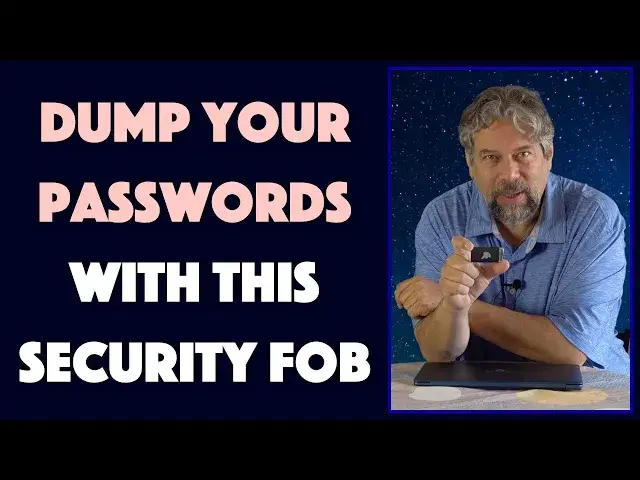
If you leave your computer or laptop unlocked when you walk away, you're at risk! If you work in a HIPPA, CJIS or DFARS compliant workspace or just want to keep your data safe, you need a simple solution. Enter the slick and AES256 encrypted Gatekeeper HALBERD Proximity Key Fob security system. For surprisingly little investment, you can set up a security system that's trusted by hospitals, industrial research labs and thousands of other secure facilities around the world. Even better, you can experiment with the technology through the use of your Android phone without any investment at all!
Tech expert Dave Taylor of https://www.AskDaveTaylor.com/ hooked up the Gatekeeper HALBERD and his Google Pixel 5 as security tokens for his new Gateway Notebook and demos how easy it is to work with and how well it works in this review....
Check out the Gatekeeper lineup at: https://www.GKACCESS.com/
#teampixel #security #encryption
Show More Show Less View Video Transcript
0:00
You can automatically lock and unlock your computer with this security key fob. Let's test it out
0:13
Dave Taylor here and let's talk about security for a second Now you might have a really complicated password or you might use biometrics like a fingerprint to log into your PC
0:23
And that's great Except if you walk away odds are your computer just sits there logged in and ready for anyone to do anything they want
0:32
That is a security problem. If someone actually puts up some malware, you can end up giving away your password
0:38
That's another security problem. Enter this This, let me do it this way, is the Gatekeeper Halberd key fob and this is a low power bluetooth
0:50
basically challenge query system So your computer once configured is going to be constantly strobing to look for this and when it sees it
0:59
It will automatically unlock your computer and when you walk away with it in your pocket
1:05
It will automatically lock your computer Now it is 256-bit AES encrypted
1:11
So it's pretty slick and pretty powerful and you can also configure it to do things like
1:17
Then prompt for a four digit or eight digit pin So you imagine if you have a bank of workstations each one assigned to an individual
1:26
You walk away your workstation immediately locks up and your neighbors can't just lean over and use it
1:31
So that can be really important. There are a lot of security situations like that where that's really actually perhaps legally
1:39
Really, you know serious responsibility Environments like HIPAA if you're in a medical office or CJIS or DFARS
1:46
There are situations and you don't have to be working at the pentagon, you know
1:51
And have some super fancy security clearance to actually want your computer to only be used by you and to have some
1:57
Mechanism to make sure that's the case so This is basically a bluetooth proximity unlock key now
2:06
If you have a computer that has a good bluetooth sensor system, you can probably use that
2:12
But it does also come with the little tiny dongle that's what I have here because my gateway is a
2:18
Little bit flaky in terms of its bluetooth, but let me give you the full demo. So first off
2:24
Let's go ahead and turn it on and notice i'm already logged in. In fact, I can push a button on this
2:31
And it'll log me out, but then it'll log me in again because
2:35
I have the key fob right here So now what I want to do is I actually want to walk away from the computer and let's actually
2:43
Have just a little bit prettier picture here So i'm going to walk away from the computer and then we'll see
2:51
Exactly what happens now I will tell you every time you do a demo things don't work exactly right so we'll see how this plays out. So bear with me
3:04
And I am Not very far away, maybe about five feet and i'll just keep walking further away until this locks and
3:15
Sometimes it takes half a dozen seconds and other times it's immediate. So now it's locked
3:20
Now i'm going to walk back towards it and we'll see how long it takes once I get near
3:26
For it to actually lock unlock And I do have it set up so it is at the you know maximum sensitivity
3:34
So here we have my dongle and I believe It is unlocked. So that's pretty slick. Now. Here's what's really slick
3:46
Is you can also do all this using their software without having to buy anything on an android phone
3:52
On an android phone. There is an app That is called trident and that's what i've installed
3:59
and I do actually have bluetooth turned off on my pixel 5 because
4:04
If I have it turned on then I would never have been able to Demonstrate this because this would be sitting here and it would continually be
4:11
Unlocked right? So now with this here, I can push the lock button on the phone
4:18
and That should lock the computer see but this is right next to it. So let's do this
4:24
I'm going to walk away with the phone And with this and then i'm going to leave this off camera
4:30
And we'll just try to use the phone as a proximity sensor to unlock it so i'm going to take off again
4:35
So watch that computer screen All right, so that worked and now i'm going to walk back but this time I only have my phone
4:47
so let's see if the phone is enough to unlock it and In fact the phone worked great
4:53
So that's what's so slick about this and from the phone I can also push the lock button and I can lock the computer if there's an emergency
5:01
But again, since my phone's immediately adjacent to it it then immediately unlocks again. So
5:07
Kind of an interesting conundrum there, but the concept is actually really slick, you know the speed at which it locks
5:15
Seems to be variable. Sometimes i've walked away and as soon as I look at the screen, it's locked
5:21
But even if it takes a couple of minutes that's still fantastic Versus how most computers just sit there unlocked if you're like working at a coffee shop and you have to go to the bathroom
5:32
It's literally sitting there logged in while you're gone How much better to have it be tied to your phone or tied to that halberd that little device
5:41
And have that be how it determines whether or not you can use your computer
5:45
So yes someone I suppose could take your computer but Assuming that we're not worried about that because this doesn't solve that problem
5:53
But this does solve the problem of you forgetting to log out or wanting to log in
5:59
With some mechanism that shows that if it's not you at least it's your phone or your keychain
6:04
And then again, you can still prompt people to have like their pin or to enter their password or something
6:10
All of that's configurable in the gatekeeper client app Now I did find their app a little bit confusing and I do wish that it was something where I could adjust it to be
6:20
So sensitive that if I had my phone way over here It would actually log me out because it had to be within three inches
6:28
But i'm not sure that bluetooth low energy ble supports that level of granularity with power
6:34
So that might be a technological issue now. I I don't have the halberd in my hand
6:40
So let me just bounce out again for a second get the halberd and then i'll wrap this up
6:45
All right, it is restored it is in my hand And now this thing is powered by a cr2450 battery, which is a pretty big watch battery
6:53
You'd need a pretty hefty watch to use it But it's that sort of coin battery and they say it'll last for six months of it basically being on all the time
7:03
There's a tiny button on the side that you can push and that causes an action to occur
7:08
Generally speaking a push gives you the lock in the same way that the lock button on the android app does the same thing
7:15
so Not much else I can tell you about this this if you buy this it comes with
7:21
Extra battery and two of the little tiny bluetooth dongles. This is their halberd plus usb sensor kit
7:29
They also have a workstation kit which gives you the ability to
7:33
To Use one of these extension cables to put the dongle in the front of a computer now on a laptop
7:41
It doesn't really make sense But imagine a desktop where the bluetooth is actually in the back of the computer
7:48
And so you don't get to just put this on your desk You have to like slide it under your desk or leave it on top of your pc tower or something super clumsy
7:57
So this gives you the ability to actually fix that and they really have everything in their little workstation kit they have little
8:05
Clips with adhesive they have a little one of these Sort of belt fobs that you can clip it to
8:13
they have a Neck Wrap that you can actually hang it over your neck
8:20
So this would just like sit here and then you don't even have to think about it, right
8:23
It would maybe probably be part of like your badge or something So you walk up to your pc and boom you're logged in and you can configure multiple pcs each of these has a unique id
8:34
So with central administration, you could set it up So any computer you walk up to logs you in on your account automatically and then you walk away and it's logged out again
8:45
Pretty slick actually so we need to talk about the price and the price is actually kind of fun for once
8:51
There's actually a free version that you can experiment with but before we get to the price
8:56
I'm going to ask if you can subscribe to my channel Really appreciate when you do that
9:01
And I just need you to tap or click on the little red button on the lower right and boom you're subscribed great
9:09
Okay This is the gatekeeper halberd key fob and this plus those little sensors
9:16
Will cost you sixty dollars at gkaccess.com But you can get the gatekeeper client app for your pc
9:25
And you can grab you know, grab the trident app for your android phone for free so you can set this up
9:33
So as your phone comes close to your computer it logs you in
9:37
And as your phone leaves the area your computer's in it logs you out
9:41
So if that's something that sounds appealing you can experiment by using your phone
9:46
And then maybe jump up to something like this now These are really more institutional or enterprise level solutions
9:54
So if you have a medical office maybe everyone in the office has one of these and that lets you log who actually used the computer when
10:02
and how come you're you know your Id logged in but you weren't in the office that day things like that
10:08
You could catch now most people that's probably not a big deal. But for enterprise that's great stuff
10:14
So I definitely recommend that you check this out if you want to have a little bit better security even again
10:20
Just for your laptop or something And you can learn more about it at gkaccess.com
10:26
And as for me, I think i'm going to go back to experimenting with the trident app and see how I can get everything configured
10:33
So I will hope to see you in my next video So
10:59
You
#Computer Security
#Hacking & Cracking
#Consumer Electronics
#Software
#Home Improvement
#Locks & Locksmiths
#Home Alarm & Security Systems