Up next in 10



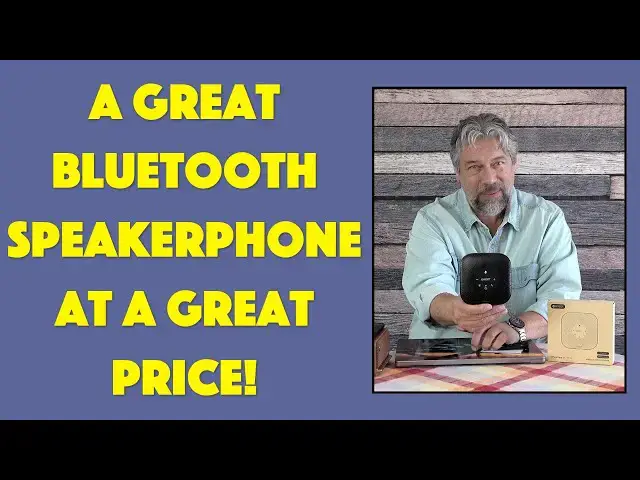
You don't need to work in a noisy office or coffee shop to appreciate the capabilities of the EMEET OfficeCore M0 Plus Wireless Speakerphone, but if you do, it's pretty amazing. Tech expert and long-time video conference participant Dave Taylor checks out the latest EMEET Bluetooth Speakerphone and finds that there's quite a lot to like with this budget unit.
Check it out at: https://amzn.to/3mv4qn3
Visit Dave's Q&A Web site at: https://www.AskDaveTaylor.com/
#emeet #speakerphone #bluetooth #telephony #wireless #m0plus #askdavetaylor
Show More Show Less View Video Transcript
0:00
This speakerphone will change your conference experience. Let's check it out
0:11
Dave Taylor here and I'm checking out this. This is the E-Meet Office Core M0 Plus
0:17
wireless speakerphone. So E-Meet, I've already reviewed the M0 and this is the M0 Plus which
0:23
adds significantly Bluetooth connectivity and a 2600 milliamp hour battery meaning you can run it
0:30
wirelessly just like this with any Bluetooth compatible device for up to 10 hours. Pretty
0:36
sweet. The M0 required you to be plugged in and hooked up via wire so this still has that
0:42
capability but it adds Bluetooth. Now in terms of some specs it is 20 to 20,000 hertz out. It's a
0:49
nice little speaker and 100 to 10,000 hertz in so it's focused a little more on voice which is
0:56
what you would expect. It also has something called voice I.O. which gets rid of background noise. I'm
1:01
going to demonstrate that. I have crowd noise all set up. We're going to have some fun with that and
1:06
see how it does. It's full duplex which means you can talk over someone else or they can talk over
1:12
you which is pretty darn important with speakerphones and it has four microphones so it
1:18
has a 360 degree pickup so you just put it in the middle of the table and it'll pick up everyone at
1:24
the table. Now what's really slick is you can actually get two of these and you can daisy chain
1:29
them so if you have a long rectangular table you can have one at each end and they'll work together
1:35
as a single Bluetooth or wired connection and you'll be able to get even that much more coverage
1:41
They say up to 16 people. I haven't tested it with 16 people but that's a lot of people to be on a
1:47
conference that's also on the phone. So very cool. You can connect it via USB-C. As I said there's an
1:55
AUX out so you can use it with headphones or earbuds because you can use this at a coffee shop
2:01
for example if you want to get better audio than that terrible little microphone on your little
2:07
earbuds you could use this as a way to get that to all work better. Now let's have a little closer
2:13
look at that front screen where all the buttons are and I'll give you a quick tour. We have a mute
2:18
button, volume down, volume up, Bluetooth, power, and a battery indicator, and a button that lets you answer
2:27
and end phone calls, and finally there's a status indicator to let you know what's going on
2:33
All of that conveniently right there on the front of the unit. Pretty easy to work with. So I have it
2:39
paired with my computer so that's how I'm going to do these demos. So let's start by getting some
2:44
background noise. So let me first make sure that it's connected. I'm using it with a Macintosh
2:50
but to be totally honest it is Mac, Windows, iOS, Android, and Linux compatible. I suspect it's also
2:58
Chromebook compatible but they don't say so. But it's just a simple device so you get audio out
3:04
and let's see if I want to go and let's just play some music so you can hear what that sounds like
3:13
So I can turn the volume up and there's not much bass there but you don't expect a lot of bass
3:22
Hang on let's see. Let me go ahead and pause that music. So there's not a lot of bass but that's exactly what you
3:31
would expect because it is designed for voice so it actually makes sense from a functionality
3:38
perspective. Now let's go and I'm going to do a recording but before I start the recording
3:44
let's go ahead I'm going to give it crowd noise. This is supposed to simulate me being in a bar or
3:50
a pub. So let's hear this sound. So I'm going to turn it towards me and we'll make it a little louder
3:57
It's a pretty loud bar and of course the way that I record this video with this microphone
4:03
there's nothing to block background noise. So now with this paired with my Macintosh I'm going to
4:10
go and do a recording and what you hear now is me speaking and it's still has all that background
4:18
noise but the voice AM system is getting rid of as much of it as it can so you can hear it doesn't
4:26
it's actually quiet. You don't hear that at all so let me switch back so you can see that I still get
4:36
crowd noise. So let's go ahead and switch and so now you can hear I'm still in that bar but this
4:44
has done a remarkable job of getting rid of that background noise. Now speaking of background noise
4:51
it's hard to talk when you're in a bar right it's hard to talk when you're in a loud environment a
4:55
busy coffee shop, a school cafeteria, an office where there's just too many darn people stuck in
5:02
the same small amount of space. So this is a great demo that gives you a chance to hear just how well
5:10
this does and then the third thing I want to point out while we're in and have this connected to the
5:16
computer is that there's also something called E-Meet Link which is an app you can get for your
5:22
Windows or your Mac system and as you can see on this screenshot it gives you access to a lot of
5:28
features. You will have to have the unit plugged in via USB-C to be able to actually use this app
5:36
and it does give you the ability to update firmware which is pretty important because it
5:41
turns out these speaker phones especially when you first get it always check to see if there's
5:45
been an update. Generally you don't see a lot of updates drop it's not like Windows where every
5:50
four days or Mac where it's every couple of weeks it's way less frequent than that but you still
5:55
want to be on the latest firmware and that's really everything I've got. So dimensions wise
6:00
let me tell you that it's four and a half inches by four and a half inches by 1.6 inches and it's
6:06
really light at 8.8 ounces and that includes that 2600 milliamp hour 10 hour battery so it is a
6:14
little taller than the previous unit was but really easy to work with once you've paired it with your
6:20
device once you're going to be able to just jump right back onto it and just get onto your call
6:26
It is compatible with Zoom and Microsoft Teams and Skype and BlueJeans and really any software
6:35
you'd use it would work with FaceTime because it becomes a microphone and a speaker for whatever
6:41
device it's paired with or connected to via the wire and then the device just says okay well you
6:48
know if you're going to want to start up a video chat or something then I'll just use that for the
6:52
appropriate inputs and outputs. Super easy to work with lots to like and the price is really great
6:59
in fact it's very affordable a very easy way for you to upgrade your mobile or a digital nomad or
7:06
road warrior kit. So we're going to talk about the price but before we get to the price let me ask if
7:12
you could subscribe to my channel click or tap on that subscribe button click on that notification
7:18
bell to turn on notifications obviously and if you found this to be valuable and useful I definitely
7:23
appreciate a like or a thumbs up excellent. Now I do want to say one more thing is that it does include
7:29
a useful set of instructions this folds out as you would expect and it also includes a USB-A to USB-C
7:40
charging cord which of course is also a connectivity cord unless like me you have a computer that only
7:46
has USB-C and then this isn't going to cut the bill so you're going to have to use your own USB-C
7:52
to USB-C cable not a big crisis pretty easy to manage. So this is the E-Meet Office Core M0 Plus
8:01
wireless speakerphone and it's $59.99 currently minus 20% on Amazon dropping it down to a remarkable
8:09
$47.99 at Amazon.com for under $50 this is a game changer for the audio side of any conferences
8:18
that you're doing if you're still stuck on Zoom or anything like that this is an absolute game
8:23
changer definitely one to check out further that's all I got so I'll hope to catch you in my next video
#Consumer Electronics
#Email & Messaging
#Voice & Video Chat
#Shopping
#Teleconferencing