live_tv
Livestream Starting Soon
00
Hours
:
00
Minutes
:
00
Seconds
Up next in 10



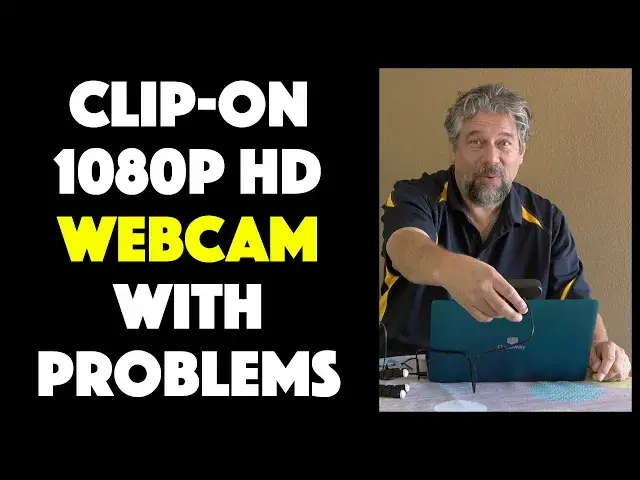
Tired of the fuzzy, low res video from your computer's webcam camera? Or maybe don't have a webcam at all? Tech expert Dave Taylor of https://www.AskDaveTaylor.com/ checks out the eMeet NOVA USB Webcam with its crisp 1080p resolution and excellent dual mic system and finds it still lacking in a couple of significant areas. You'll want to watch this review before you consider buying an eMeet NOVA USB Webcam, for sure.
More info at Amazon: https://amzn.to/30DI4Bv
Show More Show Less View Video Transcript
0:00
Up your video game with this HD webcam. Let's check it out
0:12
Dave Taylor here and I'm checking out this. This is the E-Meet Nova USB webcam
0:17
And as you can see in this close-up, it's a pretty smart-looking little device
0:21
Now, it clips on to your computer or it has a tripod mount on the bottom
0:26
So you can put it on a little tiny tripod like this or a large
0:29
larger tripod if you want. It really is pretty much designed to go on your computer though and it has this
0:36
universal clip which we'll talk about in a minute. It is 1080p which is better than your webcam
0:43
The vast majority of webcams as far as I've seen are 720p so this is going to make you look better
0:49
CRISPR more HD. That's a good thing, right? Has a built-in dual microphone and that's really one of
0:54
its strengths. It does a really good job with the audio but e-meat is kind of known for their audio
1:00
They do a lot of cool teleconferencing devices. I've reviewed some of them and they're really nice
1:05
So it is also low light friendly, but I'm going to rephrase that and say that it is actually really best use in low light situations
1:13
You'll see in my demo what I mean by that. Auto focus, 75 degree view, which is nice
1:20
Like I said, it has this universal clip, but it's not very good
1:25
As you can see already, it already drops down. and then the idea is you want something that wherever you put it, it will stay there
1:33
And I hope you can see it ain't doing that. So if I use it, here's one of my test computers
1:39
So I tested it with both a MacBook Pro and with this Gateway laptop
1:44
So on the Gateway, it's super easy because the other end of this wire is USB3.0
1:50
which plugs directly into the Gateway computer. You can check out my unboxing of this Gateway
1:58
so inclined. There we go. And then you just plug it onto the, you know, computer and then hook it
2:05
on the back. And then the idea is that you adjust that universal mount so that it's just the right
2:11
angle and it'll stay there, right? But can you see what's happening? That is not the behavior you
2:17
want while you on a video call or doing your own V or vlog whatever they call it or chatting with your boss or something So this consistently is one of the problems with it But the bigger problem with is that it overexposes
2:33
I think in their zeal to tune this for low-light situations, they forgot to try it out in regular light situations
2:41
So here's what I'm going to do. I'm going to switch to a demo. It's all in Zoom, because I, you think Zoom is a very typical use case
2:48
We're going to start with Zoom on this PC. Then I'm going to jump to zoom on my Mac just for a minute or two
2:55
and then I'll come back and give you some more thoughts. So ready? Let's do these demos
3:00
I'm using the built-in webcam on this gateway laptop, and it's really easy job
3:05
But since I plugged in the E-Meet Nova, I can literally just switch video inputs
3:11
and we'll get a whole different view. So let me just jump down here, change inputs, and..
3:21
There we go. So now you can see it's a more expansive view. It's also higher resolution so that 1080P should look nice and crisp and clean, but it's wider, it's taller. It's a lot to like you. However, it also is a little blown out. It's a little bit over exposed. But generally speaking, you just give you a great example. And I'm using, let me double check here. It should be using the e-meet. Nope
3:51
All right, I'm using the wrong microphone. Now I'm using the E-Meet microphone as well as the E-Meet on video
3:59
So I got everything coming out of that little guy that's sitting on a tripod, about five inches behind my laptop
4:06
So this is a live demo with a PC. What do you think
4:11
So I switch laptops. Now I have the E-Meet Nova plugged into my MacBook Pro, but I'm using the E-Meet camera
4:19
And as you can see, it's just pretty darn blown out worse than it was on the PC, which is frustrating
4:26
But I'm actually still, well, I think I'm using the wrong microphone
4:30
So now I'm still using my MacBook Pro microphone. Let's switch to the Ebeat microphone
4:36
And that should be working. So now you're getting the full situation here where there is, yes, there's some light over here, back that way
4:46
But not enough to really just blow this image out so much And that really the fundamental problem is there needs to be some way to dial this down But let me jump back on camera and let talk some more Pretty startling demos really I really expected it to do a better job
5:03
And as you saw in my little cutaway to the photo, it's not a very well illuminated space I was doing
5:09
these tests in. In fact, I can look over because it's just off camera. And it's actually a little
5:14
dark. I would probably turn the light up a little bit if I was going to sit and read a book or something
5:18
So, you know, there's a lot to like. The audio is exceptional, but there's some pieces to this that still need further engineering
5:27
One of which is this clip is just super annoying. I want something where maybe I adjust it and then there's something I can tighten on the side
5:35
That means that at that point it then doesn't move at all. That would be really nice
5:40
I've read online. Some people just put a rubber band around it, but I don't want to have to compensate for bad design
5:46
So this is just a clip that needs to be redone. Further, the camera clearly cannot handle well-illuminated situations
5:55
And if you tried to use this outdoors because you were on a patio or something, forget it
5:59
You'd be a sheet of white paper with maybe one or two details, and that would be it
6:03
Now, that is something that maybe they can adjust in software that doesn't come with any software
6:09
Maybe they should partner with someone that has some filtering software that you can adjust things like the, I guess
6:16
aperture, if you will. Or they could have maybe a dial on the top that let you dial up or down
6:22
its light sensitivity. Whatever it is, maybe they just need a different sensor entirely. It's
6:28
really not that usable in this situation, although I will say that I tried it out last night
6:35
in low light with just a lamp above my head. And it was shockingly good. It was really
6:41
really beautiful, way, way better than the webcam on my computer. So that really startled me because so far all the other tests have done have been so over illuminated
6:53
So maybe the secret to this is if you work in a basement or a cave or you do all your video chatting or Zoom calls or something at night, this might be the perfect tool for you
7:06
Although you still have to kind of figure out what to do about the clip
7:09
So other than that, there's pieces that are really good. The microphones, as you heard, were great
7:15
But that camera considering that its main purpose that camera is not going to be winning any awards even though it beautiful crisp HD image just needs to be dialed back a little bit
7:29
Kind of disappointing, really. I expected something better from E-Meet based on all my experience with their other products
7:36
So maybe they have a version 2 coming out, and that's going to fix all these problems and be startlingly amazing
7:43
So I'm hoping that's the case, and if it is, I hope they'll send it to me, and I hope I can review it
7:48
be that as it may you have now seen the pros and cons and might be in an environment where this
7:56
would work great for you i will definitely say it's better pc than it is mac because the mac
8:01
seems to even further exenuate that overexposure problem as you saw so that's really kind of all
8:09
i've got this is a very candid and honest review i'm just telling you and showing you what doesn't work so
8:16
well along with what does work pretty cool so I was really hoping this would be a webcam that I
8:21
could set up a couple of feet away from me and then I could actually be a larger frame including my
8:27
computer and this just isn't covering that so again maybe the next version will but let's still talk
8:34
about the price though before we get to the price I'm going to ask if you don't mind if you could
8:39
subscribe to my channel super helpful really would appreciate that so just click or tap on that
8:44
little red subscribe button in the lower right corner and we'll be connected forever
8:49
Obviously, I'm really honest with my reviews, which is a rather rare commodity here on YouTube
8:55
I know that. So, all right, this rather troubled little piece of electronics is the E-Meet Nova USB webcam and it's
9:06
4999 at Amazon.com. And hey, don't just believe me and my demos and my experience
9:12
go and read some of the reviews there. Some people really like it and find it's a really good solution for them
9:18
and other people are finding that it has problems. So check it out, look at other reviews, make your own purchase decision
9:24
and I will hope that I can catch you in my next video
#Consumer Electronics
#Camera & Photo Equipment