Up next in 10



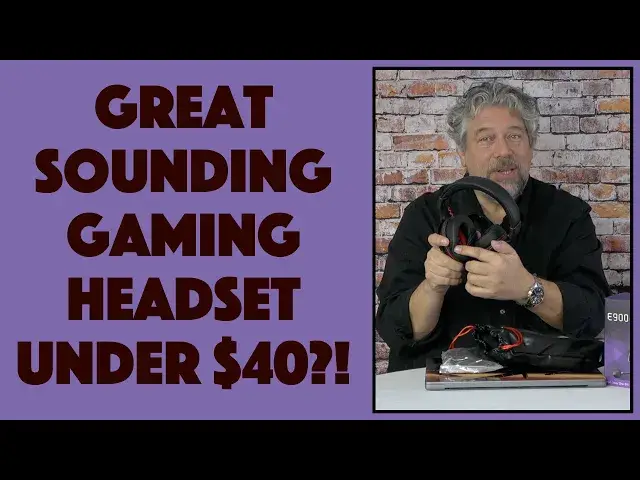
A great gaming headset with built-in noise-reduction mic and big sound doesn't have to break the bank. Tech expert Dave Taylor checks out the EKSA E900 Pro Wired Gaming Headset and finds that there's lots to like in this budget unit. A couple of gotchas to know about too, but overall? Lots of bang for that buck.
Check it out at: https://amzn.to/3fFwRrc
Check out Dave's Q&A Web site at: https://www.AskDaveTaylor.com/
#headset #gamer #eksa #e900pro #gamerheadset #gamerheadphones #askdavetaylor
Show More Show Less View Video Transcript
0:00
Gamer headphones under 50 bucks, let's check them out
0:03
Dave Taylor here, and I'm checking out this
0:14
This is the EXA E900 Pro wired gaming headset, and it looks pretty sweet
0:20
So, what I want to do is I want to do an unboxing, then I'm going to go play some games and try it, listen to some music
0:27
and then I'll come back and give you some feedback and a demo too
0:31
But, let's start by opening this up. Now, let me tell you about these, that they feature a 50mm driver in the actual headset
0:39
that gives you 20-20,000 Hz frequency response at 30 ohms impedance. There's a detachable microphone, that's everything that's in the box
0:50
So, from an unboxing perspective, we have an empty box now, so I'll put this here
0:55
Let's see what we have. So, first off, we have this sort of crazy vinyl carrier
1:01
Not a huge fan of this, but you might be. But really, it's all about what's inside
1:06
So, let's take these headphones out, and oh, very nice looking. Now, do they have indicators of which ear is which, and they do
1:15
That has an R, so we know that's for my right ear
1:19
This is for my left ear, and these are protein leather, which means that no animals were harmed in the making of these headphones
1:26
They have a detachable microphone, that is obviously detached right now. I'm sure that's part of what's in here
1:33
And they support 7.1 surround sound, if you actually plug these into a PC via the USB connection
1:41
and you download their software. If not, you're going to get a nice surround sound, but not 7.1
1:47
And let's see, so we have the headphones, we have the carrying bag
1:52
Now, let's see what's in this other bag that looks like all the cool stuff
1:56
So, it should have two cables. One that's that USB cable for PC use
2:04
and one that's a 3.5 millimeter cable for other devices. Now, from a compatibility perspective, this works with the PS4, the PS5, the Xbox, the Xbox One
2:16
You should be able to plug it into a Mac or a PC, so you could use these on a Zoom call if you want to do that
2:22
And they're also Switch compatible, so that's really nice. Now, let's see what wires we have
2:27
So, first off, USB-C to USB, that's I think our USB cable for the headphones
2:34
And then we have 3.5 millimeters to 3.5 millimeters. I assume that is for the 3.5 millimeter connection
2:43
And then, let's see what else we have. Ah, a little adapter that gives you the two connections with the 3.5 millimeter in
2:53
So, we're going to figure out how that all plugs together. And the microphone
2:57
So, let's see. The microphone's going to plug in here. And that's easy enough
3:03
So, that's always going to be on your left. So, it's going to be like this
3:08
And then I will turn it and adjust it. And I should have everything all set up here
3:13
And then the controls are actually on my left thumb. There's a mute button that is easy
3:19
It pushes in or out. And then there's a volume control. And that's all the functionality
3:25
So, then all we have to do from there is figure out how to wire it up. So, there's my unboxing
3:30
Also comes with a user manual and guide. And it comes with a mic cover that's a little flattened from shipping
3:38
But I have a feeling that it... Yeah, there we go. It fits over it just fine
3:43
So, here is the headphones. Very nice looking. So, what I'm going to do is I'm going to take some time off now
3:50
And I'm going to give them a listen. Go through some music. Maybe try a game or two
3:54
And then I'm going to come right back. And I'll talk to you and give you a demo of the microphone
3:59
So, see you in a second. All right, I'm back. And let me just tell you
4:04
These sound fantastic. I'm very impressed. They have a really nice audio sound
4:10
With a big sound stage. There's a nice cleanness to the sound
4:14
I was listening to some EDM and some old Kataro electronic music
4:19
And it just has a big, full, rich sound. Very enjoyable. They worked fine for gaming too
4:26
Though I'm not a huge gamer. I will say that I want to add one caveat
4:30
Is that apparently the microphone doesn't work with the Switch. So, you can plug these in
4:36
And they'll do for audio coming to your ears. But that microphone is not going to be able to work
4:42
And that's something to do with the way Nintendo licenses microphones. And microphone devices for the Switch
4:48
So, FYI. If you're going to get this for the Switch. Know that it's only like 50% functionality
4:54
So, I wanted to give you a demo. So, what I'm going to do. Is I got these plugged in
4:59
And I'm going to run Audacity on my Mac. And the advantage of that
5:04
Is that gives you the ability to hear. Right off of the microphone
5:09
So, let me get that started. Make sure I got all the settings correct
5:13
And let's see. That all looks good. So, let's do record
5:25
And, okay. So, here I am. And I'm in Audacity. And I've chosen this as my input
5:32
This microphone. And I'm using these as my output too. Now, you're obviously not going to hear what's on the headphones
5:38
But let me go ahead and push the button to record. And now you're hearing the audio
5:44
Directly off this microphone. And it's a big, rich, sweet sound. Now, to be fair
5:51
Any microphone that's just an inch from your mouth. Is going to sound really good
5:55
Now, there is one thing to know about these ExaUnits. And this is just a technological issue
6:01
Because they use a physical button. I want you to hear what sounds
6:05
When I push the button to mute. And then to unmute. So, let's mute
6:12
Now, I'm unmuted. So, the click is literally the microphone picking up the click, click
6:19
Of the button that you're pushing. So, that's the only caveat or observation I have
6:24
Otherwise, I think the microphone sounds fantastic. And you can judge for yourself
6:29
Alright, let me stop this. And let me stop the recording. Cool
6:37
That's done. So, I'll integrate that in. Let me take this off
6:42
And let me give you a couple of close-ups. So, on the left ear
6:46
Everything's happening on the left ear. Is that there's a volume control
6:50
There is that mute on off button. There's a 3.5mm input plug
6:57
There's the USB-C input plug. That's how you plug in the USB-C to USB-A cable
7:05
If you're going to use it for gaming on your PC. And then there's the plug for the actual microphone
7:11
And you can detach the microphone if you want that. It's pretty straightforward
7:15
And that gives you all that functionality. Now, I want to show you one more thing
7:19
Is that the 3.5mm connection is pretty cool. So, when I first pulled it out of the box
7:25
I was looking at the end. And I was like, what's this green part? I wonder if something's wrong here
7:30
But it turns out it's actually quite an ingenious connector. So, if you look very carefully at the plug
7:36
It actually has notches. So, you use the green end to plug into the headphones
7:43
And then you just give it about a 20% turn. And now it's locked into place
7:49
And it's not going to pull out. And when you're ready to take it out. Turn it the opposite way
7:54
And it comes right back out. So, that's actually a really neat little bit of design
7:58
And then the other end is just of course a standard 3.5mm jack
8:02
So, that's really everything. There's a lot to like about this. A couple of caveats
8:08
Notably with the mute button. You get to hear the mute button. They would have avoided that
8:13
If they would have used like a proximity button. Where you just had to touch it
8:17
And it would work. Instead of a physical or mechanical button. I'm guessing the next generation will have that modification
8:24
And also be aware. If you're using these with the Nintendo Switch
8:28
Then the microphone won't work. That's a Nintendo issue. That's not an EXA issue
8:33
So, what else can I tell you? I mean we've pretty much covered everything
8:37
Comes with a two-year limited warranty. And they are available through Amazon
8:42
Let's get to the price. But before we get to the price. I'm going to ask if you could subscribe to my channel
8:47
Really appreciate when you do that. Just a click or a tap on that subscribe button
8:51
And give me some feedback. Comment, thumbs up, whatever. Let me know what you thought of this
8:55
And how this was useful. Or maybe not so useful for your purchase decision. Cool. This
9:02
Let me plug the microphone back in. Because that actually makes it look a little cooler. Right? So
9:08
And it is an oriented plug. So you can only plug it in one way. This is the EXA E900 Pro
9:14
Wired gaming headset. And it is $45.99. Currently $39.09 at Amazon.com So, $39 bucks for these headphones
9:26
These are a pretty solid option. They would be great for your Mac or PC
9:30
And obviously for any gaming system you have. Definitely one worth checking out
9:35
These could be great for a teen or tween. Who you just really don't want to constantly hear
9:40
All of the chat. And all of the sounds from the gaming they're playing
9:44
So, definitely one to check out. If anything. The only thing I really don't like is
9:49
This is a little bit too maybe. Mod Japanese downtown Tokyo sort of for me
9:56
This material. But I don't know. Might be something you really like. Or quite honestly
10:00
It might be something you never use. Because it doesn't really matter
10:04
Because you're going to have the headphones like this. Maybe on a little stand or something
10:08
So, that's all I got. I'm going to go back to my electronic music
10:12
So, I'll have to catch you in my next video. Take care
#Audio Equipment
#Virtual Reality Devices