Up next in 10



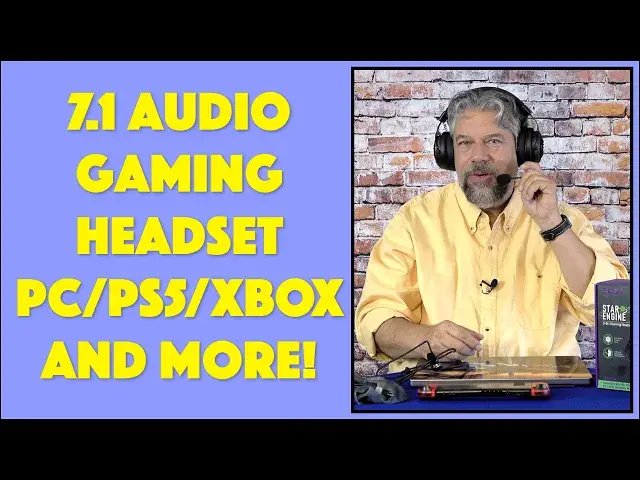
Imagine a pro gamer headset that offers a high quality mic pickup with noise cancellation and terrific 7.1-compatible sound. That's the EKSA Star Engine E5000 Pro Gaming Headset and, as tech expert Dave Taylor reports, there's a lot to like about these headphones. This review also features a demo of the mic - once he remembers to turn off MUTE! - and discussion of them as audiophile headphones too. These connect via USB-A, USB-C, 3.5mm, and are compatible with PC, Mac, Xbox, Playstation, Nintendo Switch and smartphones and tablets too.
Amazon link: https://amzn.to/3uF3w7Y
EKSA official: https://www.eksa.net/products/eksa-e5000-pro-star-engine-gaming-headset
(15% off discount code: EKSAVIP)
AliExpress: https://www.aliexpress.com/item/1005004046772155.html
($5 off discount code: EKSA5OFF)
EKSA wholesale: https://www.eksa.net/pages/wholesale
#eksa #gamer #gaming #headset #e5000 #gamerheadset #askdavetaylor
Show More Show Less View Video Transcript
0:00
These light up headsets are great for gamers, but they're great for everyone else too
0:04
Let's check them out. Dave Taylor here, and I'm checking out these
0:14
These are the XA Star Engine E5000 Pro Gaming Headset. And XA makes a ton of different kinds of headsets, and these, these are really impressive, and
0:25
particularly at the price. Now, you're looking at these, you're looking at that cool glow on the side, you're looking
0:31
at the boom mic, and you're thinking, definite gamer gear. But here's the thing, is they're also just really nice headphones
0:38
You can even take the microphone completely off, and now they're just headphones, featuring
0:44
a custom tuned 50mm driver, and 7.1 surround sound. Now that only works with USB connections, and there are three different ways you can
0:54
connect these headphones, back to, in a second. But with the USB enabled, and you turn on that surround sound, it's just a push of a
1:02
button, and really it's like suddenly you've turned an amplifier on in your audio source
1:08
and it makes a huge difference. It gives you much more presence for your music, for your game, for whatever you're listening to
1:17
It's just like, oh, wow, that's a whole lot nicer. And of course, if you're gaming, it gives you that sort of spatial sense
1:23
So if someone's creeping up behind you, and the game supports this, then you'll hear it
1:28
from behind you. It's giving you that virtual surround sound. Very, very cool
1:33
So it also has environmental noise cancellation. So that's really nice. If I put the microphone back in, and it's just a little plug on the front there
1:44
So if I put it back in, now I can use the microphone, and it will cut out most of the
1:50
environmental noise around me. In fact, they say it'll cut out 96% of your environmental noise
1:57
Not sure, but they are using two microphones to be able to get that noise cancellation
2:02
So that's really cool. Now I want to emphasize, it's not ANC
2:07
So it's not doing noise cancellation for what you're hearing, but you don't really need
2:11
to because these are over ear with a pretty good seal to them
2:16
So they're going to cut out a lot of your ambient and environmental noise anyway
2:20
Now notice also that the microphone has a little pop shield. So if you tend to be very percussive with your P's, then this will help that not sound
2:30
too horrible to the person on the other side. Now two year warranty, also really cool
2:36
So those are sort of the specs of it. And now let me just give you a quick tour
2:41
So on the left ear, you have three basic controls. The first one is what they call their multifunction button, but it basically turns on and off
2:51
the 7.1 surround sound and it turns on and off the light up LED
2:57
If you want to turn them off, you can do that. Now I should point out if you're using this with a 3.5 millimeter, it doesn't light up
3:05
because the 3.5 millimeter AUX doesn't have a power that's running through the line
3:10
Whereas the USB also carries power. So that's something where if you're just using this just for audio like that, that works
3:18
perfectly well and the microphone will work also, but you won't get that cool light up effect
3:23
The second button is microphone mute on off. And then the third control obviously is volume up and down
3:30
And again, I want to point out that these headphones have their own built-in amplifier
3:35
So you adjust the volume on your source device and then you can adjust the volume further
3:40
on your headphones. So you can really dial it up or dial it back down depending on what you want as your experience
3:48
So that's all the buttons. It's really easy to work with. And then there's a plug that you unplug and that's USB-C
3:57
So then it comes with three different cables. So this one is USB-C to USB-C, which works great with the Switch
4:08
It works great with MacBooks. Works great with any device that has that connection
4:13
But you say you don't have that connection. All right. Well, it also has a USB-C to USB-A adapter, making it even longer
4:23
So if you want to plug this into your PC and your only port is on the back, you can do
4:28
that because you're going to double these by having both cables involved
4:32
It's going to be nice and long, USB-A on one end and USB-C to plug into the headphones
4:39
Still not your connector? All right. Well, it has USB-C to 3.5 millimeter
4:45
So you can plug this into your tablet, your laptop, really a vast variety of devices support
4:52
that 3.5 millimeter jack. And as the three rings indicates, for those of you that are really hardcore into this
4:59
it also carries the microphone. So you can plug in with the 3.5 millimeter and still use the onboard microphone
5:06
Now, one more thing is I want to say they have the nicest carrying case of any headphones
5:12
I've ever seen. This is like this velour bag with these cool purple drawstrings
5:17
This is really nice. I'm generally not a fan of the bags and stuff or the cases that come with headphones, but
5:26
this is a little exceptional. They did a beautiful job with this. Now, let's see what else
5:31
It's super comfortable, very adjustable. You can see there and it pivots just enough
5:38
It doesn't have a huge pivot, but it doesn't need it. And the microphone, if I put these on, the microphone's super adjustable
5:46
You can do that if you want to get off mic or something. But of course, your much better move is to just push, you just sort of orient your finger
5:53
and push. Now I'm muted. Easy enough. So I want to actually give you a demo of the mic, but to do that, I got to hook things up
6:01
Now I'll tell you that between the USB-A, this rectangle, and the USB-C and the 3.5mm
6:11
this has huge compatibility. It works with PCs and Macs and phones
6:17
It'll work with your PlayStation. It'll work with your Xbox. It worked fine when I was borrowing my daughter's Switch to test it
6:24
That worked great too. I just plugged it in via USB-C, turned on surround sound, and it sounded really cool
6:31
So I got this all hooked up. Let's see. Let's get the other side plugged into my computer
6:37
And what I'm going to do is I'm just going to go into the voice recorder on my Mac
6:41
And assuming we have everything hooked up properly, then you'll be able to hear this microphone
6:47
And I will tell you, it sounds really good. So let's double check I have the right settings
6:56
And that all looks good. So and something's not working right
7:08
So oh, you know what's wrong? I have it muted, of course
7:13
So I'll unmute. And now you're hearing my voice as captured by this microphone
7:20
And you can hear it's a really good audio signal. They do a really nice job with this
7:25
And so let me switch back to my mic, although this one might actually sound better
7:30
But that's okay. Let's just switch back. Okay, so starting in a muted position was not optimal
7:41
But you did get to hear what the microphone sounds like. And overall, the listening experience is pretty nice
7:48
Even without that 7.1 surround, if you're just using that 3.5 millimeter, it still sounds
7:53
really good. But when you turn on that surround sound, even if you're just listening to music, it's
7:58
like a whole nother layer has been exposed and it just sounds fantastic
8:03
I was listening to some classic Ahmad Jamal jazz and turned on that surround sound, had
8:09
it plugged into my computer via that USB-C and really, really impressive at the price
8:16
These are really nice sounding headphones. I mean, really, there's a lot to like about these
8:21
They have a nice, strong bass, as you would expect from gamer headphones, but the rest
8:26
of the sound also is really clean and very enjoyable. And there's a big soundstage
8:32
And with that 7.1 surround, your soundstage literally is like encompassing your entire head
8:37
So it's pretty wild. Now, most music is not recorded in 7.1, obviously, but you then switch from that to a game that
8:46
does use that spatial audio. It's a pretty sweet experience. So that's everything I've got to say about these
8:53
I really like them. I think that the light up headphones part is really fun
8:58
They're a bit big and industrial in their design sense, but that's very typical for
9:02
gamer headphones. I really like you can pop off the mic if you don't need it or something, but obviously
9:08
like these would be great for a Zoom call. You would sound far better than anyone else on the call
9:14
And they would think that maybe you're secretly also playing a game while you're on that call
9:19
Maybe you are. But really super easy to work with. You know, just remember that you plug into the USB-C on the headphones and then you have
9:28
a range of different cables that you switch between to get exactly the connectivity that
9:33
you want. So that's really everything I've got to say about these
9:38
Definitely recommend it, and particularly at the price. But before we get to the price, I'm going to ask if you could subscribe to my channel
9:44
Click or tap on that subscribe button, then turn on notifications, and we're connected. Awesome
9:50
Now, this is the EXA Star Engine E5000 Pro Gaming Headset, and it's $99.99, currently
10:00
on discount at $69.99 at EXA.net. Now my understanding is that the price sort of fluctuates, so keep an eye on it for a
10:09
week or two if you really want to get a pair. But even at $69, these are a pretty sweet deal
10:15
They're really nice headphones if you just want to listen to music or, you know, have
10:20
really good sound while you're watching Netflix or something. And Netflix just introduced spatial audio, so I think it'd be really interesting to see
10:28
how that plus this works together. I think you'd get a really nice theatrical experience with surround sound
10:36
But if that's not your cup of tea and you really just want to get into the gaming side
10:40
of it, these are definitely solid. You know, there's no latency issues because it's a wired connection, works with PCs, works
10:48
with your PlayStation, works with your Xbox. It's going to give you a really great experience
10:53
So much to like, including that price. That's all I got. I'll catch you in my next video
#Audio Equipment
#Computer & Video Games
#Virtual Reality Devices
#Gaming Reference & Reviews