0:00
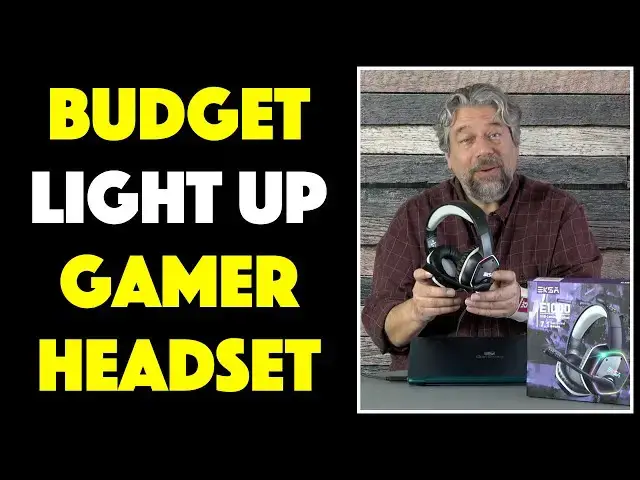
RGB gamer headphones and you won't believe the price
0:03
Let's check them out. Dave Taylor here and I'm checking out this
0:14
This is the EXA E1000 RGB gaming headset and as you can see it has light up RGB on both ears
0:23
It has a boom mic that you can adjust to the exact position you prefer
0:28
They're quite comfortable, highly adjustable, they have an inline controller that gives
0:33
you a microphone mute and a convenient volume control and this is really important, it only
0:40
has a USB A connector on the end. These are designed for PCs or the PS4, other devices that are compatible with USB connections
0:50
but you are not getting an AUX plug or a 3.5mm plug so you can't plug these into your tablet
0:57
or something unless you have the right adapter. Now if you do have the right connection however, they're pretty sweet
1:04
They feature a 50mm neodymium driver which gives you 20-20,000Hz at 32 ohm impedance
1:12
and it gives you 7.1 surround sound. Now I've looked at other gamer headphones that give you that 7.1 surround sound but
1:21
the cost of that is always that you have to install software, right
1:25
Well, not with these. Just plug it back in, I'm going to get there, there we go, plug it back in and you can see
1:32
it immediately lights up. So it's 7.1 surround sound, no app needed, really cool, plugs straight into the PS4
1:41
plugs straight into a PC. If you have a Mac with the right USB connection or an adapter you can use it on a Mac too
1:48
and you obviously get not only the output but you get the input from the microphone too
1:54
Let me just tell you real quick what else is in the box so we can clean our space a little bit
1:59
So they come in this nice heavy duty, I don't know, artificial leather sort of pouch but
2:06
that makes it really convenient for travel and everything and then it includes both instructions
2:13
and somewhere, maybe it's still in here, yep. So it includes instructions and it includes a handy FAQ and that's everything
2:22
So it is nice and simple, you don't have to figure out what do you need to connect
2:28
and what adapters do you need, you just plug it into your computer and boom, you're ready
2:32
to go, nothing else needed. Now one of the things that surprised me is that when I had these on and I was using it
2:39
as a microphone that tilting it up doesn't actually mute the microphone
2:44
That was something that a lot of devices have but this one, the mute button is on the side
2:49
and you switch it to the other one, there is no visual feedback that it's muted, no
2:55
little red light comes on or anything but the people on the other end are like, uh
2:59
you went really silent, what happened? So super easy, the microphone itself is a noise cancelling microphone so it will reduce
3:06
the environmental sound around you. In fact, let me give you a quick demo so you can hear what it sounds like
3:13
So I have my microphone, I have my headphones, I have my PC and I'm just going to go into
3:19
voice recorder and then, assuming it will wake up, come on PC, there we go
3:28
So I'm going to go into voice recorder and let's see what we're doing here, go here and
3:37
at this point you're now hearing, let me adjust the mic to a better position, you're now hearing
3:42
the pickup from the EXA E1000 microphone itself being recorded on my PC
3:50
So you can hear that difference versus my little lavalier mic that I have attached to my shirt
3:56
Now let me switch back so we can go back to this. So that's it, it's actually a pretty nice device, like, you know, as you can see it
4:05
has that great RGB gradient light which is really cool looking at night
4:10
You cannot turn it off, this is not a pair of headphones with a lot of switches and controls
4:16
It's all very straightforward, you just use them, you just plug them in and you use them
4:21
And you know, you might have a fairly modest gaming computer like this Gateway, it's not
4:26
much of a gaming computer, but at least you can get that great gaming sound even if you
4:31
don't have necessarily all the graphics horsepower. So that's really fun, it's a great entry level headphone for someone who's a gamer and the
4:40
cable has this nice 7 foot cable and that makes you, you know, it gives you a lot of
4:46
flexibility, you can make it shorter if you want to keep it bundled up, it does come with
4:51
that little inline sort of switch. And like I said, this inline control gives you volume on one side and mute on off on
4:59
the other. It's really all I have to say about it except for the price
5:03
But before we get to the price, I'm going to ask if you could subscribe to my channel
5:07
A click or a tap and we're connected, really appreciate that. Now, this is the EXA E1000 RGB gaming headset, it comes in green, grey, blue and red
5:19
This is grey, you can see that on the top headband and it's a very flexible unit by
5:24
the way. And it's $36.99 discounted down to $34.99 right now at Amazon.com
5:32
For $35, this is a pretty solid entry into the world of gaming headsets and the light
5:38
up on the side and everything just gives you that extra added bling
5:42
Definitely worth checking out. I've enjoyed listening to music on it, they sound really good and that microphone's entirely functional
5:50
It's a great starting point. So I say, check it out and I'm going to go back to some music which means I'll have to
5:57
catch you in my next video