Up next in 10



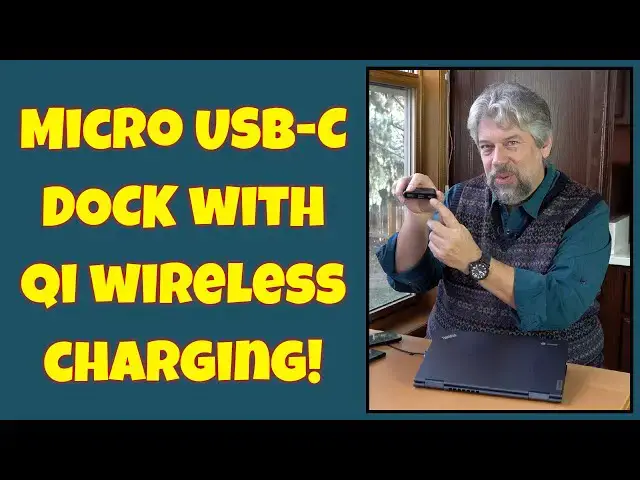
Whether you have a fancy MacBook Pro, a top-end Windows PC, or a humble Chromebook, it's common for users to bemoan the lack of ports. This is neatly solved with the CyberAcoustics Essential Microt USB-C Docking Station with built-in Qi Wireless Charging. [Model DS-1500]. Tech expert Dave Taylor plugs a CA Essential Micro Docking Station into his Lenovo Chromebook and finds it works great, offering lots of additional functionality, even the ability to hook up an external monitor!
Check it out at: https://amzn.to/3vl0Xbh
Check out Dave's Q&A Web site at: https://www.AskDaveTaylor.com/
#usbdock #cyberacoustics #chargingdock #wirelesshcarger #qicharger #usbcdock #askdavetaylor
Show More Show Less View Video Transcript
0:00
Qi wireless charger, USB dock? It's both. Let's check it out
0:05
Dave Taylor here and I'm checking this out. It's so useful
0:15
This is the CyberAcoustics Essential micro docking station. And it has a Qi wireless charger on the front so you can use that to give your phone some power
0:25
But more importantly, it has USB-C, USB-A and 4K HDMI. And it has a built-in USB-C to plug it into your device to get the whole thing started
0:38
This is a game changer if you're a mobile user. So, really, really helpful
0:44
Now, let me tell you, it is considered a USB-C hub. But obviously, the wireless Qi charging is definitely one of the big features
0:52
And that's up to 15 watts, depending on how much power you give the actual unit
0:58
The 4K connection, let me just show you that whole side here
1:02
The 4K HDMI connection is at 60 hertz, so it's a nice rapid speed connection
1:07
And USB-C does perfectly fine. I'm going to demo all this in just a second
1:12
And then the USB-A is a regular, sort of rectangular, old-school USB connection
1:19
But the USB-C is actually Thunderbolt 3 compatible and can deliver up to 65 watts using PD power delivery
1:27
So, what that means is you plug something in and it'll give it the optimal charge
1:32
So, enough talking. Let's plug it in. So, I have a Chromebook here from Lenovo
1:39
So, I'm going to plug it in. And you'll notice this light goes on
1:43
And that shows you that it's now a powered device. So, I have a Google Pixel phone. I'll put it on here
1:50
And it is now charging wirelessly, but a little inconvenient. Let's get all the other stuff plugged in first
1:56
So, into the USB-C, I'm going to plug in my iPhone. And that's now charging. You can see, maybe right here, there's a little charging icon
2:06
And then I have a little flash drive. And all of this is going to show up on the Chromebook, which is pretty cool
2:12
People don't realize, but Chrome OS has come a long way. I can even plug in an external monitor
2:18
So, I'm going to just go ahead and plug in my HDMI. Let's open this up and let's see what happens
2:25
This should just light up. There we go. So, now I have that second display, which is lovely
2:32
Let's go ahead and drag something onto it. So, this is Chrome OS. This is a Chromebook, right
2:39
So, this is not a super fancy Mac or PC. Just a simple, humble little device
2:45
And let's see. Let's get rid of that. And so, I can use this in multiple screens
2:53
It really wants me to look at that flash drive. I have the flash drive. It is accessible
2:58
You can tell because it keeps popping up a warning message. I think Chrome needs to dial that down a little bit
3:04
My phone is charging. I'll put my other phone on the wireless charger now
3:08
That's also charging. All of this is happening from this simple device
3:13
And it's not only simple to work with, it's small and light too
3:17
So, now that I've got everything hooked up, let's unhook everything. So, pull off the phone. Pull out the flash drive
3:23
Unhook the HDMI. Unhook this. Put this back. And it has a nice, neat little space on the back
3:30
And now, this unit is 3.1 inches by 3.1 inches by a very pleasant 6 tenths of an inch thick
3:40
And it weighs a third of a pound. Actually, a little less than a third of a pound
3:45
This is something you can easily slip into your pocket. And then, anytime you need to use more than just the ports on your device
3:53
or you want to have a quick wireless charge on a phone or something, obviously, all of this is super easy to work with
3:59
Now, there's not much else to talk about. I will say I had some issues with my MacBook with this
4:05
because the latest generation of Mac OS, sorry, Ventura, has this new security feature when you plug in a USB device
4:14
It asks if you want to use it or not, or give it permission to access the system
4:19
And this sort of got it a little crazy, because it said, oh my gosh, here's this thing. Here's a new thing. Here's a new thing
4:25
And it didn't give me the chance to answer yes or no on the earlier peripherals
4:29
So, what I would recommend, if you're going to use this with a MacBook
4:33
and you're going to actually have the latest version of Mac OS
4:37
go into privacy and security and go into USB peripherals, and make sure you check it to say always use them, or always allow them
4:46
or always allow them if your device is unlocked. And that just matters the very first time, as far as I can tell
4:52
and then you're good to go. Not on a Mac, or you're on an older Mac, or you're on a PC, or you're on a Chromebook, no hassles
5:00
Now, I kind of like that Mac security feature, but that's another story
5:04
Anyway, so, we're talking about this, and this is really pretty sweet
5:09
Now, we do need to talk about the price, but before we get to the price, if you could subscribe to my channel, I'd really appreciate that
5:16
So go ahead and click on subscribe, then click on that bell icon to get notifications
5:21
and if you found this helpful and useful, then I definitely would appreciate a like or a thumbs up. Sweet
5:27
This is the CyberAcoustics Essential Micro Docking Station, and it's $69.99 at Amazon.com
5:35
Now, that might sound a little spendy, but think about everything this is giving you
5:39
This is giving you a USB-C dock, including 4K HDMI, and a wireless Qi charger
5:46
and with the built-in cable, you're never going to have to stress out about
5:50
oh, I'm one cable shy, I can't get that to work. So, really a lot to like here
5:55
This is a no-brainer to have in your travel kit, and I'm a big fan
6:00
Now, if you were looking at the three ports and you're saying, oh, dude, I need more than that, then good news is CyberAcoustics has other docking stations
6:08
with a lot more ports, like a lot more, so you want to check that out too
6:13
Anyway, that's all I got. I'm going to plug things back in, so I'll have to catch you in my next video
6:18
[♪ music playing ��
#Laptops & Notebooks
#Consumer Electronics
#Science
#Gadgets & Portable Electronics