live_tv
Livestream Starting Soon
00
Hours
:
00
Minutes
:
00
Seconds
Up next in 10



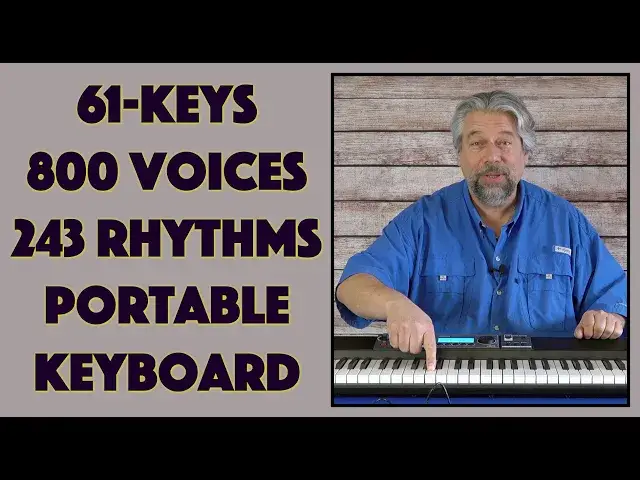
Whether you're already a talented piano and keyboard player or still learning, there's no better option than the Casio CT-S500 Casiotone Portable Electronic Keyboard. Featuring an amazing 800 different AiX Sound Source tones (voices) and over 240 different backing rhythms, it also offers 6-track MIDI recording, on-device memory of 40,000 notes, headphone support, 1/4" plug support, and lots more. Also reviewed: The Casio WU-BT01 Bluetooth/MIDI Adapter, great if you want to hook into a music source while on stage. Note: Currently the WU-BT01 is included free in the CT-S500 box!
Check out both the keyboard and adapter at: https://www.Casio.com/
Then check out Dave's Q&A Web site https://www.AskDaveTaylor.com/
#casio #casiotone #piano #keyboard #cts500 #askdavetaylor
Show More Show Less View Video Transcript
0:00
A portable keyboard with 800 voices. Let's check this out
0:11
Dave Taylor here and I'm checking out this. This, let me tilt it up a bit so you can see
0:16
is the Casio CTS-500 Casiotone portable keyboard. And as you might be able to see
0:23
it's not a full 88 keys, it's a 61 key keyboard. But it is a pretty amazing device because it
0:31
comes with a ton of different voices. They call them tones, I call them voices
0:36
Literally 800 different voices. So you can have a regular piano. Turn the volume up a little bit so you can hear better
0:45
But you can spin the dial and you can get to any of literally hundreds and hundreds
0:55
of different voices and tones. So in fact, here's a block diagram of all the different voices that
1:02
it has. And you can see there's over 100 piano voices. So it's pretty amazing. It also has
1:09
rhythms. Let's get, so you can go to rhythm and maybe we'll start with an introduction
1:27
I mean, there are 243 different rhythms. And we'll just wrap this one up
1:33
So this should spin down our little song here. And the thing is, there we go. So there's a lot
1:42
you can do with this. It's really fun. There's just so much flexibility. And you go all the way
1:48
from these pianos and other fairly traditional sounds to a lot of really pretty exotic sounds
1:55
that you can have as like sound effects. I think you could use this and just like set up maybe the
2:02
soundtrack to your movie or something. If you want to do something where you're gaming and you
2:07
want to have all sorts of fun additional sound effects and stuff, it can do all of that too
2:12
In fact, it can sample and then it can use your sample. So you could use your own voice
2:18
as one of the tones. That's kind of crazy, right? Now, one of the other fun things that it does
2:23
is it does the pitch bending. So it's a little hard to play upside down
2:32
And there's a modulation wheel. So let's do that same chord. And I'm going to turn up the modulation
2:52
So you can play with that exactly as you want. It actually has an editable digital signal processor
2:58
And there are additional knobs, K1 and K2 here. And you can assign them to whatever you want
3:04
So if you want to have a background saw wave going on or something, you can figure that out. And then
3:09
you can use these to adjust that as you're playing. So really fun. So modulation, effects, filters
3:17
an audio sampler. It's a six track MIDI recorder. The display, you can see here in the middle
3:24
it's this big bright backlit display. And notice, by the way, no wires, right? So one of the ways
3:32
you can use this is there are six AA batteries that I put in the bottom. And I can use that to
3:38
actually play and have an extremely portable keyboard. Or, of course, it comes with a power
3:44
cord and transformer. So you can use that instead. What else is here? Well, it also includes a little
3:51
music stand that you can just hook on to the back. And you can have that so you can read sheet music
3:56
if you're a sheet music sort of person. And let's see. So stereo speakers. And they're tuned to give
4:04
you some nice bass. There's a surround sound option. I don't hear a lot of difference, but you might
4:10
And there's also a headphones jack. And most importantly, there's a way you can plug it
4:16
directly into your computer so you can actually record what you're playing with the best possible
4:21
quality so that you can drop it into something like GarageBand and maybe do a 10, 15, 20 track
4:28
composition, right? So all of that, using this as the basis. So in fact, let me give you a couple of
4:34
quick visual tours. First off, along the top on the front, you can see power and volume. Super easy
4:42
All the knobs are super easy to understand. And then there was those K1 and K2 that are due with
4:48
the digital signal processor. Home, Menu, Surround, Active DSP to turn that on. And then in the main
4:55
display, you have that screen. And then you have five sort of context-sensitive buttons and the
5:02
dial that lets you adjust things like what voice you want or what rhythm you want. Or if you're in
5:08
a programming mode, exactly what kind of result you want. And then on the top on the right, you
5:13
have Tone, Rhythm, and Registration as three different major functional areas. And then the
5:19
lower one is just for the tempo, just for the rhythm. So you have Start, Stop, Tempo, and the
5:25
Record button. Now, here's a crazy thing, is it can record 40,000 notes. So even if you're working
5:35
on your grand symphony, 40,000 notes is a lot of recording space. And of course, you don't have to
5:42
use that. You could literally just feed it all to your computer or to some other device. So let's
5:47
look at the back. Now, the back is broken into two major sections. On the left, micro USB that connect
5:55
you to a host. You also have a USB 3, which is the rectangle to a device. And that power in the
6:04
DC 12 volts. And then on the right-hand side is really where all the fun is. So you can see there's
6:10
a headphones jack, there's an audio in. So you can actually bring in a song off of your favorite
6:17
Spotify playlist or something, and then mix that and then play along. Easily done, line out, and
6:25
you can see there's two different options for plugging a pedal into this. It is not included
6:31
You will have to acquire one. And then I also have one more thing, is I have this little gizmo. And
6:36
you're like, hmm, what's that? Well, this is the WBT01 Bluetooth MIDI adapter. And it's pretty
6:44
interesting. I'm not sure it's going to be something most people need, but it lets you send and receive
6:49
MIDI and receive Bluetooth audio. So you can plug this in to that USB connection over here
6:57
And then you can actually have, again, maybe a musical source broadcasting Bluetooth, pair this
7:05
put this in here, and then wirelessly, you can have that music coming out of here as if it's a
7:11
speaker. But of course, at the same time, you're actually playing along. So really, really interesting
7:17
technology ideas. I'll come back and talk about the price of these two things momentarily
7:22
So this, like I said, can power off of six AA batteries, or you can plug it into the wall
7:28
And all the handy outputs, notably, includes a quarter inch plug, so you can plug it straight
7:34
into an amp. If you're in a band, this is a solid option, as long as you can handle the 61 keys
7:40
If you don't need the really high end and the really low end, this gives you a lot of flexibility
7:46
In fact, let's go switch to something else. And again, I just like that tone bending a lot
7:56
It's really hard, like I said, to play upside down. Give you some dimensions. And then we're going to
8:02
cut to a friend of mine who actually had come over, just so we could get a little bit more
8:06
sophistication on the keyboard. So it's 36.6 inches long by 10 inches at its thickest
8:14
And I'm sorry, it's 10 inches this way, and 3.5 inches at its thickest. And it's 10 pounds
8:20
so it's not super light. But given all the amazing technological capabilities this thing has
8:26
I think that's a reasonable weight to be able to like tote it around. You can get a bag for it
8:32
from Casio. You can get a stand for it. You can really set it up as part of your music
8:38
composition tool set. You could have this in a dorm room or a small apartment or in your bedroom
8:45
and then just plug it in and just start doing composing or playing or practicing or learning
8:50
how to play. You can use headphones, like I said. You can plug it into an amp. Lots and lots of
8:56
flexibility. So having said all of that, I'm not a very good piano player. So I invited my friend
9:02
to come over. So while he was playing, I changed some voices. So let's hear what that sounds like
9:32
Now, I want to give Casio a lot of credit because my friend who came over actually lost his piano
9:53
as part of his house burning down. We had a huge fire here in Colorado, and my friend was one of
10:00
the people who lost his home. He literally lost everything, including all his clothes. So Casio was
10:06
very generous in saying, oh, when you're done with the review, give it to your friend. We want him to
10:11
have a keyboard so he can continue to play. So that's where this is going when I'm done. Thank
10:16
you, Casio. That was really generous of you. Now, we need to talk about price. But before we get to
10:22
the price, I want to ask if you could subscribe to my channel. A click or a tap on that subscribe
10:26
button, and we're connected. How easy is that? All right, cool. This is the Casio CTS500
10:34
Casiotone portable keyboard, and it is $379.99 at Casio.com. I think that's a great price for
10:43
something with 800 different voices and 243 rhythms. That is a lot of options. If you multiply
10:51
that all out and figure out how many variations you can do of the one song that you've been
10:56
learning, it's pretty amazing. Now, if you want to get into that Bluetooth and MIDI with this
11:01
little adapter, this is the WBT01 Bluetooth MIDI adapter, and it's $79.99 also at Casio.com. Like
11:12
I said, I'm not sure this is something that most people are going to want or need, but it's a
11:16
really interesting option if you're in a band or you want to be able to bring music into this device
11:22
either MIDI or just simple content via Bluetooth. Of course, there are tons of wires and plugs on
11:28
the back, so you've got lots of options, but if you want to do wireless things, that gives you
11:33
some really good choices too. So that's all I got. I'm not even going to play it because I'm not very
11:39
good on piano, but I'm really impressed. This is a really great device, and it just gives you a
11:44
massive amount of flexibility at a pretty darn reasonable price for a musical instrument that
11:49
really is performance level. So I think this is something you should check out if you are a
11:54
musician or you want to learn how to play piano, right? How fun. So that's all I got. I'll have to
12:00
catch you in my next video. Bye
#Music & Audio
#Music Equipment & Technology
#Consumer Electronics