Up next in 10



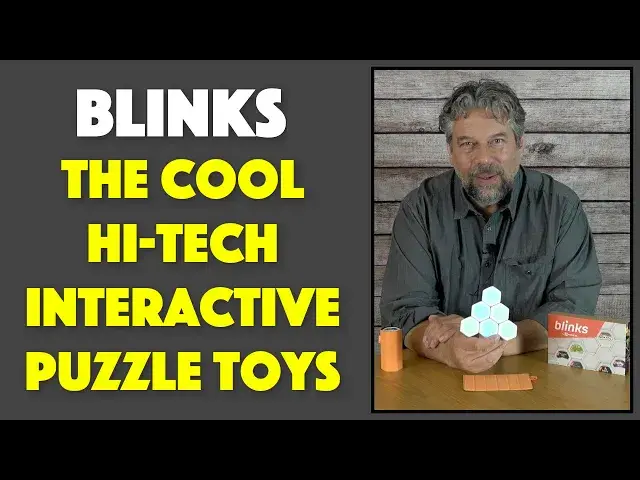
You've never played with a puzzle toy like Blinks from Move38. Each of the tiny devices has its own smarts, interacts via flashing lights, and talks to its peers via infrared light. Each Blink also has a different game baked into the device and with a bit of practice, it's easy to train all your Blinks to play any of the dozens of available games, ranging from solo placement puzzles to fast-paced multiplayer action games. Tech expert and gamer Dave Taylor of https://www.AskDaveTaylor.com/ got his hands on both the CORE and EXPANSION sets allowing him to try out a dozen of the games from Move38. This video shows of three of the best games in the set - Puzzle 101, Wham and Widgets - and talks about the pros and cons of the expensive toy itself.
The CORE Blinks set includes the following games:
• Mortals (IndieCade 2019 Selection)
• Fracture* (IndieCade 2016 Finalist)
• Berry (IndieCade Game Jam Winner)
• Bomb Brigade
• Puzzle 101
• WHAM!
The EXPANSION Blinks set includes the following games:
• Astro
• Honey
• Flic Flop
• Speed Racer
• ZenFlow
• Widgets
Learn more about Blinks at https://www.Move38.com/
Show More Show Less View Video Transcript
0:00
A high-tech toy? Let's have some fun
0:03
Dave Taylor here and I'm checking out these. You're like, hmm, sushi rolls? No, actually
0:16
These are really slick. These are the Blinks by Move38. And this is a Kickstarter campaign that they ran
0:24
And they are programmable little hexagons. And each one, they work by infrared so they communicate with each other
0:32
Each one has a game assigned to it. So if we look on the back, each one has a different game
0:38
There are one-player games. There are two-player games. There are N-player games for some large number N, depending on what you want to do
0:46
And they all work together. And it's actually pretty slick. So we can pick a game here
0:53
And I have the standard set and the expansion set. You can see they also work by magnets
0:59
So you can set it up however you want. And they communicate with each other via infrared
1:05
So let's get out the standard set, too. And you can see some of these are already on
1:11
So we have a couple of them on. But notice as I put them next to each other, they'll tend to communicate with each other, which is really slick
1:18
So the complication is that there's a whole language of pushes and presses here
1:23
So I'll take one out and I'll show you. There are five different presses that you have to master and understand how they work together
1:32
So there is a short press. There is a 1.5-second long press
1:37
There is a 3-second long press. Then there's an 8-second long press, which is turning it off
1:45
And there's a double press. Boom, boom. Right? So all of those are different and they all mean different things
1:51
And that gets complicated. It takes a while to sort of figure this out
1:55
But what's happened here is I have this. So this is Puzzle 101
2:00
This is one of the basic single-player games. And what I've done here is, first off, I'll push each one once to make sure they're awake
2:08
So everything's lighting up. And now, this one, I'm going to give it that 3-second push
2:15
And what's going to happen is that it will actually have a rotating image
2:20
Now, watch what happens when I put it next to the others. It will teach all of them that game
2:26
So these devices have two purposes. Number one, they can be part of another game
2:32
Or two, they can be the teacher for a game. Once you have everything set up, they're all working together
2:39
They're all sort of bouncing this blue light around. And don't worry. In a second, I'm going to turn the lights off and show you this much better
2:46
I just want to sort of talk about it a little bit first. But we have all the blue lights
2:50
And now the whole thing circulates green. And in this particular game, Puzzle 101, it's a color-matching puzzle
2:57
So there are three central pieces that can serve as the start point
3:02
I'm not going to start it yet. So let me tell you just a little more
3:06
Each one comes with a game. Each set comes with six blinks
3:10
There are 20 games total. So each set comes with six. And there is also a free developer kit
3:18
So there are over 600 developers experimenting and playing with these. You can too
3:24
They show you, you can get a dev kit, and you can design code that you can then drop onto these
3:30
Cool. Really fun. So I'm going to look at three different games in the dark
3:36
So you can see what's going on. So the first one is Puzzle 101, which is what we already have set up
3:41
And you'll see it's a color-matching game. Then we're going to look at Wham!, which is a whack-a-mole game
3:46
Which is kind of pretty hard, actually, because it gets faster and faster
3:50
And then the third one is called Widgets. And that's actually four different games under the same icon
3:56
And the games are things like coin tossing and rolling dice and things like that
4:02
But there's some fun betting aspects too. And then finally, we'll come back
4:07
I'm going to come back on camera, turn the lights back on, and I'll talk a little bit about the price
4:12
Because these are pretty darn spendy. But there's some reasons that it might be worth the money
4:17
So let me go ahead and turn the lights out, and I'll be right back
4:21
The first game we're going to play is Puzzle 101, and it uses six blinks
4:25
So this is the game, and it says that on the back
4:29
And then I'm going to pull out one, two, three, four, five
4:33
I'm going to push these aside. They're not going to be part of this game. And they'll just sit and do their thing. We're not going to worry about it
4:39
But on this game, now what I need to do is I can put these together
4:43
But I want to teach them this game. So the first thing I'm going to do is push and hold until this starts to turn blue
4:51
And then spin. So you see what it's just done. Now it's in teaching mode. Now watch how it teaches the other units
4:58
Once they're all moving like this, they've all learned the game. And then it will switch to green, and that will indicate that it's ready to go
5:07
So give it just a couple of seconds. And I will tell you, one of the challenges with this is that there are times when one of the units
5:15
simply won't learn the game, and it might sit for five or ten seconds or longer
5:20
until finally it's ready to go. Now, Puzzle 101 is interesting because it's designed around a specific configuration
5:28
We're not in that configuration, so we can't actually play the game yet
5:32
Let me move forward just a little bit. But once I actually have one of the blinks surrounded by five
5:39
then it turns into that swirly color. And that's pretty fun. And now, let's see, I think I double push it
5:47
And now it's created a puzzle for me. And here's what I need to do
5:51
Let me show you is that you need to match colored pie segments
5:56
So now that it has the puzzle, let's take it apart. And obviously we have this we can start with
6:03
So if I do this, whoops. So now those match, and that's glowing
6:09
Now I need to figure out blue and blue. Okay, well, that's blue and blue
6:14
So now that whole thing's glowing. And now I have that yellow, but there's nothing here
6:20
So this is not a good match for it, right? So this might not be the right configuration
6:26
So let's take this out and let's put this here and see if that works better
6:31
So that gets us a whole bunch. And then notice this one has three blue in a row
6:37
Let me maybe put this here in the right orientation. Come on, you can do it
6:44
There we go. So now we have all of that going on. And we just keep doing this until we match everything
6:50
So now let's see, we can put this here and that gets that
6:54
And now all we have left are those two blues, which this should solve
6:59
And now the whole thing is flashing. That means we've solved it
7:04
So we have solved this puzzle. Now Puzzle 101 is just that
7:09
It's a simple color-matching puzzle game. Somewhat similar to maybe a tangram or something, right
7:16
Although tangrams have the shape issue too. So you have this, and that's really it
7:21
And it's fun, it's straightforward. There are over 100,000 variations in Puzzle
7:27
And once I put these back together, I can then double-push the central one
7:33
And I have a new puzzle to solve. So let's see if I can do this one a little faster, right
7:40
So we have this, and then we obviously have this. Let's see, that might or might not be correct
7:46
Here's one that has arm magenta and blue, so we're doing good
7:50
And then this maybe goes here. And then we have that distinctive yellow
7:57
And then we have a double blue. And that one we did a little faster
8:01
So that's Puzzle 101. Honestly, that's one of my favorites. But let's try another one
8:07
Let's try Wham. And Wham, as I said, is whack-a-mole. So I'm going to flip all of these upside down
8:13
Because it's in here somewhere. Here we go. So this one is Wham
8:17
And Wham works with all the blinks. As many blinks as you want to play with, it'll work
8:22
So I'll flip it over. And you're thinking, oh, well, wait. It's busy wanting to play Puzzle 101, right
8:29
Well, that's true. But if I take the Wham blink and push and hold
8:37
it goes into that blue spinning mode. And now it's ready to teach the others
8:41
So now they're always willing to learn. Let's see how that goes
8:45
OK, they all learned. That was pretty fast. So now they're all ready to play Wham
8:50
And Wham is whack-a-mole. And the more blinks you have, by far, the harder this game is
8:56
So it'll continue to do this to synchronize everything. And then you'll see it'll change colors
9:03
And the idea is that we're going to end up with a grassy green field
9:07
And then the red segments ultimately will represent the mole. Each blink will turn red
9:14
And you have to push it before it runs out of red. And you have to push them all at the same time
9:19
And even from the beginning, it's kind of hard. So let's just see if we can get this to work
9:24
So I'm going to double push. And here we go. So I probably won't be able to talk while I'm doing this
9:29
because there's a lot to do, right? So there's our first one. Now we have another one
9:33
And it'll just keep doing it. There are 30 stages you have to get through
9:38
before it runs out of time to win this game. And in this configuration, it's not bad
9:44
though it's not optimal for me to use just two fingers. To really be good at this, you tend to have your whole hand on here
9:50
And, of course, you can arrange it that way so that it's easier
9:54
So you can spread it out so it's like a keyboard or something, right
9:58
So you lose points if you hit a green spot. And if you get a red spot and not enough time
10:05
I'll just let these expire out. I lost, right? So I lost, and this is the actual blink that caused me to lose
10:13
Now let's change this configuration just a little bit. And you'll see where it's like, oh, hmm, that's a lot harder
10:20
So now any game can reset it. I mean, I'm sorry, any blink can reset the game
10:26
And now we'll push again. Let's see. And we should be ready to start
10:33
And here we go. You can see it's way harder. I lost it on the first move
10:39
Holy cow. And it is sensitive to where you push it. So if you push it like that, you're not actually going to get the point for pushing it
10:47
The button's in the middle, and that's where you have to push it
10:51
So pretty fun, right? And you can see this is something where you could definitely challenge your buddies and say
10:57
you configure this however you want. Let's see how many rounds you make before you die
11:03
Now, one more game, because there's also Widgets. And interestingly, Widgets is the one game that actually doesn't have its name on the little blink
11:13
It just has a picture of dice. I don't know if you can see that. But let's flip this all over
11:19
And again, it's that same approach of get these all in here
11:25
That should work. It's the same approach of pushing and holding down until it turns blue
11:31
And then putting it next to the other ones, and then they'll all learn
11:36
And here's one thing that's really important. If you have one that's a holdout, don't take things apart and try to reconfigure them, because it's infrared
11:44
It's sending information from one blink to the other. So just have patience
11:48
I had a lot of problems figuring all this out when I first got these, because I didn't have that level of patience
11:54
So I was just like, it's not working, reconfigure. It's not working, reconfigure
12:00
And that was not my friend. So now this is dice rolls
12:05
So every single blink can represent from one to six. So here's a one, one segment
12:12
Here's a six segment. Let's see, if I push, then I'll roll the dice again
12:20
And you can also separate it out. If you just need like a 2D6, as they say in the Dungeons and Dragons world, you can do that
12:30
And that rolls me a six and a two. Roll again. And that gets me a pair of ones
12:37
And roll again. And so on and so forth. So rolling dice, and then this is maybe a little bit more fun in terms of its visual appearance
12:45
But not the most exciting thing in the world. But let's put them all together again so they can communicate
12:51
And now let's switch to the next game. And this is tricky
12:55
Did you see how that one actually changed color? So you need to have, and again, this is where this gets a little bit nuanced
13:04
You need to push it for 1.5 seconds, but not 3 seconds, and definitely not 8 seconds
13:10
So sometimes when I do this, I have a tendency to push it for too long
13:15
And that causes everything to start over because that particular blink then ends up wanting to teach its game to all the other blinks
13:23
As opposed to just being a generic move to the next stage
13:27
So this one we did right with 1.5 seconds. And this gets us to Wheel of Fortune
13:33
And these are spinners, right? But honestly, that's not that much fun either
13:37
So let's again do that 1.5 seconds. And now this is one that I think is really fun
13:42
And actually, I played over the phone with one of the inventors of the blink system from Move38
13:49
And this is something we could play actually via the phone. So this is coin tossing
13:55
I mean, it's sort of the ultimate in simple probabilities. So any one of these can end up being silver or gold
14:02
And so they have a game. This is called Flip Bet. They've come up with a betting game where it's two players and each of you bets how many gold or silver ones will come up on a flip
14:14
So what does a flip look like? Everything flips. And let's say five gold are going to come up
14:21
One, two, three, four, five. Okay. So that was good. So if we were playing and I would have bet five, I nailed it
14:27
So I get five points. But let's say I had bet six and five come up
14:32
Then I overshot it. I get zero points. If the other player gets the guess and, you know, they're the second person who guesses, then they get the points
14:41
So you're basically trying to push your luck. This is your essential push your luck game
14:46
So let's give it a whirl or two. So first off, we can, I guess we leave it in this configuration
14:52
I am going to somehow predict that the next time I push this, we're going to get seven gold
14:59
So let's see what happens. And let's see how we do. Seven gold
15:06
One, two, three, four, five, six, seven. Nailed it. Solid. And then this time we're going to get three gold and the rest of them are going to be silver
15:14
So let's see how my betting skills are. Well, I didn't get that one very good
15:20
But since I guessed under, then I still would get those three points
15:25
You don't have to play that gambling at all. You know, you can just have it be simple guessing
15:29
But as you can see, I hope that they've taken a really simple idea and a really rudimentary piece of technology
15:37
and imbued it with some really fun ideas. So with all that, let's do one more
15:43
And then I'm going to switch the lights back on and come back on camera
15:47
If you can figure out the complexity of switching games and configuring the game the way you want
15:53
and getting all of the little blinks on the same game, it's really pretty darn fun
15:58
And they've had a lot of fun innovating and coming up with different ideas for what you can do with what are very obviously very simple tiny little devices
16:08
There's a soft membrane on the front. There's a button underneath it
16:12
And there's the IR sensor and magnets on every corner. So you put it down and it all tends to work together
16:20
And then the lights, as you can see in this one and as you just saw, the lights give you a lot of data
16:26
That's really the way they communicate. There's no sound, nothing. So this means this would be really fun to take to a bar with a couple of friends
16:35
Or if you have a kid that's really bored, pull this out, set up something like Wham! and just let them at it
16:41
And in fact, if you set it up, you can do different configurations. So you might say, let's give you a real challenge and let's actually have it look like this and see how well you can do in the game
16:53
The longer, the more spread out it is, the more complicated most of these games get, which is pretty darn interesting, actually
17:01
So they are expensive. They are really expensive. But if you can afford them and if this is something that will fit into the kind of thing you're interested in, puzzle games are expensive anyway
17:15
And high-tech puzzle games, it's kind of cool, right? Now, they do have batteries
17:19
There is a way you can pop it open and replace the battery. But the company assures me those batteries last a mighty long time
17:26
You should never have to clean it. If you need to wipe the top down because someone had greasy fingers or something, easily done
17:33
And on the back, you can see there is a simple graphics tell you and tell you by name all of the games that you want to play
17:42
So if you're really dying to get back into Puzzle 101 or let's say Wham!, here's Wham
17:48
So I'm ready to go and I can get this all set up in just a matter of a couple of seconds
17:53
So let's talk about that price. But before we get there, let me ask if you can subscribe to my channel
17:59
It's a little red button on the lower right. Just click or tap on it. Really appreciate when you do that. Great
18:05
Now, this is the Blinks system by Move38. And this represents two sets together
18:12
Each set is $99. And these two sets, you can get the core and the expansion set for $179
18:21
And you're thinking, $179 for that? That is a big, large amount of money
18:26
And the answer is you're right. And they have other expansions, community, summer games, combo
18:31
And they have the Go Big set. And if you want to understand the pricing here, it's 36 Blinks for $360
18:39
So these are expensive. But it's actually really fun. And particularly if you love logic games and you like the kinesthetic experience of actually touching and moving things around
18:52
And there are some games that involve doing things like sliding to get them to do something
18:57
Again, the development community is really pushing on the edges of this
19:02
And that's really fun. And heck, you could develop your own games. You're only limited by trying to figure out how can you communicate based on colors and blinks and spins
19:13
That's really the whole language, right? So it is definitely pretty cool
19:17
It is definitely pretty spendy. So it's up to you to decide whether this is something that makes sense for you
19:23
I will say this is fun. And this is definitely something I can see pulling out during the holidays or at a restaurant when you're waiting for food to come
19:32
If you're going to restaurants right now, you will again. I mean, this is such a great way to entertain not just the kids but the parents too
19:39
And if you don't like one game, switch to another one. Easy enough, right
19:43
So you can check out Blinks, learn about all the games, and you can check out their pricing and see if they're running any holiday promos
19:50
I don't know. Hopefully they will. And all of that you can get at Move38.com
19:55
And as for me, I think I'm going to go back to doing Wham! as a single line and see how I do
20:02
So I'll catch you in my next video. Bye
#Board Games
#Computer & Video Games
#Strategy Games
#Family-Oriented Games & Activities
#Puzzles & Brainteasers
#Virtual Worlds
#Action & Platform Games
#Educational Games