Up next in 10



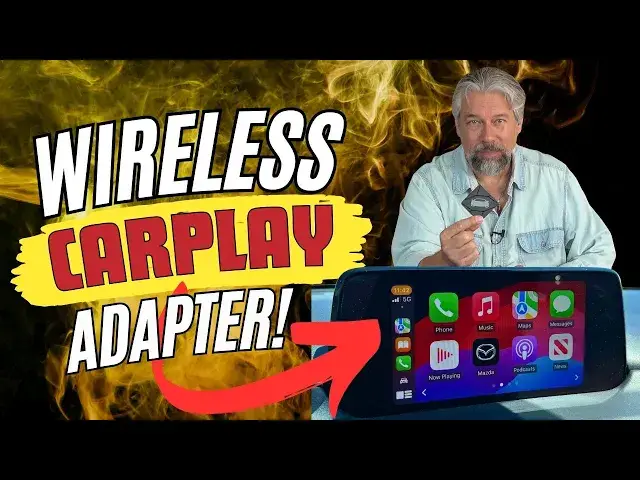
Does your car have wired Apple CarPlay? Turns out that a lot of automakers opted for wired instead of wireless, but you're not stuck! If you want to go from endlessly plugging in wires to the magic of wireless CarPlay, you'll love the BINIZE Wireless Apple CarPlay Adapter! Tech expert and auto writer Dave Taylor plugged one into his 2017 Mazda CX-5 and shared his experiences with both configuration and daily use in this detailed demo and review.
Check it out on Amazon: https://amzn.to/45w2BYX
or https://www.binize.com/products/wireless-carplay-adapter-1
Visit Dave's Q&A Web site at: https://www.AskDaveTaylor.com/
#carplay #applecarplay #binize #carplayaibox #carplayadapter #wiredcarplay #wirelesscarplay #askdavetaylor
Show More Show Less View Video Transcript
0:00
This tiny device can turn your wired car play into wireless car play
0:04
Let's check it out. Dave Taylor here and I drive a lot of cars and I experience car play
0:18
Apple's car play, both wired and wireless. And sometimes wired has its benefits, but ultimately getting in the car and starting it and
0:29
having boom that display B car play off of your iPhone is pretty hard to beat
0:35
No wires, no plugging it in, no nothing. And then most modern cars also have Chi wireless charging
0:41
So you put your phone on the charging pad and let it charge while you're interacting
0:46
with the infotainment system on your car. That's a pretty cool design
0:51
But for many cars, it's only wired car play. And if you don't mind plugging in every single time
0:58
then you're good. But if you really want to take the step to having wireless car play
1:04
then you're going to want to know all about this little device. This is the Bainai's
1:09
wireless carplay adapter. And as you can see, it's crazy small. And you just plug this in
1:17
instead of the wire that you're using now, you plug this into your vehicle and it turns it
1:24
into wireless carplay. So, some caveats, this only works with factory wired units
1:31
and it's a non-Android solution, so this is not for Android Auto, this is for Apple CarPlay
1:39
But having said that, it works with at least 98% of cars that are model year 2016 or newer
1:46
and you're going to need that anyway, because it really is designed for OEM or original
1:51
equipment manufacturer carplay install. So if you retrofit this years later, it's probably less likely to be compatible than if your car included car play
2:03
And obviously that only showed up at a certain point. So their parameters are your car should be 2016 or newer, and your phone has to be at least an iPhone 16 or 6
2:15
and it needs to be running at least iOS 10. Now, hopefully you have something a little newer, but that should work
2:23
if you have something that's that old and you've been keeping up on all the software updates
2:27
So I have an iPhone 15 Pro, and I have a 2017 Mazda CX5 So it has wired carplay and I thought well what a perfect thing to test So the first thing I did is I had to hook it up and get it all configured
2:44
And that was surprisingly easy. I actually, I shouldn't have done this, but I was doing it while I was driving up for a meeting yesterday
2:51
So let me step you through how that went. When I first plugged the device into my car, it immediately asked me if I wanted to allow carplay
2:59
I said yes. Then on the display was basically the ID of the Bainai's wireless CarPlay adapter
3:08
At this point, I went to my phone and went into Bluetooth, and there it was, Smartbox 831A
3:16
So I paired that, and then my phone said, oh, well, do you want to use CarPlay with that particular device
3:24
And I said, use CarPlay, and not three seconds later on my dash
3:30
it actually had car play running wirelessly. That was literally that easy
3:36
It's super easy to work with. Now, the question was, to me
3:41
what is the experience when I have the car off and I started again
3:45
Because I'll tell you that my Mazda's slightly quirky with Bluetooth, and every so often it won't even see Bluetooth
3:52
so I was really curious how this adapter would work. So here's how it went
3:57
All right, so here's my phone, nothing connected. to it and let's go ahead and start the car and see what happens
4:05
So you get this typical disclaimer where you're not supposed to be using this instead of driving
4:13
which is fair. And now it's reconnecting to the device, which is actually the wireless carplay device
4:20
And once it reconnects to that, that is also simultaneously reconnecting to my Bluetooth to my phone
4:29
So sometimes it takes a couple of seconds, but here we go
4:34
And not only anything else, but listen, it's automatically picked the music, and it's playing music from CarPlay
4:42
So I'm going to pause that. And I can go onto my phone, and in my phone I can go to music, and I can press Play
4:53
And we're back to the music. So it is CarPlay. It is CarPlay with this phone
4:59
and this phone has no wires. Now let me just show you real quick
5:03
that you can get to all the typical stuff here and so I can navigate the different apps and I could go to maps and all sorts of useful features and I can certainly choose a lot of different music sources So that everything and it even lets me go into my Mazda settings
5:21
and that's exactly as you would hope, and then in the Mazda settings, I push a button, and I'm back in CarPlay
5:28
So it works exactly as you would hope. The only comment I will make is that once every so often
5:35
it's a little slower to connect that initial time, So sometimes it's like what we just saw, and other times it goes straight to carplay within a second or two
5:45
I'm not sure what's different about the two, but either way, by the time I'm out of my driveway, it's all hooked up and ready to go without wires
5:54
Nice. Now, let me jump back on camera. Surprisingly easy, actually, and it actually works really well
6:01
Sometimes it seems to just jump right into carplay, and other times there's like a five or ten second delay while I
6:08
assume things are negotiating, but either way, by the time I get to the end of my little cul-de-sac
6:15
that CarPlay is running wirelessly on my car consistently time after time after time. So
6:21
super nice. Now, I could disconnect this and just use wired again if I want to, so it's easy to go
6:29
backwards. You haven't changed anything in your car by using this, but it is actually really
6:35
great to have this as an option, and I'm kind of getting... hooked on this really quickly. Now, in the box, you have obviously the Bynized wireless carplay adapter
6:45
but it also has USBC to USBA and USBC to USBC so that you can plug this in. This has USBC on the side
6:56
So you can plug it in to either style of USB depending on how your car is designed and what interface it
7:04
expects to use for wired carplay. Now, I said that the cars had to be 2016 or newer
7:12
Let me just tell you that that includes Accura and Chevy and Cadillac and Dodge and Ferrari
7:20
I mean, seriously, you got a Ferrari and they couldn't include wireless carplay
7:24
Embarrassing. Ferrari, GMC, Jeep, Lexus, Mercedes, Porsche, Toyota, Nissan, Honda, Honda, VW, Mazda, Kia, Kia, Hyundai, Ford, and Subaru
7:37
So as I said basically almost every car on the road that has wired OEM car play can use this adapter to get wireless car play And it pretty darn easy to work with and it pretty darn easy to configure And there even a way when you have it all hooked up
7:57
and it's connected via Bluetooth and everything, there's a way you can actually update the firmware on this
8:02
which is detailed in their tiny little instruction guide, which honestly I didn't even use
8:08
I just plugged it in and sort of figured out, this can't be that hard, and it wasn't
8:12
So how it worked out really well. So I will give you quick dimensions. As you can see, it's pretty small
8:18
It's 2.4 inches by 2.4 inches by 4 tenths of an inch thick, and it is so light, it almost feels like it's just the plastic case with no circuitry inside
8:27
But obviously, there's circuitry inside, or it wouldn't work. So that's pretty much everything
8:33
I'm very impressed with this. It's a very affordable option for you to go from wired carplay to wireless carplay
8:41
It's so affordable that you could use. it sometimes and then other times go back to your classic wired setup and then realize
8:49
this is kind of a pain I want to go back to wireless again so gives you the best of both
8:54
worlds which is more than most cars do if you have a car that has wireless car play you can't
9:00
change your mind but this gives you the option to do both at experiment and play and that's
9:05
pretty sweet so before we go any further I'm gonna ask you to subscribe to my
9:11
channel go ahead and click or tap on subscribe hit that bell icon for notifications
9:16
Give me a thumbs up if you found this of value, and I certainly hope you did. And that's it
9:21
Great. Now, this is the Bynes wireless carplay adapter, and it is a remarkable $299 at Amazon.com
9:32
And I say remarkable because the last time I looked at these sort of devices
9:36
they were all in the $150 range. So the fact that they've got this down to $30 is pretty incredible
9:42
$299 at Amazon.com for something that can be a game changer for your experience in your car
9:50
Definitely one to check out. Please double check that your car's model and year are supported before you buy it
9:57
They have a big chart on their Amazon page. Link in the description
10:01
And otherwise, good luck. And I hope it works as well for you as it does for me
#Autos & Vehicles
#Car Electronics
#Device Drivers
#Mobile & Wireless Accessories
#Carpooling