Up next in 10



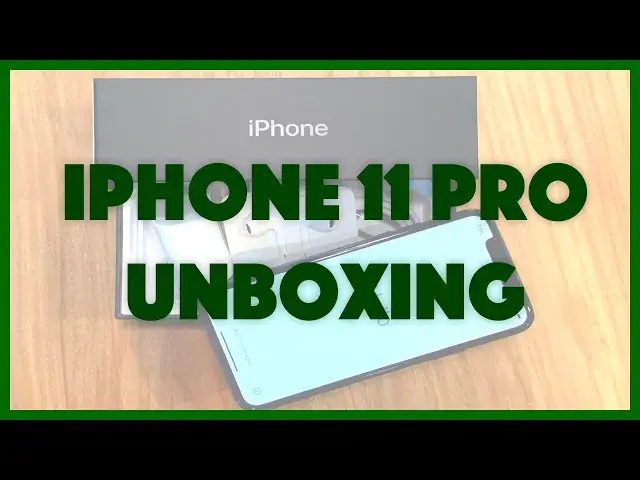
Curious what Apple includes in the box with the brand new Apple iPhone 11 Pro? Does it come with a case? AirPods? Maybe some stickers? Tech expert Dave Taylor of https://www.AskDaveTaylor.com/ cracks open the plastic and goes through every item included with his brand new iPhone 11 Pro in stunning Midnight Green.
Show More Show Less View Video Transcript
0:00
iPhone 11 Pro, what's in the box? Let's find out
0:04
Dave Taylor here, and in this box is my new iPhone 11 Pro
0:17
So let's do an unboxing, right? Necessary tool for unboxing. I'm going to go ahead and cut this
0:23
And I bought it through AT&T rather than through the Apple store
0:28
So AT&T shipped it to me via FedEx. And I guess they don't really understand people that really want to receive something
0:36
Because my shipping notice was somewhere before 8pm it would show up
0:41
And lo, the heavenly choir sings. Let's see what else is in the shipping box
0:46
Smart label returns. Dude, I'm not going to return it. It's an iPhone, right
0:51
So, here's something new. It looks like they actually have done wrapping on the outside that makes it easy to open the plastic
0:59
Well done, Apple. Now, here we have the iPhone 11 Pro, 64 gig in midnight green
1:08
What's in the box? Okay, well, this is about when I think the heavenly choir should start singing
1:17
First off, that's a lot of cameras on the back of a phone
1:21
It's going to be real interesting to see if that's actually going to give me great results
1:25
So far, it's supposed to be quite amazing. Let's see, the buttons, everything
1:30
It has a very, very similar feel to my X and my XS
1:35
And it's not starting up. Maybe it's dead. It doesn't seem like something Apple would do. There we go
1:41
So, while it's doing that, I just happen to have what OtterBox sells are these OtterPads
1:47
These are awesome. That's a wireless charger. So, I'm going to just go ahead and let it sit on there and charge while we see what else is in the box
1:53
All right. This is paperwork. And, in case you don't have any, Apple stickers
2:01
And let's see, the paperwork included. Let's see, it looks like, before using it, read the user's guide that's online
2:10
And there's a quick start. Hello. Quick start. It tells you how to get started getting this thing working
2:17
And there is also a SIM removal, because they're not using software SIMs yet
2:22
They're still doing hardware SIMs. Meanwhile, the phone looks like this. And notice the notch on top and everything looks exactly the same as the previous generation of iPhone
2:31
So, basically, from a cosmetic perspective, the significant difference here, really, probably the only difference here
2:39
is that whole camera assembly on the back. And here's a close-up, so you can really get this glorious detail of all those camera lenses
2:48
All right. We're going to let it keep charging. Now, there is the charging unit
2:53
And I believe this is supposed to be the fast charger. Let's see. It doesn't have much in the way of writing on it
2:59
But it is, looks like, USB-C on that end. We'll see if there's a cable that matches
3:05
Let's see. There is indeed. That's actually a nice cable to have anyway
3:09
USB-C on one end and lightning on the other, which confirms that, yes, this uses lightning for charging and data
3:17
So, that cable goes with this, and that gives you your charging and power
3:22
And then the only other thing you get is you get, yes, a wired earbud set
3:27
And you open it up, and the packaging almost makes it look like it's a pair of AirPods or something
3:32
But when you open it up and you look inside, you can see, oh, there's a wire
3:37
The good news is that the end of the wire is a lightning plug because it's no big surprise that there's no 3.5mm audio jack on that
3:46
And honestly, that's it. That's our box. That's all that's in here
3:50
So, in the box, we have a headphone set from Apple. We have a USB-C to lightning connector cable
3:59
And we have a charger. And we have the SIM removal tool
4:05
Some documents. A couple of little Apple stickers. And, of course, the most important thing is this beautiful new phone
4:12
And I'm going to go ahead and take the plastic off the front
4:16
And I am now reading this in Russian, which is not helping me much
4:20
Let's go to English. United States. I am setting the language. And, hopefully, let's see
4:27
I can just do Quick Start. I can use it manually. That, I'm going to do off-camera
4:32
But now you know, here's everything that's in the box for the Apple iPhone 11 Pro
4:37
Now, I'm going to be using this extensively. And you'll want to subscribe to my channel
4:43
Because in a week or two, I will be posting a review with tons of examples of all the different photos and videos you can get
4:51
Not just from the fancy new rear-facing camera, but the front-facing camera has upgraded, too
4:56
So, you'll definitely want to check that out. And, for now, I need to turn off the camera because I need to get back to my new phone and get it all set up
5:04
Which means I'll catch you in my next video
#Consumer Electronics
#Gadgets & Portable Electronics