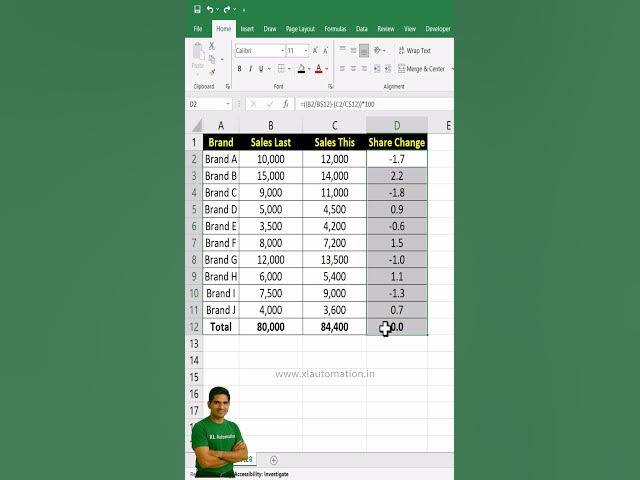

Stop Coloring Negative Values Manually – Use This Excel Hack #excel #excelforbeginners #exceltips
Feb 9, 2026

Why waste time filling red color for negative values one by one? 🔴 With this simple Excel hack, you can automatically highlight negative numbers using Conditional Formatting. It’s fast, error-free, and makes your data stand out instantly—no manual effort required!
✅ Excel Daily Tips – Learn Basic Excel Fast! (Hindi)
📺 Watch here: https://www.youtube.com/playlist?list=PLi9J7izxN372--y6b831vhLKF-4lurCW9
✅ Excel Daily Tips – Learn Basic Excel Fast! (English)
📺 Watch here: https://www.youtube.com/playlist?list=PLi9J7izxN370Bq6RfouqZdfoSXwYWqzTC
✅ Learn Basic Excel Online Free | Excel Complete Tutorial
📺 Watch here: https://www.youtube.com/playlist?list=PLi9J7izxN372T9G6WVeyX0REhwl38YiM9
✅ Advanced Excel Full Course: Complete Tutorial for Professionals
📺 Watch here: https://www.youtube.com/playlist?list=PLi9J7izxN372xHGosjNklL7NPtQwH0d9K
✅ Excel VBA for Beginners to Advanced: Step-by-Step Guide
📺 Watch here: https://www.youtube.com/playlist?list=PLi9J7izxN372REpRVF4mawa3bXApUEAbK
🔔 Subscribe for more Excel hacks, automation tips, and free tools
🌐 Visit www.xlautomation.in for downloads, templates, and tutorials
Show More Show Less