0:00
uh hello guys welcome to this video so
0:02
in this video I'll show you a plugin for
0:04
vs code which allows you to preview your
0:08
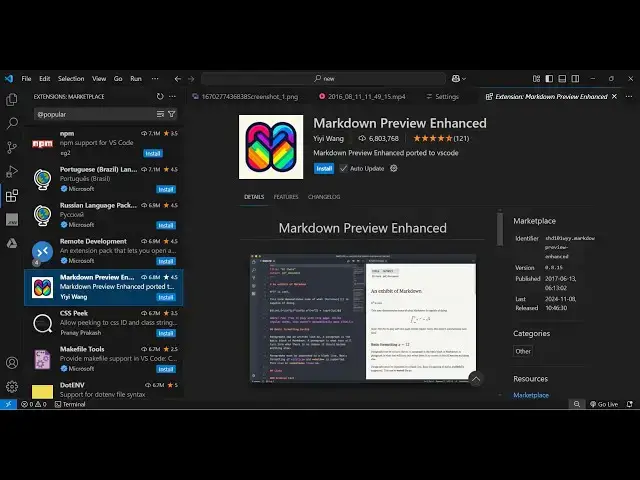
files live inside your vs code so there
0:11
is an extension go to extensions and
0:14
just type here markdown preview enhanced
0:19
this is actually the name of the plug-in
0:21
and it's called Almost 6 million
0:23
installs so it's a fairly popular plugin
0:27
and extension so simply activ AC at this
0:31
extension and as soon as you activate
0:34
this and just we have a simple markdown
0:38
here so we have all the elements so now
0:42
to use this there are quite a few ways
0:45
that you can do if you see the status
0:47
bar if you activate this plugin at the
0:50
status bar you will see this option mark
0:53
down so if you just click
0:56
it or you can simply say control shift p
1:01
and then say markdown simply command
1:04
type in the command pallet mark down
1:09
preview enhanced so you will see that
1:24
well so there will be this option
1:34
so yeah so it it will basically add this
1:38
side by side this option right here if
1:40
you see if you click this option it will
1:43
markdown side by side and here you can
1:47
edit anything so if I change anything
1:56
here so you can see that so it is
1:59
actually changing so you can edit your
2:02
files directly inside vs
2:04
code with live preview
2:16
so so this is you can see that so it is
2:19
also able to preview your markdown files
2:22
directly so it's a very nice plugin you
2:25
will see all the elements are there the
2:30
the Emojis which are present the code as
2:35
see so all these things are you can do
2:38
it directly inside vs code so this is
2:40
actually the extension markdown preview
2:42
enhanced just activate this extension
2:45
and just go to your markdown file so
2:47
whichever markdown file that you want to
2:55
highlight can see that
3:01
so this is actually the extension guys I
3:03
fail I use it a lot to actually preview
3:06
the markdown files directly in browser
3:10
in the vs code so thank you very much
3:13
for watching this video and also check
3:15
out my website freem mediat tools.com
3:17
which contains thousands of tools
3:19
regarding audio video and MH and I will
3:22
be seeing you in the next video