0:00
uh hello guys welcome to this video so
0:02
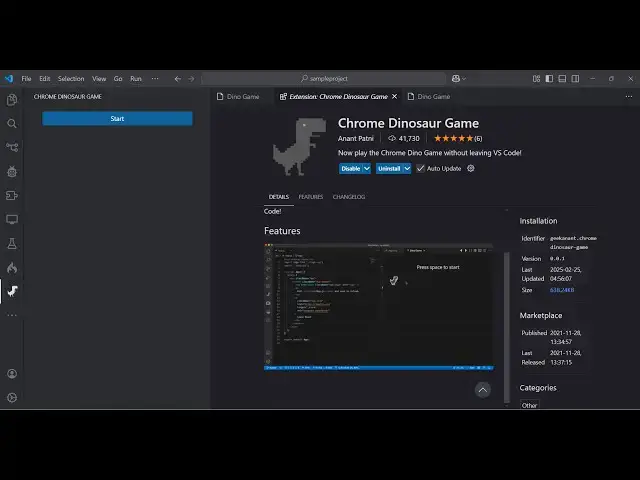
in this video I will show you a vs code
0:04
extension which allows you to play the
0:06
dino dinosaur game which appears in the
0:09
Chrome browser directly in vs code so
0:12
there is an extension right here if you
0:14
go to extensions just type here dinosaur
0:17
and this game will pop in which is the
0:19
Chrome dinosaur game it's having almost
0:23
41,7 133 downloads installs so what you
0:27
need to do is simply click the install
0:30
button just activate this extension and
0:32
after activating this extension you will
0:34
see this option appearing right here
0:37
Chrome dinosur game just hit this option
0:40
it will add this right
0:43
here so just toggle this whenever you
0:45
want to play the game just click this
0:47
and click the start button and now press
0:49
the space key so let me turn on the
0:53
volume so press the space key and now
0:55
you will see the game will start
0:57
similarly that you play inside the
1:02
so you can see the SP it's exact the
1:10
here same interface so when the it hits
1:14
game will be over and high scode will be
1:17
registered so this is actually the
1:20
extension here you can actually lay this
1:23
chrome dinosaur game directly inside vs
1:27
code just activate the extension
2:07
so you can see that we are playing the
2:08
game here so as the level increases the
2:12
speed also increases so whenever you hit
2:15
so score will be registered here uh in
2:18
this way guys you can directly install
2:20
this extension and play the game
2:21
directly inside the vs code without
2:23
leaving it so this was the
2:26
extension uh thank you very much for
2:28
watching this video and also check out
2:30
my website as well free mediat tools.com
2:32
uh which contains thousands of tools
2:35
regarding audio video and image and I
2:37
will be seeing you in the next video