0:00
uh Hello friends welcome to this video
0:02
so in this video I will show you an
0:04
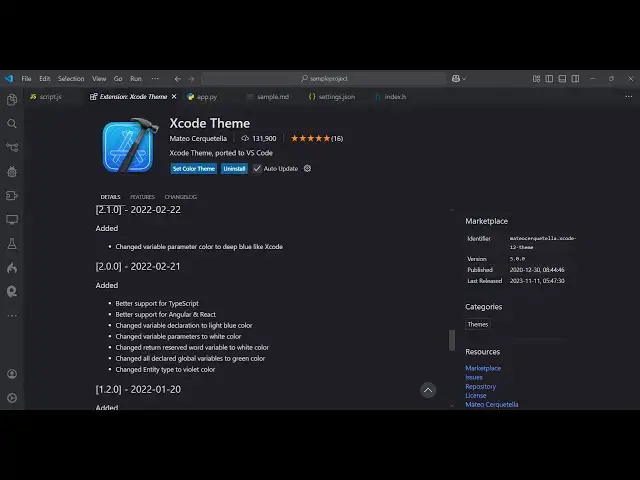
extension where you can install vs code
0:08
xcode theme xcode is actually a Mac
0:11
operating system code editor
0:13
specifically if it is built to build out
0:16
uh uh Apple applications so it's IDE so
0:20
you can directly use the theme which is
0:22
used inside xcode so there is an
0:25
extension just type xcode in the
0:27
extension search bar this will come
0:29
right here it's having
0:32
131,000 installs just simply click the
0:35
install button and uh just install this
0:39
extension and now you will see it have a
0:41
series of themes out there this is the
0:44
light theme of xcode so basically this
0:47
is the xcode light theme and similarly
0:53
just try out the more themes here which
0:56
is that this is the Dark
0:58
theme this is the default
1:05
theme you can see that so this is
1:08
actually the color combination which is
1:11
their X code so it exactly looks like
1:14
this you can install this extension is
1:18
used by many developers one by one you
1:21
can see toggle this personally I like
1:24
this theme which is little bit darker
1:26
and it highlights also the text as well
1:31
so so nice theme is there so xcode theme
1:37
xcode if you don't know it's a Mac
1:39
operating system specifically editor uh
1:44
designed to build mobile
1:47
applications so there is a theme which
1:49
you can directly install inside vs Cod
1:52
so just install this and just use
1:57
it so this is actually the you can
2:00
directly install it and use it so thank
2:02
you very much for watching this video
2:04
and also check out my website as well
2:07
free mediat tools.com uh which contains
2:10
thousands of tools regarding audio video
2:12
and image and I will be seeing you in