0:00
uh hello guys welcome to this video so
0:02
in this video I will show you some
0:03
extensions third party extensions in vs
0:06
code which integrates the Discord
0:08
functionality Discord is a very popular
0:10
website which allows you to chat among
0:13
other friends and developers so you can
0:16
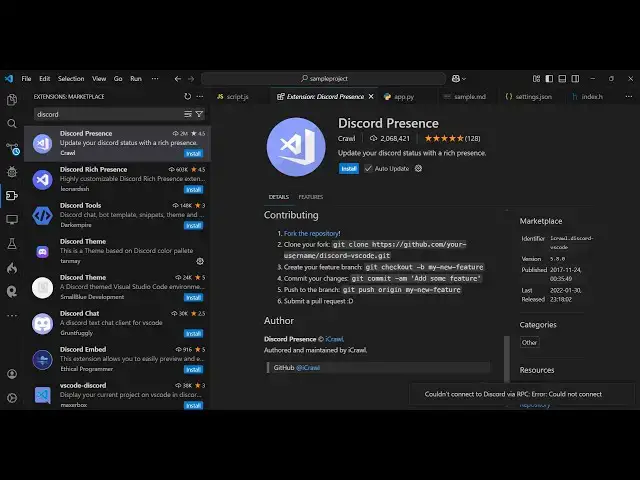
install Discord here in vs code by just
0:19
typing Discord in extensions the very
0:22
first extension I will show you the
0:23
theme right here Discord theme uh which
0:26
is almost having 49,000 installs so just
0:30
install this and activate this theme so
0:33
it matches the color combination of
0:35
Discord website so if you try to open
0:38
this now you will see the actual scroll
0:41
bar will change to Discord Color website
0:43
and also the color combination that you
0:45
seeing right here exactly matches this
0:49
Discord here so first of all install
0:52
this theme and then we also have the
0:54
Discord chat plugin as well so you can
0:58
install this to actually display Discord
1:01
text boot right in the vs code itself so
1:06
once you install and activate this you
1:10
this you need to enter your
1:19
token so Discord if you go to
1:26
API so here you need to just create a
1:34
so go to Applications create new
1:37
application let me say sample
1:41
test just allow the permission click on
1:45
Create and just accept
1:55
sample so this is will be your uh if you
1:59
see this is your public
2:17
changes I think uh just need to enter
2:40
so in this way you can do this uh some
2:42
more extensions are also there which is
2:45
this Discord tools you can install this
2:47
extension as well to display the chat
2:50
window and also the theme as well so
2:53
quite a number of third party extensions
2:55
are there so once you install this
3:09
so first of all set the color
3:14
theme can see that the team has been
3:38
uh this one also it's a very popular
3:40
extension 2 million downloads so it
3:44
actually updates your Discord status as
3:58
so so so in this way guys you can have
4:02
all these third party extensions one by
4:06
them and inside your vs code so thank
4:09
you very much for watching this video
4:11
and also check out my website as well
4:13
free mediat tools.com uh which contains
4:16
thousands of tools regarding audio video