0:00
uh hello guys welcome to this video so
0:02
in this video I will show you a vs code
0:04
extension which allows you to convert
0:06
your CSV files comma separated value
0:09
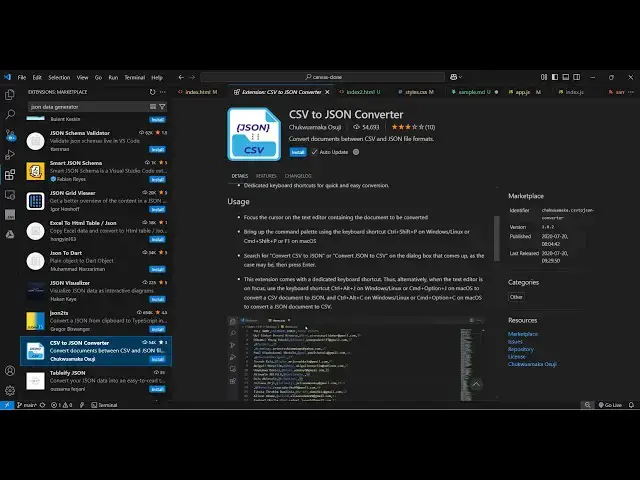
files into Json so if you go to
0:11
extensions tab just write this CSV to
0:14
Json and this extension comes right here
0:17
54,000 installs it actually converts
0:20
your CSV documents to J Json file so now
0:24
to activate this simply select the
0:27
install button to activate this
0:31
and after once it activates now let me
0:33
show you a sample CSV file and I create
0:50
R so as you can see we have three
0:53
columns name Age Country comma separated
0:55
value this is the first row second row
0:58
third row so now this is actually the
1:00
CSV file sample. CSV file so if you want
1:03
to convert this into Json so either you
1:06
can go to the command pilot by typing
1:08
the shortcut control shift p and just
1:14
Json this option which comes right here
1:18
and as soon as you do you will see it
1:20
will create a file conversion to Json
1:23
was successful so in the same directory
1:27
it will create sample. Json
1:31
and you will see all this data is
1:36
Json this is a nice little extension
1:38
guys without leaving your vs code you
1:40
can convert your CSV file into Json and
1:44
it can be anything the data can be let's
1:47
suppose I paste some more rows of
1:53
data again you can open the command
1:57
pilot right clicking it and also
2:00
selecting this and it will open so just
2:06
so we'll see all that CSV data is
2:10
converted to Json so it will save you a
2:12
lot of time by using this extension
2:14
because sometimes inside your
2:16
application you need to convert your CSV
2:18
file into Json file so this extension
2:21
will highly personally it saves me a lot
2:25
of time to use this extension rather
2:26
than going to a third party website and
2:29
then carrying of the conversion because
2:31
it creates a file in the same directory
2:33
where your CSV file is present so that
2:36
also helps a lot so you can install this
2:39
extension and start using it it's almost
2:41
called 55,000 installs and it's a fairly
2:45
nice extension so thank you very much
2:48
for watching this video and also check
2:50
out my website free mediat tools.com
2:52
which contains thousands of tools
2:54
regarding audio video and image and I
2:57
will be seeing you in the next video