0:00
uh hello guys welcome to this video so
0:02
in this video I will show you how to
0:03
make your vs code transparent remove the
0:06
background and have it glass like effect
0:10
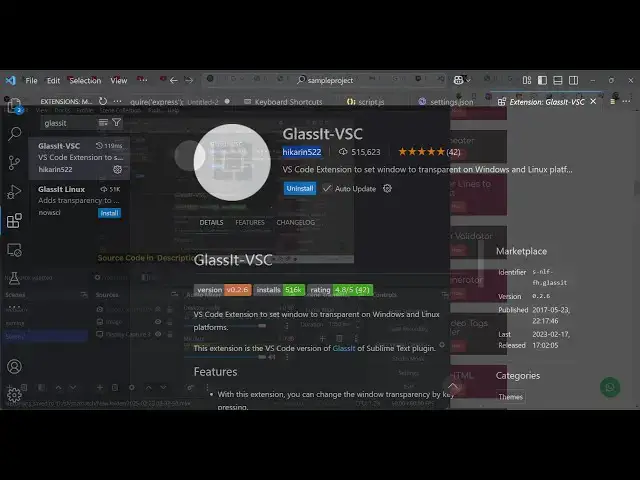
so there is extension out there glass
0:12
set vssc so if you go to your extensions
0:18
you let me just restart
0:21
this so there is this extension which
0:23
will remove your vs code background so
0:28
extensions and just search for this
0:31
which is glass it glass it is the name
0:35
of the extension and this is actually
0:37
the extension having 500,000 weekly
0:41
downloads so simply install this and uh
0:45
you will see that it will now remove the
0:48
background and you can actually control
0:51
the transparency by going to
0:55
settings and just searching for glass it
0:58
and by default it will be
1:01
220 the transparency level you can
1:07
255 so if I change to
1:16
transparent and we can even change it to
1:20
120 so there is a shortcut key that you
1:23
can control it control
1:26
t for decreasing the transparency
1:30
and control a for increasing the
1:36
so in this way you can
1:44
so basically you can create this effect
1:46
using this extension glass it simply
1:48
enable this and then you can control the
1:50
transparency level inside those setting
1:54
if you need this effect you can install
1:56
this extension guys it's very
1:58
simple some sometimes you need to Inc
2:02
just remove the background and have this
2:04
nice little glass effect so you can see
2:08
here we are writing our code so it's a
2:12
effect and you can see that we can write
2:15
our code so the background is
2:34
so you can actually have you can put
2:38
a key binding here let's suppose if you
2:54
so so as you press this it will decrease
2:58
the transparency level
3:07
so this is actually the extension guys
3:10
this which is your glass set
3:14
effect so go to extensions and just
3:17
install this extension classic vs
3:20
code so thank you very much for watching
3:23
this video and also check out my website
3:27
which is free mediat tools.com which
3:29
contains thousands of tools regarding
3:31
audio video and image and I will be
3:34
seeing you in the next video