0:00
uh hello guys welcome to this video so
0:02
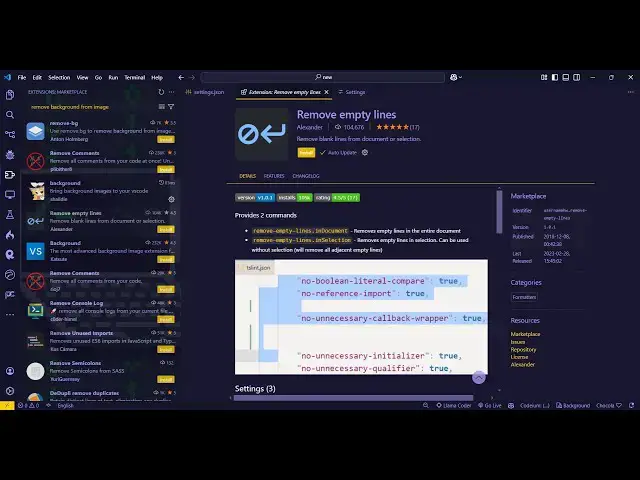
in this video I will show you a VSS code
0:04
Plugin or extension which allows you to
0:06
remove your empty lines or blank lines
0:09
from your code so especially in Long
0:12
files there will be a lot of Blank Space
0:15
which will be there this extension will
0:17
allow you to remove that so if you go to
0:19
extensions just type remove empty lines
0:22
the very first extension which comes
0:24
it's this is actually the extension
0:26
developed by Alex Alexander it's got all
0:31
104,000 installs just you need to
0:34
activate this extension let me just
0:36
click the install button activate this
0:39
so once you activate this now if you go
0:41
to any file right here you will see this
0:44
empty space these are the blank lines
0:46
which are there so if you want to remove
0:48
all these blank lines in one go you
0:51
don't need to manually do this process
0:53
so you can actually select all this code
0:57
and then right click go to command pet
1:01
and just type remove empty lines in
1:05
selection so as you do this you will see
1:09
automatically all your empty files will
1:11
removed and one more thing you can do
1:14
you can even press the shortcut key
1:16
control shift p to open the command pent
1:19
and there is another option here remove
1:21
empty lines if you just type here remove
1:25
empty lines in the whole document so if
1:29
you also want want to remove all the
1:30
blank lines in the whole document you
1:32
will select the second option so it will
1:36
job like this so if you only want to
1:40
select a particular section so let's
1:43
suppose only this section you want to
1:45
select so in that case you will select
1:47
this section go to command pallet and
1:50
remove empty lines in this selection
1:51
only so it's a nice little utility kind
1:54
of an extension in vs code which will
1:56
automatically remove all the blank space
2:00
so you can see that so it will save you
2:04
well because many of times you want to
2:07
remove that blank space it will reduce
2:09
the size of the document as well so it
2:12
works with all the languages you just
2:14
need to select the portion whichever
2:16
portion you you want to or you can
2:18
select the entire thing and remove empty
2:24
document so you can see that so it works
2:26
all with all the languages so you can
2:29
install this again activate this and use
2:31
it so thank you very much for watching
2:33
this video and also check out my website
2:36
free mediat tools.com which contains
2:38
thousands of tools regarding audio video
2:40
and image and I will be seeing you in