0:00
uh hello guys welcome to this video so
0:02
in this video I will show you some
0:05
extensions you can use in vs code to use
0:08
multiple themes so these extensions uh
0:12
let me show you one by one so if you go
0:13
to the settings option just go to
0:16
extensions and right right here just
0:18
type in the search menu best themes so
0:21
if you type best themes you will see a
0:23
series of extensions will come right
0:25
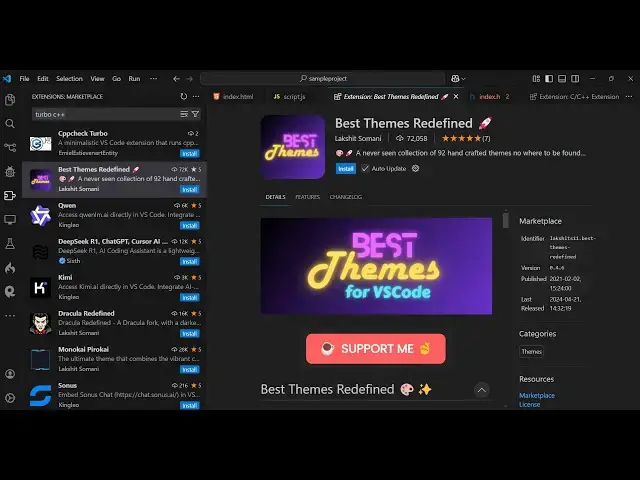
here the very first ex extension this
0:27
one best themes redefined it has got
0:30
almost 72,000 installs so you don't need
0:35
install extensions for each theme you
0:38
can install this theme which contains
0:40
multiple themes right here so you'll see
0:43
it's almost containing 92 themes right
0:46
here with one extension so you can
0:48
directly install this and using this it
0:52
will contain all the themes which are
0:57
that so one extension and it contains
1:01
almost 93 themes so here it contains all
1:04
the popular ones Dracula Darin you'll
1:08
that so here from the drop down you can
1:11
select any theme that you want
1:18
to the shortcut is after you install it
1:21
just press the keyboard key control
1:23
shift p and then this will occur so here
1:26
you can or I have you can even put the
1:29
shortcut key control T and here it will
1:32
come so you can toggle here with the
1:34
multiple themes you can in the drop
1:38
down so whichever theme you prefer you
1:41
can see that so it contains almost 93
1:48
dark so the advantage of using the
1:51
single extension is contains it multiple
1:54
themes you don't need to install
1:55
multiple extensions so with the single
2:00
actually have all the themes you can see
2:02
that how many themes it is
2:05
there monokai which is a very popular
2:12
ocean so you can see that so as you pick
2:16
just enter it and that theme will be
2:18
applied so you can see that again if you
2:20
want to control T shortcut key and now
2:27
occer so it contains all the popular
2:29
themes which are there in the vs code
2:31
extension tab so with the single
2:33
extension just install this extension
2:35
best theme just type best themes and
2:39
come uh also there are more extension
2:42
this one also the best themes of
2:44
programmers it's a fairly new extension
2:46
2000 but this also does the same thing
2:49
it actually encapsulates all the popular
2:52
extensions themes into a single
2:54
extension so here you can see it
2:56
contains the list almost 93 themes so
3:11
so so whichever theme you prefer just
3:15
select it and enter that theme will be
3:17
applied so this will save you a lot of
3:20
space and time as well install this
3:22
extension which contains multiple themes
3:25
so you can see that so thank you very
3:27
much for watching this video
3:30
and also visit my website which is free
3:35
mediat tools.com uh which contains the
3:37
thousands of tools regarding audio video
3:39
and image and I will be seeing you in