live_tv
Livestream Starting Soon
00
Hours
:
00
Minutes
:
00
Seconds
Up next in 10


See the design tool here:
https://jitter.video/
Hi Join the official discord server to resolve doubts here:
https://discord.gg/cRnjhk6nzW
Visit my Online Free Media Tool Website
https://freemediatools.com/
Buy Premium Scripts and Apps Here:
https://procodestore.com/
Show More Show Less View Video Transcript
0:00
uh hello guys welcome to this video so
0:03
in this video I will show you a video
0:06
editor which is completely free and it's
0:09
something Cana loan and it's uh every
0:12
programmer or developer should know this
0:14
tool so the name of the website is
0:16
Jitter Dov video so I've given this link
0:19
in the description of this video so it's
0:21
a video
0:23
editor right in the browser itself and
0:26
it's completely free so you can see for
0:28
free you can create a unlimited number
0:30
of files unlimited editors export video
0:33
GI in 720p quality and you can even
0:37
import from figma as well so they do
0:39
offer the paid plan inside the paid plan
0:42
the water Watermark will not be there
0:45
but if I show you the actual video
0:48
editor if you just need to create uh
0:51
sign up with your Google account I've
0:53
already done that so I'm there inside
0:55
the dashboard
0:56
so you can see it has various templates
0:59
as well so now let me show you a create
1:02
new button right here so as I click this
1:05
button I will be redirected to the
1:06
dashboard so you can see it runs in the
1:10
uh browser similar to canva so now we
1:13
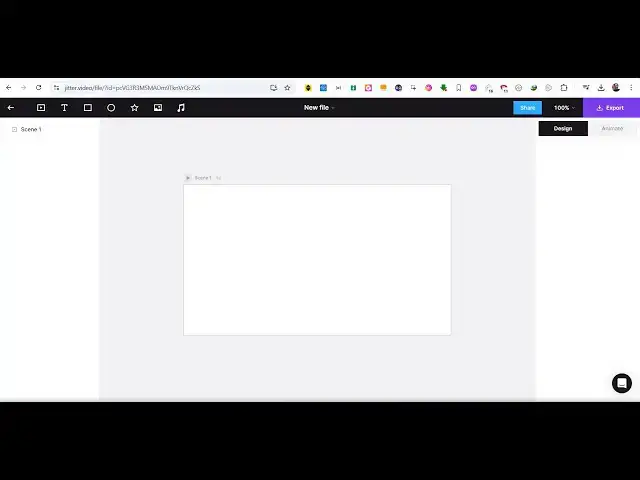
have this timeline we have this canvas
1:15
right here currently it is empty and you
1:18
can adjust the size as well of these
1:21
canv this canvas right here you can
1:24
adjust the size let's suppose you are
1:26
building a YouTube thumbnail so you can
1:28
just put the size to
1:31
1280 to
1:34
720 so you can even change the
1:37
background color from here this Color
1:40
Picker like
1:44
this and then we have various options we
1:47
can add text images inside this canvas
1:50
and let's suppose I want to add a
1:53
text so I can adjust the size
1:57
here you can move it and just write
2:07
here so here on the right hand side
2:10
similar to canva we will change the
2:12
color of the text very
2:18
simply let me change
2:22
it and then if you want to embed images
2:25
you can select a image here and the
2:28
image will be selected and then you can
2:29
place this image
2:34
accordingly and then you can even add
2:36
shapes as well it can be circles
2:39
rectangles everything so you can change
2:42
the color of the rectangle to this this
2:46
a circle this is rectangle so in you can
2:49
see how easy it is the interface is very
2:52
much similar to canva but I found this
2:55
tool to be very useful
3:00
it is user friendly and uh and now comes
3:04
the major part so there you'll see this
3:07
next app which is animate you can
3:09
animate these elements so now you will
3:11
see this timeline editor right here so
3:13
currently it is
3:15
0.0 now you will select the element that
3:17
you want to animate and then click on
3:19
new animation and these are the set of
3:22
pre-built animations you can directly
3:24
use you can
3:26
see if you just tap on this animations
3:29
you will see you can adjust the
3:31
properties of these animations delay
3:34
smoothing order all these stuff and then
3:37
you can select this image again click
3:39
new animation
3:41
so you can see it will appear like this
3:44
again you can select this shape right
3:48
here so you can see again this one so
3:53
it's very easy to add these animations
3:55
so this makes your video even more
3:58
cooler so now after applying these
4:00
animations you have this export button
4:03
so you can simply click the export
4:05
button and you will see these series of
4:07
options either you can export it to GIF
4:10
or you can export it to a actual video
4:12
file so up to 720 it's completely free
4:16
if you want to export this to 1080P and
4:19
remove the watermark then you just need
4:21
to upgrade it but I found this 720 is
4:24
more than enough if you click 720 your
4:26
video will be created it will take very
4:30
simple very less time and you can see
4:33
your video has been created showing the
4:35
live preview and it's faster than canva
4:39
canva takes a lot of time but in this
4:41
tool it's very fast now you can click
4:44
the download button and you can see the
4:46
MP4 video has been successfully
4:49
downloaded so if you open the video you
4:52
can directly make videos with this tool
4:55
any videos social media tools or social
4:58
media videos that you want to make short
5:00
little videos GIF animations so this
5:02
tool is very much helpful for the these
5:05
I found out you can see that the
5:07
animations are applied
5:12
here and
5:15
uh you can adjust the duration here so
5:18
it is 4 second by default you can change
5:21
this to anything let's suppose 15 second
5:35
so now if you
5:37
see this is your timeline here here you
5:40
can adjust you can even hide Elements by
5:43
clicking this hide button or lock
5:45
elements as
5:47
well so this is a completely timeline
5:49
editor it's completely free that's the
5:52
important thing you can directly go to
5:53
it this link right here I've given the
5:55
link in the
5:56
description so you can directly
6:00
make videos with this
6:02
tool any Design Elements you can
6:05
directly
6:16
make so this is actually the website I
6:19
given the link in the description you
6:21
can directly register it and start
6:23
building videos using this
6:26
tool so
6:31
all your videos which will be created
6:33
which will be saved right here alongside
6:35
with your account you can directly click
6:37
on that and just edit it from behind you
6:40
can directly save it inside your account
6:42
or if you have you can also import the
6:46
assets from figma as well simply click
6:49
on that and link your figma account with
6:52
this application so if you create any
6:54
sort of videos you can directly import
6:57
from that so this is actually the tool
7:00
guys the link is given in the
7:01
description which is Jitter do video and
7:05
uh I will be seeing you in the next
7:07
video uh also check out my website as
7:09
well free mediat tools.com uh which
7:12
contains thousands of tools regarding
7:14
audio video and MH and I will be seeing
7:17
you in the next video
#Flash-Based Entertainment
#Movies
#Online Media
#Multimedia Software
#Online Goodies
#Clip Art & Animated GIFs
#Skins, Themes & Wallpapers
#Animated Films