0:00
uh hello guys welcome to this video so
0:02
in this video I will show you uh two
0:04
famous plugins of vs code where you can
0:07
actually customize the look and
0:09
appearance of these icons that you're
0:11
seeing whenever you create folders this
0:14
files here there are two extensions
0:18
popular extensions for
0:20
icons so if you the very first extension
0:24
material icons this is really popular
0:31
.4 million downloads so this is the one
0:34
material icon theme which is developed
0:36
by this person philli and which has got
0:39
almost 27 million downloads so
0:41
personally I use this one so as soon as
0:47
this so if I uninstall it and install it
0:50
once again so there is will be this
0:52
install button so simply click on
0:54
install and as soon as you select the
0:56
install button you will see that it will
0:58
say to you that set the file icon theme
1:01
so if you already have this existing
1:02
theme then it will appear like this
1:04
material icon theme so just need to
1:07
activate this so now what happens if you
1:10
see if you activate this it will change
1:13
to this material icon so these are the
1:15
material icons you will see that it
1:18
looks really good to the eye and also
1:21
these extensions if you create a
1:24
Javascript file it will have these
1:26
premade icons available this is a Json
1:28
file Javas script this is HTML
1:31
C++ so this is actually the first
1:34
extension which is the material icon
1:36
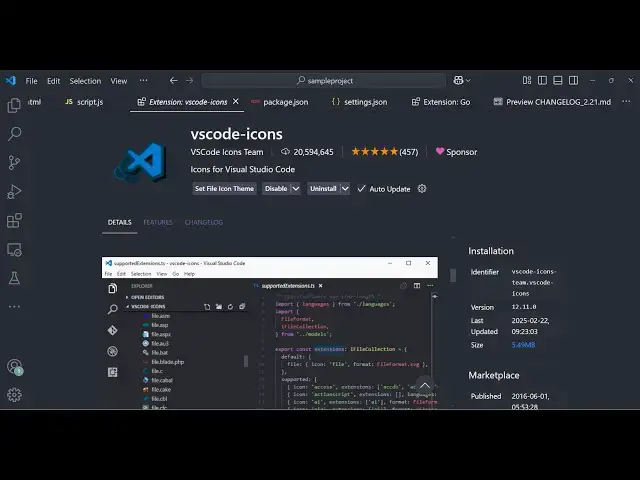
theme the next extension is vs code D
1:40
icons so if you just search here VSS
1:44
code icons so this is a second extension
1:48
which is also very good uh if you see it
1:51
is developed by vs code icons team it's
1:55
got almost 20 million downloads so if
1:59
you set this now you will see that now
2:02
it looks something like this it's
2:04
slightly different but uh personally I
2:07
use the material one but this one is
2:09
also very good having 20 million
2:11
downloads so you can see it it's having
2:15
structure so in this way you can
2:19
actually change the appearance of your
2:21
icons personally I use these two
2:24
extensions but there are also more
2:26
extensions available but these are the
2:32
so thank you very much for watching this
2:35
video and also check out my website
2:37
which is free mediat tools.com uh which
2:40
contains thousands of tools regarding
2:43
audio video and image and I will be
2:45
seeing you in the next video