Up next in 10


Get the full source code of application here:
Show More Show Less View Video Transcript
0:00
Uh hello guys, in this video I will show
0:02
you a website by which you can actually
0:05
download any sort of local models AI
0:09
models which are there in the market
0:11
which are completely open source. You
0:13
can search for this website called as
0:15
Olama O L A M A. So this is a website
0:19
and this website allows you to directly
0:22
download the LLM models directly inside
0:25
your local machine and then run it
0:27
locally. So it al also available as a
0:30
download option. Simply download this as
0:33
your Windows.
0:34
Select your operating system. Click on
0:36
download. So it's basically 700 mgabytes
0:41
application. So once it downloads, it
0:43
will list out all the models which are
0:46
available in the market and you can
0:48
specifically choose which model you want
0:51
to download. on their website also if
0:54
you go to the model section you can
0:55
search for any sort of model right here
0:58
which is open source so one such example
1:01
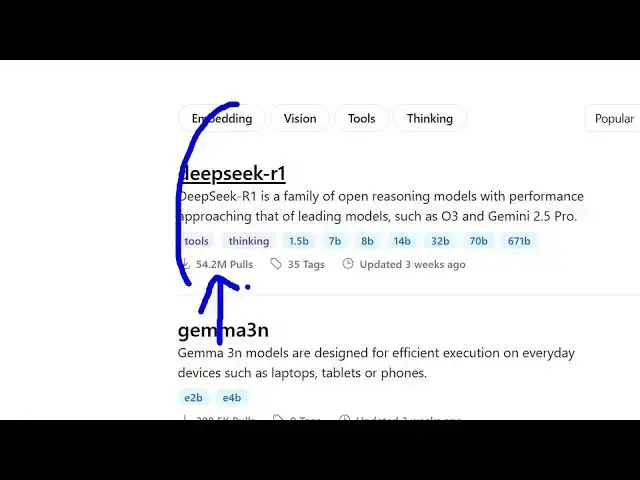
is deepseek which is uh you can see how
1:04
much installs are there 54 million
1:06
installs it's very popular model
1:10
you can read basically click on that and
1:12
get more information about this so this
1:14
is the command here run deepseek
1:18
so once the lama is installed you can go
1:20
to the terminal and directly install
1:22
this model by executing this command.
1:26
So as you can see once it the setup is
1:30
installed you simply run the setup file
1:33
and uh now it's very easy to download
1:37
any sort of AI model.
1:41
So it gives you all the size as well.
1:44
How much size is this? It will take
1:46
inside your machine as well. So,
1:57
so basically you click the install
1:59
button. So, it will try to install
2:03
Oola right inside this location app
2:06
data.
2:10
So, in my case there is no much d uh the
2:15
space is not there in my system. So in
2:17
this easy way you can install Oola
2:19
directly inside your system and install
2:21
any model. Just search for whatever
2:24
model you want to install and start
2:26
installing that model. So this is the
2:29
four 404GB. You will see this is the
2:32
highest model and then you can simply
2:34
run the model
2:37
directly inside locally inside your
2:39
machine. You can select any model as you
2:41
can see it gives you the size
2:43
information as well. So,
2:47
so once Olama is installed on your
2:49
system, you can run this commands
2:54
to directly install the model.
2:57
So, you can see. So, thank you very much
3:00
for watching this video and also check
3:02
out my website freemediatools.com
3:05
uh which contains thousands of tools.
#Software
#Open Source