live_tv
Livestream Starting Soon
00
Hours
:
00
Minutes
:
00
Seconds
Up next in 10

JavaScript Essentials find() and findIndex() Array Methods Simplified With Real Example
Jan 9, 2025

Buy the full source code of application here:
Show More Show Less View Video Transcript
0:00
uh Hello friends welcome to this video
0:02
so in this video we'll be discussing
0:03
another JavaScript array method which is
0:06
called as find find method is actually
0:09
used for testing out a condition so
0:12
let's suppose we have
0:15
arrays let's I take an example here of
0:18
Ages so I have different ages like this
0:22
this will be a numeric array so we have
0:24
uh 25
0:27
28 31 3 five and 40 so we have these
0:32
array here of which holds ages for
0:35
persons so we have five elements inside
0:37
this array 1 2 3 4
0:41
5 so let me also open my zoomit tool so
0:46
that I can zoom on a particular element
0:49
so just
0:51
wait so now what is there you will have
0:55
five elements you can see on your screen
0:57
we have first element in the array
0:59
second third thir fourth fifth so in
1:01
this tutorial we are looking for the
1:03
find method of the arrays find method we
1:08
will look at an example right here so
1:10
how to use this find method so what this
1:13
find method do so it lets you test out a
1:18
condition so let's suppose I declare a
1:22
function of check age so what this
1:25
function will do it will actually take
1:27
the age as an argument so we will pass
1:32
this an
1:34
argument all these ages will be passed
1:37
to this function so this age will be
1:40
taken as an argument so we will pass
1:42
this age as an argument to this function
1:45
so the sole purpose of this function
1:47
will be to check to return all the
1:50
elements which met this condition so age
1:54
is must be uh greater than 30
2:01
so this condition must happen all the
2:04
elements must be greater than 30 so now
2:09
if you want to test out this condition
2:12
so what you will
2:15
say ages and then you will find use this
2:19
method of find and after that you will
2:22
actually pass your function that you put
2:25
here which is check age you will simply
2:29
so what this method will do guys it will
2:31
actually test out each of the values
2:34
which is present in this array one by
2:36
one 25 will be pass first of all to this
2:38
function so 25 is not greater than 30 so
2:43
that will evaluate to false so that
2:47
element will be
2:48
rejected and then we will be coming the
2:51
second element which will be 28 then
2:53
again 28 is not greater than 30 so again
2:56
it will be rejected and now we'll be
2:59
going to to the third value which is 31
3:02
so 31 comes but now 31 is greater than
3:05
30 so it will return true in this case
3:09
so now the very first element which uh
3:15
basically satisfies the
3:18
condition this value will be returned so
3:21
the output here will be 31 so if I run
3:25
this doc run this application in the
3:29
browser if I go to console and you will
3:32
actually see the output coming is
3:35
31 so that's exactly the condition right
3:38
here whatever is the condition right
3:39
here so
3:41
25 basically fails so it will be
3:44
rejected 28 also fails and 31 actually
3:49
satisfies so the very first element
3:51
which satisfies it is returned by the
3:54
find method it
3:56
doesn't after it finds the first element
3:58
which satisfies the condition it will
4:01
not run for 35 and 40 it will just find
4:04
out this element and just return to you
4:07
this is the actual purpose of using find
4:09
method it actually uh uses whatever
4:13
condition that you put uh this is
4:15
actually our function which checks the
4:17
ages we have put a condition that the
4:19
age must be greater than 30 so in this
4:22
scenario the first element which
4:24
satisfies the condition is 31 so that's
4:28
why this 31 is return return right here
4:30
this is actual the output that you see
4:32
on your screen so if I change this
4:34
condition the age must be smaller
4:40
than 30 so now what will happen 25 will
4:43
be returned because the very first
4:46
condition 25 is uh satisfying this
4:49
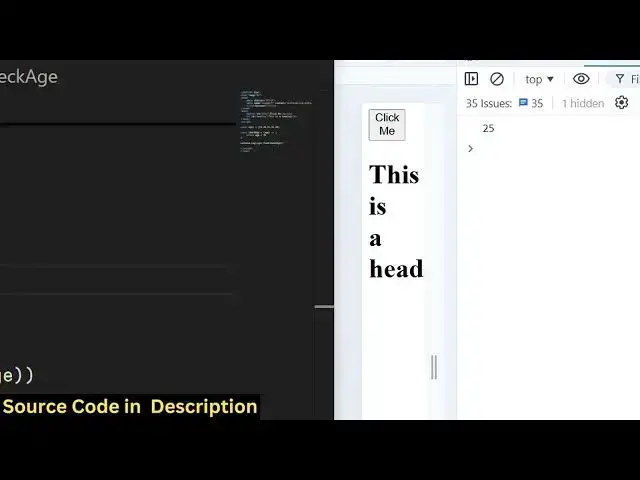
condition so now you will see 25 is the
4:51
output that's exactly so if I let's
4:55
suppose if I change this
4:57
to the age must be greater
5:01
than 40 so in this scenario no condition
5:07
will satisfy this because 25 28 31 35 40
5:12
all these elements are not greater than
5:14
40 so in this case undefined will be
5:17
returned to you so let's suppose if I
5:21
change this
5:22
to age must be greater than or equal to
5:25
40 so in this case what what will be the
5:28
output 40 will be the output because we
5:31
have put a equal to sign as well so you
5:34
now see the last element will be
5:37
returned so it will keep on
5:40
comparing uh until it finds out the
5:43
first element which satisfies the
5:45
condition and then it will return to you
5:47
so this find method it actually finds
5:50
out the index so there is also a second
5:54
alternation to this method which is find
5:56
index so instead of finding the actual
5:59
value if you only interested in the
6:01
index number that is the location as you
6:05
see this is a zero 1 2 3 4 this is
6:10
called as indexes this is actual values
6:13
if you only a interested to find the
6:16
position number of the element you can
6:18
use this method instead of find find
6:22
index you can see that now it actually
6:25
tells you the exact position of this
6:27
element so it is 0 1 2 3 4 so four is
6:30
returned to you so it is actually the
6:32
fourth element if I change this
6:34
condition let's suppose age must be
6:36
greater than
6:40
30 so now the position will be two you
6:44
will see the output comes out to be two
6:46
because 31 satisfies the condition so
6:48
the position of 31 is two in the array
6:52
this is a zero element zero Index this
6:55
is the first Index this is a second
6:58
index so the third element in the array
7:01
the second index so the index will be
7:04
there which is two so we can if you want
7:07
the actual value you will use
7:09
find but if you want the index you will
7:12
use the find index
7:15
method so this is actually
7:21
guys the find and the find index method
7:25
so in this way you can use these methods
7:28
to actually
7:30
test out a condition against a array and
7:34
the very first element which founds out
7:36
it will give you that so this is a
7:38
complete example that I showed you in
7:40
this video thank you very much for
7:42
watching this video please hit that like
7:44
button subscribe the channel and do
7:45
check out my website as well free mediat
7:47
tools.com which actually
7:50
contains uh tools regarding audio video
7:52
and image and I will be seeing you in
7:54
the next video
#Programming
#Educational Software
#Computer Education