0:00
uh hello guys welcome to this video so
0:02
in this video I will show you how to fix
0:04
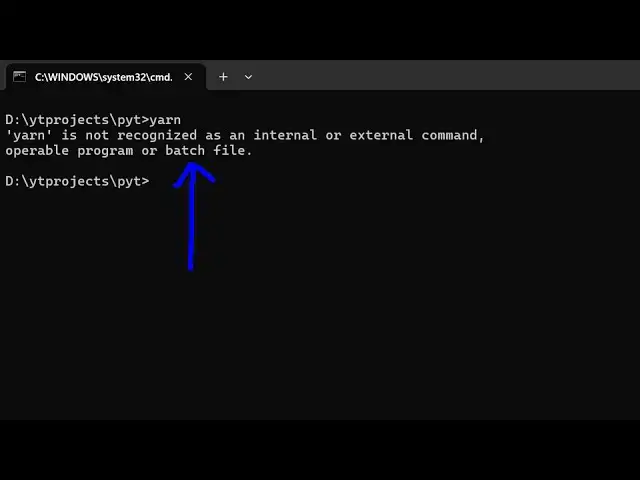
this error message which comes Yan when
0:08
you type Yan it is saying that Yan is
0:10
not recognized as an internal or
0:13
external command so typically it occurs
0:16
because you haven't uh installed Yan as
0:23
all I'm assuming that you have installed
0:26
modde GS which is the latest version I
0:28
have and npm also comes with
0:31
it so we'll be using npm to install Yan
0:37
i-g for globally installing Yan inside
0:40
your terminal so inside your system so
0:42
this is actually the command so simply
0:44
ex execute this command so it will
0:47
install the Yan package globally so you
0:50
can see that it has installed
0:52
successfully so now if you type this
0:54
command Yan version you'll see it has
0:57
successfully installed it so
1:01
so now let's suppose I want to create a
1:04
new project using gra
1:09
Yan let me just create a very basic
1:14
project using Yan so let me open this vs
1:18
code so the command is simple Yan init
1:22
DWI so it will create a package.json
1:24
file so Yan has many benefits because
1:27
it's very faster as compared to npm
1:31
so if you want to install a dependency
1:33
you type this command Yan add Express so
1:36
it will install this package so now you
1:39
can see the how fast it is as compared
1:43
npm so in this way you can initialize
1:46
the command here so it basically creates
1:49
this Yan dolog file as oppos to npm so
1:53
in this way guys you can fix that error
1:55
message and get started with Yan so
1:57
thank you very much for watching this
2:00
also check out my website as well free
2:04
medat tools.com uh which contains
2:07
thousands of tools regarding audio video
2:09
and image and I will be seeing you in