0:00
uh hello guys welcome to this video so
0:02
in this video I will show you how to
0:04
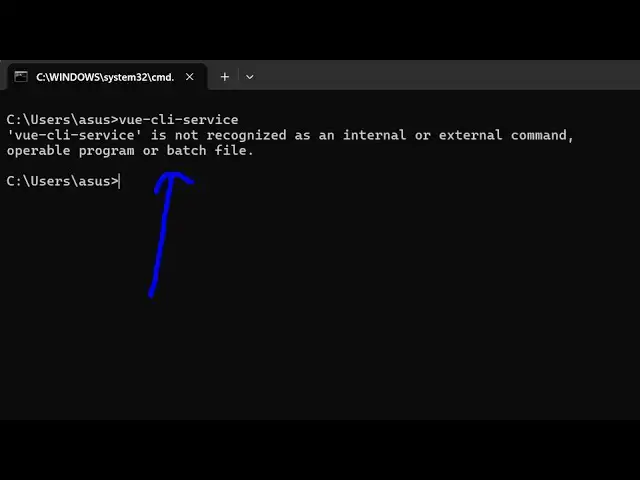
tackle this error message view CLI
0:07
service if you type on the command line
0:09
it will show that it is not recognized
0:11
as an internal or external command uh
0:14
typically means that you haven't
0:15
installed this module globally so there
0:18
is a command here which you can directly
0:20
install it globally first of all I'm
0:22
assuming that you have installed the
0:25
latest version of node CHS so I'm using
0:28
the latest version 22.13 .1 and in npm
0:32
comes with it which we are using the
0:36
10.9.2 so just make sure that you have
0:38
both these things installed and now just
0:44
simple uh command here which will
1:03
service- G for globally installing it so
1:07
let me zoom in npmi at theate view/ C-
1:12
service and we just need to install it
1:14
globally inside our system just execute
1:23
command so it will install the V CLI
1:27
package so just wait for the
1:36
finish so it will just take around 15 to
1:39
20 seconds to complete so just
1:42
wait for the command to finish so it is
1:45
installing this package globally inside
1:49
line so now if you see it has installed
1:53
91 packages so now if you execute the
1:56
same command here view- CLI service
2:00
so now if you see the command will
2:02
perfectly work and you will be able to
2:04
use view from the CLI you can start the
2:08
development server build the project
2:10
inspect your project as well so this is
2:13
actually the command here you can simply
2:16
fix this error message by executing this
2:19
command that I showed you so thank you
2:21
very much guys for watching this video
2:23
and also check out my website as well
2:25
free mediat tools.com uh which contains
2:29
thousands of regarding audio video and
2:31
image and I will be seeing you in the