0:00
uh hello guys welcome to this video so
0:02
in this video I will show you how to fix
0:04
this error message which comes if you
0:06
type v v is as you all know it's a
0:09
development environment where we build
0:11
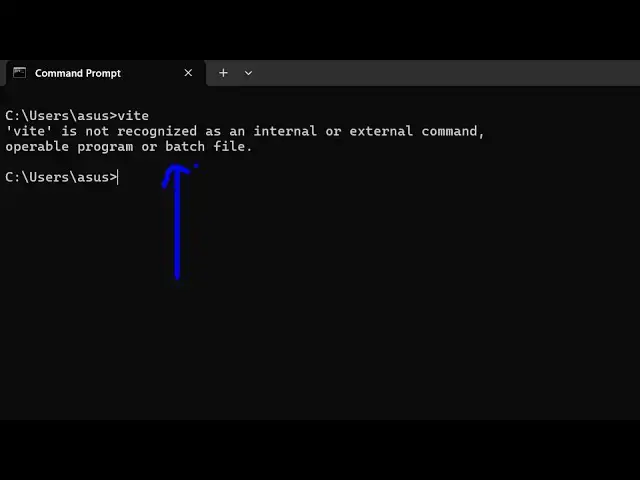
out applications of react view so as you
0:16
type V it is showing the Ser message
0:18
that V is not recognized as an internal
0:21
or external command typically you
0:23
haven't installed V so the very first
0:25
step will be to install V so the command
0:27
is simple mpmi Das g v so you need to
0:32
globally install V on your machine by
0:34
this command here npmi - g v so install
0:38
this execute this command and it will
0:41
install the V package inside your system
0:44
so if you see now it has added 10
0:48
packages now if you try to execute this
0:50
command you will see the command will be
0:52
successful it will start at local
0:58
server and if I want to show you the
1:02
installed you can check out the version
1:07
well so Ved is installed here which is
1:11
6.1.0 Windows 32 64bit and nodejs we are
1:16
using the latest version of nodejs as
1:18
well so you should have node J installed
1:20
before you install V so you should have
1:23
nodejs installed and also npm as as well
1:27
so we are also using the latest version
1:30
10.9.2 22.13 one very simple you fix it
1:35
by installing it globally npmi Das for
1:40
Global and V and another command will be
1:44
S very useful which will npx V so either
1:48
you can type V directly on the command
1:51
line or you can type here npx V this
1:54
also will start the development server
2:01
and if you want to create a new project
2:03
you write the this command
2:21
V so this is actually the command so the
2:26
command is simple guys you install this
2:28
command npmi - to solve that error so
2:32
thank you very much for watching this
2:33
video and also check out my website as
2:35
well freem mediat tools.com uh which
2:37
contains thousands of tools regarding
2:39
audio video and image and I will be
2:42
seeing you in the next video