0:00
uh hello guys welcome to this video so
0:03
in this video I will show you how to
0:05
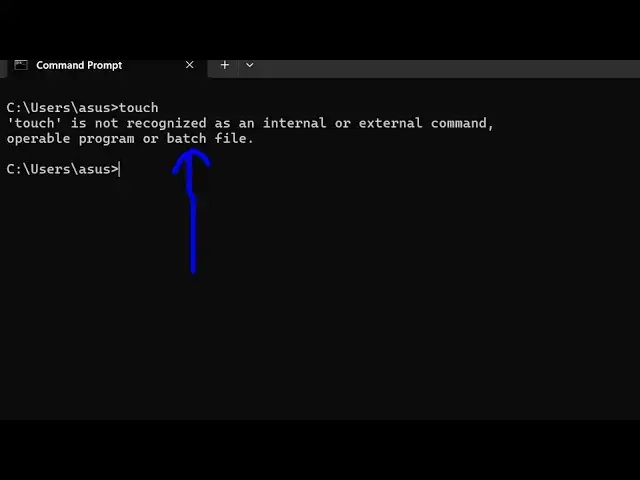
counter this error message touch is not
0:08
recognized as an internal or external
0:10
command so touch is basically a uh auntu
0:15
Tool uh which a to command which can
0:17
actually create empty files if you have
0:20
somewhere directory let's suppose I want
0:22
to create an empty file I can just use
0:24
this touch command which is there in the
0:26
onew system Linux system so now to use
0:29
this there is a package that you can
0:30
globally install on your machine which
0:33
npmi DG touch D CLI so let me just zoom
0:39
in npmi - G for globally installing it
0:42
inside your terminal and the command is
0:47
CLI so just execute this command and I'm
0:51
assuming that you should have the latest
0:52
version of node shares and npm installed
0:55
on your machine so you can see it has
0:57
added these two packages so I'm just
1:00
using the latest version of
1:03
nodejs and also the npm which comes with
1:06
nodejs so you should have in both these
1:09
things installed to actually execute
1:12
this command so once your command is
1:13
successful you can directly I'm here in
1:16
my directory I can create a Touch hellow
1:20
world. txt file so now you'll see that
1:23
it has created this empty file you will
1:26
see the file has been created so this is
1:29
a very handy tool guys you can directly
1:31
use this in your project if you want to
1:34
create any file of any
1:37
extension let's suppose I say hello
1:41
world the Javascript file so it will
1:44
create that file for you you don't need
1:46
to manually click on that new file and
1:48
then name your file and extension you
1:50
can use this tool instead on the command
1:52
line that easily your touch command and
1:55
followed by the file name and then it
1:57
will create this empty file for you and
2:00
then you can start writing the code so
2:01
it's a very good shorthand command for
2:03
you if you are coding in a lot of day
2:07
today basis you can use this command so
2:10
thank you very much guys for watching
2:12
this video and uh also check out my
2:15
website as well free mediat tools.com uh
2:19
which contains thousands of tools
2:21
regarding audio video and image and I
2:24
will be seeing you in the next video