0:00
uh Hello friends welcome to this video
0:02
so in this video I will show you how to
0:04
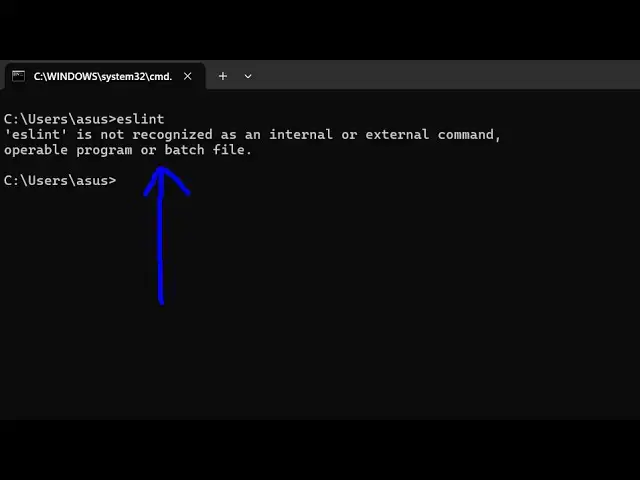
fix this error message which comes if
0:06
you type here es lint inside your
0:08
terminal you will see this error message
0:11
uh popping up that as lint is not
0:13
recognized as an internal or external
0:15
command so the easy way to fix this
0:18
problem is that you need to install es
0:20
lint globally inside your system so I'm
0:22
assuming that you have the latest
0:24
version of nodejs installed on your
0:25
machine so which is I'm using the
0:27
223.000 the latest version and npm comes
0:31
with it so you should have these two
0:33
things pre pre-installed before
0:35
executing this command so just need to
0:38
npmi DG for globally installing it and
0:42
Es l- CLI so this is actually the eslint
0:47
CLI tool which you need to globally
0:49
install by executing this
0:51
command and just execute this and it
0:54
will hardly take uh 2 seconds to install
0:57
it you'll see it has added 16 packages
1:00
so now if you want to execute simply yes
1:03
lint CLI so now if you see the command
1:10
so so if you want to locally install it
1:14
then for a particular project then you
1:16
will execute this command npm install es
1:18
link-- save-dev so let's suppose if you
1:21
have a nodejs project then in that
1:24
simply you will simply say npmi es lint
1:28
Das Das save Dev so it will locally in
1:32
install on inside your nodejs project so
1:34
this is actually the command so if you
1:36
want to globally install it then you
1:38
will execute this command so thank you
1:40
very much for watching this video and
1:42
also check out my website as well free
1:44
mediat tools.com uh which contains
1:46
thousands of tools regarding audio video
1:48
and image and I will be seeing you in