0:00
uh Hello friends welcome to this video
0:02
so in this video I will show you how to
0:04
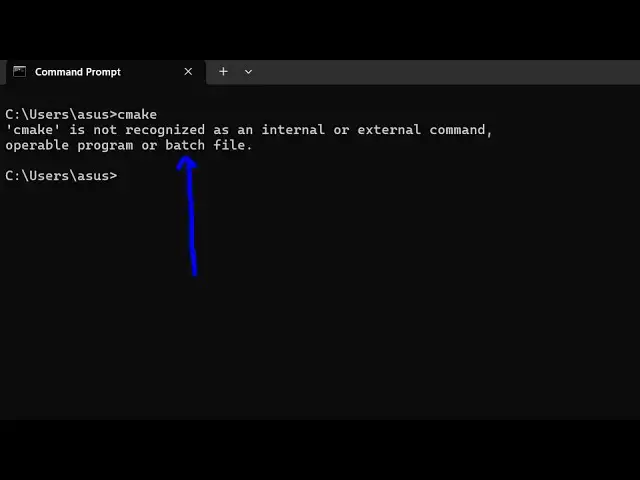
tackle this message which comes if you
0:07
cmake it comes that CMAC is not
0:09
recognized as an internal or external
0:11
command so a very simple step is to fix
0:15
this problem here 99% of the time you
0:18
haven't added the path in the
0:19
environment variable so first of all we
0:21
need to find out the location wherever
0:24
cmake is installed on your system so by
0:26
default it is stored in the C directory
0:29
and there is a folder called program
0:31
files so just search for this folder
0:34
program files and inside this folder you
0:37
will find a cmake folder you'll see
0:40
that CMAC and then inside this there is
0:44
will be a bin folder where the
0:47
executable will be present so this is
0:49
your CAC executables that are present so
0:52
if you try to open Terminal here and
0:54
then type the CAC command you will see
0:56
the command will be successful so now we
0:59
just just need to make sure that we
1:01
globally copy this path and add this
1:03
inside the environment variable so just
1:05
select this path right click copy it so
1:09
now just open the environment
1:11
variable and uh just click the
1:14
environment variables right here and
1:16
just add this to the system path here
1:19
that you see system part simply select
1:22
and click on the edit
1:25
button and simply select the New Path
1:28
and paste it so as as soon as you paste
1:31
this path here click on okay okay and
1:34
then you just need to restart your
1:36
terminal to apply the changes and again
1:40
type the same command here cake so this
1:43
time the command will be successful you
1:44
will see so in this easy way you can fix
1:48
that error message by simply adding the
1:50
path in the environment
1:52
variable so thank you very much for
1:54
watching this video and also visit my
1:57
website free mediat tools.com uh which
2:00
contains thousands of tools regarding
2:02
audio video and image and I will be
2:04
seeing you in the next video