Up next in 10

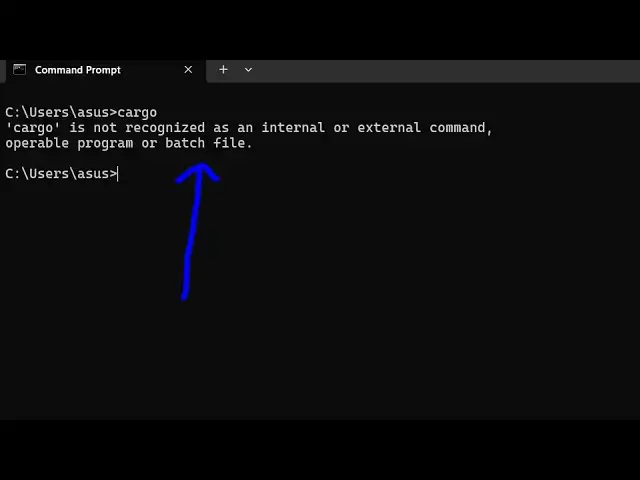
How to fix cargo (Rust) is not recognized as an internal and external Command Error in Terminal
Jun 7, 2025

Buy the full source code of application here:
Show More Show Less View Video Transcript
0:00
uh hello guys welcome to this video so
0:02
in this video I will show you if you are
0:05
getting this error message if you type
0:07
Cargo in the terminal and if you're
0:09
getting this error cargo is not
0:11
recognized as an internal or external
0:13
command cargo is a build tool for rest
0:17
programming language rust
0:20
applications to manage projects to
0:23
create a new rest project we use cargo
0:26
I'm assuming that you have installed
0:28
cargo
0:32
so if you have installed cargo by
0:34
default
0:36
cargo typically resides in the C
0:38
directory open the C
0:40
directory and then open the users
0:46
folder and then whatever is your
0:49
username
0:51
and it will actually you will see this
0:55
is actually dot cargo folder will be
0:57
created so if you download and install
1:01
cargo so just enter into this folder and
1:05
go to the bin directory and here you
1:07
will see all the executables of cargo
1:10
will be present if you try to open
1:12
Terminal here and type the same
1:15
command you will see the command will be
1:17
successful so it's rust package manager
1:21
so just need to right click copy this
1:24
entire path just open the environment
1:28
variable and uh just go to the system
1:32
variable just go to the path right
1:35
here
1:37
edit and just paste this entire
1:42
path and just restart the terminal after
1:45
you make these
1:49
changes so now you will see the command
1:51
will perfectly work so in this easy way
1:54
you can fix this error message guys and
1:56
thank you very much for watching this
1:58
video and also visit my website free
2:01
mediat tools.com which contains
2:03
thousands of tools
#Programming
#Software