Up next in 10


Get the full source code of application here:
Show More Show Less View Video Transcript
0:00
Uh hello guys, welcome to this video. So
0:02
in this video, I'll show you a very
0:04
popular Chrome extension. If you're
0:06
working with JSON files in the Chrome
0:08
browser, this is the extension JSON
0:10
formatter. It's used by almost 2 million
0:13
people right here. And if you are a
0:15
developer, you will find this extension
0:17
to be very useful because by default, if
0:20
you look uh if you actually
0:25
uh simply see any sort of JSON inside So
0:30
it basically appears something like this
0:32
which is not great. So by default the
0:34
behavior for showing JSON files is not
0:36
great in Chrome browser. For this you
0:38
need this extension JSON formatter.
0:41
Simply activate this extension and after
0:44
activating this extension it will be
0:46
added right here. So now if you again
0:48
refresh. So now automatically your JSON
0:51
will be formatted
0:55
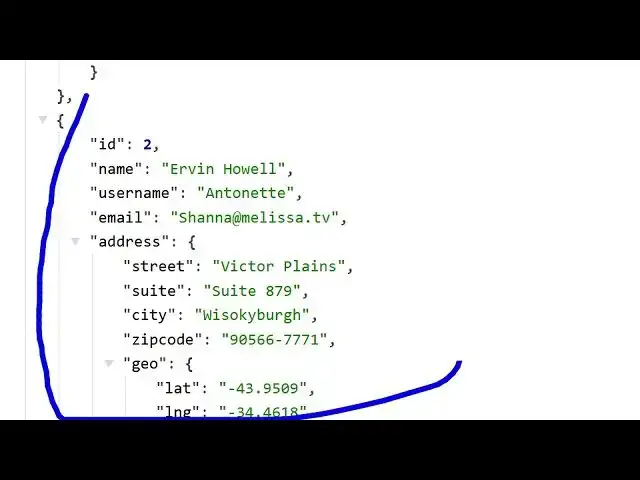
and now you can see it appears something
0:57
like this. So after you activate this
0:59
now your JSON is automatically formatted
1:02
and it appears in like this. So this is
1:06
the raw version and this is the past
1:08
version. You will see you will be able
1:11
to see the properties here very easily.
1:14
You will be able to troubleshoot debug
1:17
all the properties which are available.
1:18
How many it also shows you how many
1:21
properties are there. So each object
1:23
contain eight properties. You can toggle
1:25
this setting right here.
1:31
So this is a very useful extension
1:33
chrome extension guys definitely if you
1:35
are working with JSON files in Chrome
1:37
browser you must have is this extension
1:40
installed. So this will automatically
1:42
format parse your JSON files inside your
1:45
chrome browser whenever you are working
1:47
with them and also the syntax
1:49
highlighting it will add to the JSON
1:51
file as well so that you can clearly see
1:54
each property which property is
1:56
belonging to. So it will add this all
1:58
this functionality. So simply activate
2:01
this extension just install this JSON
2:03
formatter
2:04
and
2:06
you can just see that. So in this easy
2:08
way
2:15
so this will be this JSON formatter
2:18
extension which will be there
2:25
and basically you can even change the
2:27
theme as well. If you prefer the dark
2:29
theme then it will appear in the dark.
2:33
you'll see that.
2:41
So definitely check out this extension
2:44
and
2:46
also check out my website
2:47
freemediatools.com
2:49
which contains thousands of tools.
#Software
#Internet Software