0:00
uh hello guys welcome to this video so
0:02
in this video I will show you a very
0:04
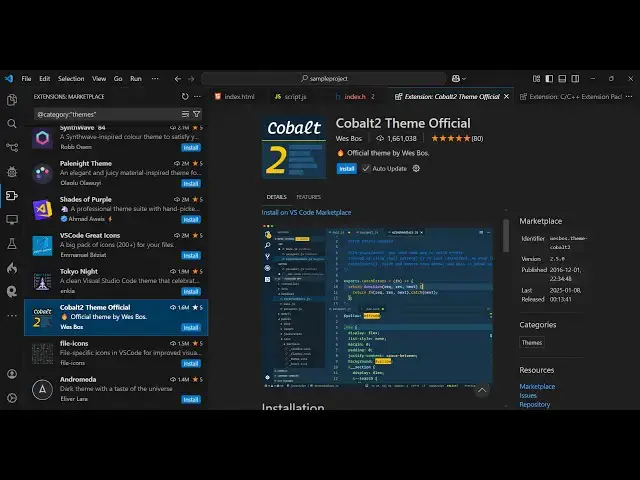
famous extension inside vs code uh which
0:07
is called as cobal 2 theme official so
0:12
which is developed by famous developer
0:13
westos so it's almost got 2 million
0:16
installs so if you go to extensions just
0:19
search for this theme c o b a l
0:26
2 and this extension will come right
0:29
here you will see 1.6 million
0:32
installs so just install this and
0:36
theme so as soon as you activate this
0:39
you will see it's only having a single
0:42
theme you will see cobal 2 so it's
0:45
having a different kind of a background
0:50
combination which Define this theme it's
0:54
having a blue color but you can see the
0:59
comments are also in blue color then we
1:01
have this highlighting done inside the
1:05
green and then this is appearing in
1:08
bright yellow color so highlighting is
1:10
good and the background is somewhat not
1:15
you you can say it's not a dark theme
1:17
but it's a bright theme kind
1:19
of you will see this will look the HTML
1:25
here this is the C++ code right here
1:30
so all in all it's a great theme you may
1:33
say it's a lightweight because it's only
1:37
containing a single theme this cobal 2
1:40
but if you like the more darker version
1:42
uh there is also this if you just go to
1:45
extensions you'll see there will be a
1:47
second extension which will be a dark
1:50
theme so if you just want to see the
1:53
darker version of this theme
1:56
so this is a light and this is now the
1:59
darker here you'll see it's having a
2:05
color the color is somewhat thicker so I
2:08
prefer this theme over the previous one
2:10
because the it's a little bit dark so
2:14
clearly the code is visible and the
2:16
highlighting is the same right here with
2:19
both the themes but it has a nice little
2:27
color so you can press the control T
2:31
shortcut so you can just see the slight
2:34
difference the highlighting is the same
2:36
but uh the background here it's slightly
2:39
darker blue and this is
2:42
slightly brighter blue
2:44
so you can toggle between this things so
2:47
it's a very good extension it's a
2:51
theme and thank you very much for
2:54
watching this video and also visit my
2:58
website free media tools
3:00
uh which contains thousands of tools
3:03
regarding audio video and image and I
3:06
will be seeing you in the next video