live_tv
Livestream Starting Soon
00
Hours
:
00
Minutes
:
00
Seconds
Up next in 10

Build a React.js Video.js Example to Build Advanced Video Player & Editor in Browser Using JSX
Jan 17, 2025

Get the full source code of application here:
https://codingshiksha.com/react/build-a-react-js-video-js-example-to-build-advanced-video-player-editor-in-browser-using-jsx/
Show More Show Less View Video Transcript
0:01
uh Hello friends welcome to this video
0:03
so in this video I will show you how to
0:05
implement
0:07
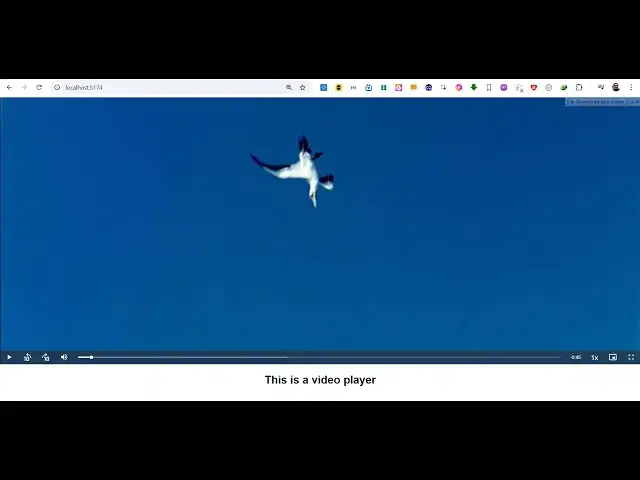
videojs to render videos from a URL
0:09
inside your react CH application so you
0:12
can see you have a rade player right
0:15
here where you can play your videos
0:18
directly in the browser and we have all
0:20
these controls available you can slow
0:22
the speed of the video or increase it
0:25
decrease it you can even view videos in
0:28
full screen and all so all these
0:31
controls are there you
0:34
can navigate forward backward all these
0:38
can adjust the volume as well
0:41
so videojs if you don't know it's a
0:44
open-source JavaScript library for
0:47
embedding videos in a video player and
0:49
playing it in the HTML
0:51
browser this is their official
0:54
documentation website so we will be
0:57
using it specifically for react sh so
1:01
first of all you need to install this
1:04
package if you go to npmjs.com just
1:07
search for this package which is
1:11
videojs I've already installed this so
1:15
all the source code will be given in the
1:16
description of this video so you just
1:18
need to install this package almost got
1:21
427,000 weekly downloads so now to get
1:25
started just create a simple functional
1:27
component
1:31
and for
1:33
this we come to the
1:36
jsx and uh here we embed this component
1:40
which is we will create this component
1:43
which is video player and it actually
1:45
takes an options this options we will
1:48
declare
1:50
it and then a on ready functions so when
1:55
your video player is ready this on ready
1:59
function will execute and we simply say
2:01
console log the video is ready to play
2:06
so now we need to import some packages
2:09
so right here at the top we need to
2:11
import the videojs which will be coming
2:14
from this videojs package and then we
2:18
also need to import the CSS
2:20
file which of this plugin which is
2:23
contained inside D videojs do
2:28
CSS so we import this at the top and
2:32
then we have various options right here
2:34
we can
2:35
declare videojs options and this options
2:39
will be related to the video player if
2:41
you want to auto play the video you will
2:44
SP it to
2:45
true so there is an option here of autop
2:48
playay then we have if you want to show
2:50
the controls so
2:51
true if your player needs to be
2:54
responsive then also it's
2:57
true if you want a fluid interface true
3:02
then so all these options you will
3:07
see inside your videojs options
3:11
so can check out their documentation as
3:14
well so playback rates which is for
3:17
slowing the video you have this control
3:20
bar forward backward button and then in
3:22
the source parameter you provide the
3:24
video URL so we are loading this video
3:27
from the internet and playing it this is
3:29
the MP4 video so after you do this now
3:33
we will create this custom component
3:35
which is video
3:39
player so here we are passing some
3:43
properties props to
3:46
it so first of all we need to declare a
3:49
reference to the
3:51
video use ref hook we will
3:54
use same for the player ref
4:00
so both these variables will be null and
4:02
then we'll be declaring a
4:04
hook playback rate and set
4:09
playback using the UST State hook which
4:12
is initial value will be
4:16
one and then we will be extracting the
4:20
options and the on ready function which
4:23
will be coming from this prop properties
4:27
that we are passing here these are the
4:28
options and on ready so we are just
4:31
destructuring it from the
4:33
properties and here we'll binding this
4:36
use effect hook which
4:39
execute automatically as your
4:41
application loads so
4:43
here if the player reference we will
4:47
attach the player
4:51
reference is not loaded then we will
4:54
simply load the video
4:59
so we will create this
5:02
element which is
5:08
videojs and we will add these classes
5:11
dynamically by using this class list add
5:15
so these classes are provided by this
5:17
plug-in VJs big play centered so this
5:21
will add a video player at the center
5:24
position now we are need to add this to
5:27
this append child
5:31
we use this
5:32
method add this
5:40
video and we also need to add these
5:43
options that we declared so for adding
5:45
these
5:47
options we use
5:50
this so your player is ready now
5:54
so so if you try to refresh your
5:57
application go to Local Host post
6:02
5174 you see a
6:16
message so I have given all the source
6:18
code guys in the description so right
6:21
here in the return statement you will
6:23
put your so see the
6:28
video so video will play in the video
6:30
player but here in the jsx we do need to
6:33
add this reference right here video
6:36
reference that we are
6:37
using right here to load the
6:44
image then we have these use effect here
6:48
for this is for changing the speed of
6:50
the video so this has a playback rate
6:52
function as
6:54
well so now the video will
6:57
play you can see that so in this way you
7:01
can integrate the videojs library in
7:03
reactjs so thank you very much for
7:05
watching this video and do check out my
7:07
website as well uh free mediat tools.com
7:10
uh which contains thousands of tools
7:13
regarding audio video and image and I
7:16
will be seeing you guys in the next
7:18
video
#Flash-Based Entertainment
#Online Media
#Online Video