Up next in 10

Build a React.js Video Cutter & Trimmer Editor Using FFMPEG WASM in Browser Using Javascript
Jan 9, 2025

Buy the full source code of the application here:
https://procodestore.com/index.php/product/build-a-react-js-video-cutter-trimmer-editor-using-ffmpeg-wasm-in-browser-using-javascript/
Buy Premium Scripts and Apps Here:
https://procodestore.com/
Show More Show Less View Video Transcript
0:02
uh Hello friends welcome to this video
0:04
so in this video I will basically talk
0:06
about a new tool that I added on my
0:08
website free mediat tools.com so it is
0:11
essentially a video editor where you can
0:14
actually perform video trimming
0:16
operations or you can cut your videos
0:19
using a certain time uh you can provide
0:22
the starting time and the ending time so
0:24
this is actually the application that I
0:26
developed inside react sh which is
0:28
actually using f MPG open source Library
0:32
web assembly to actually execute fmpg in
0:35
the browser this is actual interface
0:38
which looks like this so you can refresh
0:41
go to my website free media tool slide
0:44
cutter you can just uh uh use the live
0:47
demo so this is actually the application
0:50
here you need to choose the video file
0:51
all extensions are supported MP4 Avi mov
0:55
all extensions are supported we need to
0:57
Simply choose the file just go to the
0:59
folder and uh simply choose the file
1:02
whichever file that you want to choose
1:03
so you can see that as I choose the file
1:05
right here and now we have two sliders
1:09
right right there which makes it very
1:10
much easy to actually select the
1:12
starting time and the ending time and
1:15
here you can play the video file as well
1:16
in the video player you can see that you
1:18
can just see the video is playing so in
1:22
the video player now coming back to the
1:24
starting trimming and ending trimmer
1:26
these are both the sliders so let's
1:28
suppose I I want to trim the portion
1:31
between the 0.5 second to this ending
1:36
slider can't
1:37
go this value can't be lower than this
1:40
value so automatically this is disabled
1:43
so now you need to select the ending
1:45
time let's suppose I want to cut this
1:47
portion from 5 Second to 9 second in
1:50
this 14 second video so if I click the
1:53
trim video option fmpg web assembly will
1:56
actually cut this video will trim this
1:57
portion and it will actually show the
2:00
video file with live preview you can
2:02
just play the file with the live preview
2:04
right here and then you can simply click
2:06
these three dots and click on the
2:08
download button to actually download the
2:10
video file inside your local machine now
2:13
you can play this video file you can see
2:16
that so it has successfully trimmed the
2:19
video guys so in this way you can
2:21
actually take any video for
2:24
example it can be as long as possible
2:27
the size is not a restriction right here
2:29
you can take as much restrict uh long
2:33
video as you want to you can see it's a
2:36
21 second video so we can simply cut any
2:40
portion that we want let's suppose 8 to
2:42
14 click on Tram video you can see it
2:45
has tram the portion which is 0 6
2:47
seconds from 8 second to 14 second so it
2:51
is all doing its processing in the
2:52
background guys fmpg web assembly it's
2:55
very fast and it takes not so much time
2:59
right is so this actually happens in the
3:02
browser no need to third party install
3:04
any third party software you can go to
3:06
my website right here live is there the
3:08
link is given in the description of the
3:10
live stream and you can the maximum size
3:13
limit is 2GB guys if you just type here
3:16
fmpg maximum file size on Google it will
3:20
tell you that you can upload up to 2
3:23
gigabyte of video at a time so your
3:27
video file needs to be less than or
3:29
equal to 2GB so to actually processing
3:33
inside fmpg web assembly at this moment
3:36
of time fmpg Webb assembly can handle up
3:39
to 2 gb of video so just keep in mind
3:43
and
3:44
actually uh do this process so I
3:47
basically coded this project inside
3:49
react Shar SK using fmpg web assembly
3:53
Library if you are interested the link
3:55
is given in the description of the
3:58
video so
4:02
you can basically trim any portion right
4:04
here using the ending slider and the
4:06
just click the trim portion and you can
4:09
so the link is given you can directly
4:10
purchase it you will get actual zip file
4:14
uh on the product page you will find a
4:16
live demo option where you can click the
4:18
live demo and just go to my website and
4:21
first of all use this product before
4:23
purchasing it it's a tool-based website
4:25
using react CH using fmpg web assembly
4:28
this is a overall project right here if
4:30
you go to it you will automatically get
4:33
the zip file after you make the payment
4:34
from Google Drive and once you extract
4:37
the zip file it's very simple I'm
4:39
running it on Local Host we just need to
4:42
write npm Run start to actually start
4:44
this react CH application at Local Host
4:47
it will start this application on Local
4:49
Host 3000 it is starting the development
4:52
server so now you can see it is running
4:54
it on Local Host 3000 and for deploying
4:58
this application it's very simp simple
5:00
you need to run the command npm run
5:02
build you can see and now it has
5:04
successfully started this
5:08
application and
5:10
uh now we just need to select the video
5:15
file trim video and now you can see that
5:19
the speed is very fast guys it instantly
5:22
cut or trim the portion whatever you
5:24
select using the slider that's a very
5:27
good thing about it so if you try this
5:29
application by going to my website you
5:31
will see what I'm talking about it's a
5:33
very good fast application in coded
5:36
inside ja CHS and if I go to the
5:38
package.json file you will see that we
5:40
are actually using the fmpg web assembly
5:43
Library you can see these two packages
5:45
are coming from fmpg web assembly
5:47
library and we are using react chair's
5:49
latest version which is 18 at the time
5:51
of recording this video it is compatible
5:53
with the older versions as well or with
5:56
the future versions as well so no need
5:57
to worry about whether it will be
5:59
compatible with the older versions or
6:01
the latest version it will be compatible
6:03
with all the versions you just need to
6:04
purchase it by going to the description
6:06
of the video this will be a great
6:08
project if you are basically a student
6:10
or if you are looking for a job you can
6:12
basically purchase it and you will get
6:13
full commercial right once you purchase
6:15
it you will have this code you can
6:18
modify it you can deploy this inside
6:20
your website and earn money as well so
6:22
it's a great starting point to learn
6:24
fmpg web assembly how I develop this
6:26
application and let me coming back to
6:29
the code right here and uh you can if
6:33
you want to deploy this application onto
6:35
a real domain name how we can do that
6:37
there is a build Command right here if
6:39
you see that in the script section you
6:41
can run this build command by going to
6:43
the command line so just type this
6:45
buildt command mpm run built so what it
6:48
will do it will actually create this
6:50
buildt folder
6:52
guys so if I just delete this build
6:55
folder for
6:57
now so if you just run this build
7:01
command npm run build so now in the left
7:04
hand side you will see a build folder
7:06
will get created automatically so it
7:08
will bundle all this react CHS code into
7:10
a application so that you can deploy it
7:14
you can see that the build folder has
7:17
been created and now you can deploy this
7:19
into a very local hosting
7:21
plan shared hosting plan as well these
7:25
are all the static assets CSS minified
7:28
JavaScript Mini minified this is the
7:30
overall react Chase project and this is
7:32
a minified code that you want to deploy
7:34
it onto a real domain name so that we
7:36
are doing it inside our own website
7:38
which is free media tools video cutter
7:41
editor so you can see that so in this
7:43
way you can deploy this application onto
7:45
a real domain name coming back to the
7:47
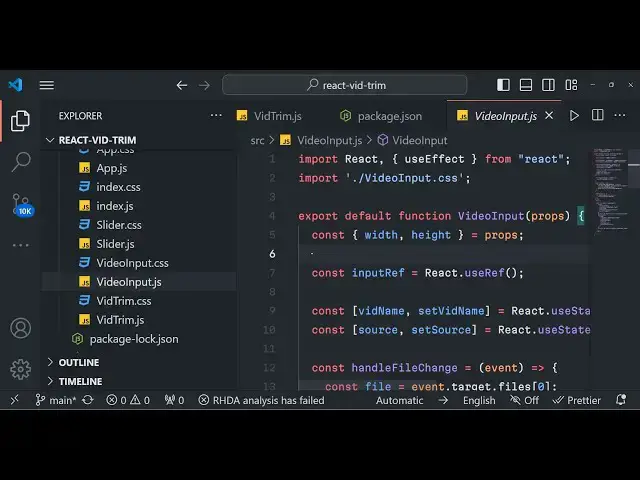
code this is our app.js you will see
7:49
this is actual domain
7:52
uh uh file size limit is 2 gigabyte so
7:57
when you open the application you see
7:59
this right here file size in the footer
8:01
section and this is a base component
8:03
that we are using which is video trim so
8:06
it is coded inside react Chas you will
8:08
see that JavaScript so we are using all
8:11
the concepts here of react Chase hooks
8:15
to actually hold the state of the
8:17
application and here basically guys we
8:19
are actually doing it uh we are trimming
8:22
the video first of all reading it
8:24
writing it and then Dash D- SS we are
8:28
getting the start time and this is the
8:31
ending time we are cutting it and then
8:33
we are not re-encoding the video that's
8:35
important if you are re-encoding the
8:37
video it will take a lot of time but we
8:39
are just cutting the video and not
8:40
re-encoding or compressing the video and
8:43
this is actual flag which is required
8:45
for this which is- C copy so output file
8:49
name is out. MP4 and then we are setting
8:52
the progress part to 100% when it is
8:54
done and then we are reading this file
8:56
which is output file out. MP4 and then
8:59
we are simply showing this file output
9:01
file whenever it is done into a video
9:03
player by instantiating a new instance
9:05
of blob which is data. buffer and after
9:08
that video/ MP4 this is actually the
9:11
logic of it guys whenever you click the
9:13
button here this processing gets happen
9:16
set processing to true we load the fmpg
9:19
web assembly Library by using await fmpg
9:22
load method then we re write the file
9:24
here into the memory and then we cut the
9:27
video right in the memory itself
9:30
and uh after that we show the output
9:32
video in the video play so this is
9:34
actually the logic which is happening
9:36
right here apart from there it's a very
9:38
huge application if you see we have
9:41
various CSS code video input code as
9:43
well slider
9:44
index.js it's a overall project so I
9:47
will definitely suggest you to purchase
9:49
it the link is given so whenever you
9:51
click the choose button you will see
9:53
that the video gets loaded right here
9:55
and whenever you change these sliders so
9:57
you can basically select which portion
9:59
that you want to cut or trim and this is
10:01
actually the trim video Button as you
10:03
click this button the processing happens
10:06
in the background and your video is
10:08
successfully trimmed and cut you will
10:10
see if you just open the console it is
10:13
doing its job right here fmpg web
10:15
assembly Library it is reading the file
10:17
writing the file and cutting the file
10:19
using the fmpg commands so if you are
10:22
interested guys the link is given in the
10:24
description and thank you very much for
10:27
watching this video and I will be seeing
10:29
you in the next live stream until then
10:31
thank you very much
#Online Video
#Software
#Multimedia Software
#Other