Up next in 10

Build a Instagram Chrome Extension to Fetch Posts,Stories,Reels & Videos Using GraphQL API in JS
Jan 9, 2025

Buy the full source code of the application here:
https://procodestore.com/index.php/product/build-a-instagram-chrome-extension-to-fetch-postsstoriesreels-videos-using-graphql-api-in-js/
Hi Join the official discord server to resolve doubts here:
https://discord.gg/cRnjhk6nzW
Visit my Online Free Media Tool Website
https://freemediatools.com/
Buy Premium Scripts and Apps Here:
https://procodestore.com/
Show More Show Less View Video Transcript
0:00
uh hello guys welcome to this video so
0:02
in this video I will basically talk
0:04
about I built out a Instagram Chrome
0:06
extension which allows you to download
0:09
videos post uh reals stories anything
0:13
that you can imagine in Instagram so let
0:16
me open Instagram right here in my
0:17
browser you'll basically see guys as you
0:20
see if I open my profile right here and
0:24
you will basically see the these are
0:25
basically post which are you can see
0:27
right here and also as you load here you
0:30
will see on the right hand side bottom
0:32
side of the screen there is a download
0:34
button which is added right here so if
0:36
you just uh uh just click on any of the
0:39
individual photographs so let's suppose
0:41
I click on this Photograph and click on
0:44
this download button you will see
0:46
automatically on the right hand side
0:47
this Photograph will come right here in
0:49
this panel right here in card like
0:51
structure and we can close this again
0:53
open this so if you just click on this
0:56
image just click it the image will
0:59
download as a jpg image so you will
1:01
basically see the image is successfully
1:02
saved inside your computer right here so
1:05
same thing you can do this for any image
1:07
if you want to basically select you can
1:09
simply click this image how to download
1:12
this simply click this right here from
1:14
the comfort of your you don't need to
1:16
leave the website just go to third party
1:18
website and copy paste the link you can
1:20
do this very easily using this Chrome
1:23
extension that I developed in Chrome
1:25
HTML and JavaScript and it is using
1:27
Instagram graphql API in the background
1:30
to actually do the process for you and
1:32
all the things are successfully
1:33
downloaded and now this is all about
1:36
images guys uh we will also show you the
1:40
videos reals and stories so basically
1:42
it's a all-in-one Chrome extension which
1:44
allows you to actually download
1:47
everything for you can see that so there
1:49
is no API key involved guys we are
1:52
actually using graphql API and there is
1:55
unlimited access once you install this
1:57
Chrome extension you can basically use
2:00
it for Lifetime then you just need to
2:02
activate this Chrome extension I will
2:04
show you the full setup process and how
2:06
I build that and also the link is given
2:09
in the description if you are interested
2:11
in purchasing the source code of this
2:12
Source Chrome extension you can go to
2:15
payal and make the payment in United
2:17
State dollar or go to stripe and make
2:19
the payment in Indian rupees so both the
2:21
payment links are given in the
2:23
description of the video and you will
2:25
get the full source code with directory
2:26
structure so now let me first of all
2:29
show you the
2:30
uh videos right here so if you want to
2:33
talk about the post which contain
2:35
multiple images so in this see you can
2:38
see it contains multiple images so now
2:41
what you need to do click on this
2:42
download button so you will see this
2:44
contains a single image and this is
2:46
actually a video which is contained
2:48
right here so now what we need to do uh
2:52
we we will simply click this and now
2:54
this image will be downloaded you will
2:56
see that so this image is
2:58
downloaded and and uh you can see that
3:01
so in this case we can even download the
3:04
video as well simply click that and now
3:06
your video will also get downloaded you
3:09
just need to click that and you can see
3:11
that so video is
3:13
downloaded you can open that I can't
3:15
play it because of copyright you just
3:18
play it your video will play right
3:20
here you can see
3:22
that all the video you can see that it
3:25
is s downloaded so in this way you can
3:28
do this and
3:30
and let's suppose we have various images
3:34
you can see it contains multiple images
3:36
right here three images are present
3:38
right here so click on this download
3:39
button all the images will be loaded in
3:41
the right hand side of the screen so you
3:43
can select which image to download let's
3:45
suppose I want to download the second
3:47
image so I will simply click on this
3:49
image so now the image will get
3:50
downloaded so as a JPG image so you can
3:53
see the image has successfully
3:55
downloaded inside your computer this is
3:57
a really good Chrome extension guys
3:59
which allows you to actually fetch
4:02
everything from Instagram uh from the
4:04
comfort of your website you don't need
4:06
to leave the website or use any third
4:08
party website and now I will explore the
4:11
reals reals is a special feature in
4:14
Instagram so if you basically see reels
4:16
you will
4:18
basically just these are different reels
4:21
out there so click on download so this
4:24
reel will be you can see it is 53 second
4:26
long reel so I can play this reel so so
4:29
as you play the real right
4:32
here you can
4:36
simply as you click you will see your
4:38
reel has been downloaded inside your
4:41
computer so inside you can see it has
4:44
been
4:45
successfully saved inside this so in
4:48
this way you can do it any for anything
4:51
so if you load this
4:53
now click on download now this re will
4:56
come you can even play this as well
4:59
right here in site before downloading it
5:01
simply if
5:03
you want to click this it will download
5:07
as a attachment so you will see that the
5:10
deal has been successfully downloaded
5:13
you can see you can play it inside so
5:15
this is a really fast process guys you
5:17
can basically fetch everything anything
5:20
you want to do from Instagram and the
5:23
same goes with stories as well so if you
5:25
have a story which has been attached you
5:28
can even download
5:30
that
5:31
also
5:34
so so now I guys I will show you the
5:37
stories stories basically are these
5:39
stories which are popping right here if
5:41
you see these are different stories out
5:44
there which are there so if you want to
5:47
download any individual story simply
5:49
click on that the story will play right
5:51
here so if you click on download the
5:53
story will come right here you will see
5:55
6 seconds are there so you can simply
5:58
play this story and if you want to
6:00
download this you can see Instagram
6:02
story has been successfully downloaded
6:04
as the mp4 file and you can just view it
6:07
so same goes with any story you just
6:09
need to click on and then click the
6:11
download button and basically it will
6:13
pop in right there in the right hand
6:15
side you can play the story or you can
6:18
download that so once you download
6:21
basically you will see it has been
6:23
successfully downloaded so I basically
6:26
showed all the things guys post video
6:29
stories reels this is all-in-one Chrome
6:31
extension and now in the next section I
6:33
will show you how to set up this inside
6:35
your
6:37
browser so now guys I will show you how
6:39
to set up this uh Instagram downloader
6:42
Chrome extension inside your browser you
6:44
can see that no nothing is present right
6:47
here and if you purchase it you will
6:49
actually get a zip file guys from Google
6:51
Drive after the payment you just need to
6:53
extract the content and this will be the
6:55
actual source code available this is
6:57
built in inside Vanilla Java JavaScript
7:00
HTML and CSS this is actually the
7:02
JavaScript code and this is the actual
7:05
CSS which is used right here to actually
7:07
embed that and now the very first thing
7:11
is the manifest.json file guys for every
7:13
Chrome extension you buil there is
7:15
specific manifest.json file available so
7:19
we are actually inside manifest.json we
7:22
are embedding all the JavaScript code
7:24
that we are using right here inside this
7:26
Json object we are providing the number
7:28
of icons poost permission this simply
7:31
says that this Chrome extension will
7:34
only work on Instagram URLs this is
7:36
actually telling and then we are setting
7:38
the default icons icons are simply
7:40
present right here you can just pick any
7:43
icon of your choice depending upon that
7:46
and now to load this extension guys it's
7:48
very simple you need to go to this uh
7:50
button right here which is uh right
7:53
click go to extensions and go to manage
7:56
extensions and right here there's a
7:58
button right here which is called called
7:59
as load unpacked you need to select this
8:02
button right here and after you select
8:05
this button you need to go to your
8:06
extensions right here and then you need
8:09
to Simply select the folder in which you
8:14
have so my it is stored inside Instagram
8:18
downloader this is the actual folder you
8:20
will simply select this folder simply
8:22
select so you just need to select the
8:25
folder where you have have
8:28
that after after you purchase it you
8:30
will get the zip file you just need to
8:33
extract the content and simply select
8:35
that folder and as you select the folder
8:37
guys you will basically see it will
8:40
actually tell you the Instagram
8:41
downloader
8:43
4.0.2 and uh
8:47
then uh we will basically it is
8:50
successfully added so now if you reload
8:52
the application you will actually see
8:55
there will be this download button which
8:57
will get added so if you
9:00
basically select any image right
9:02
here if you go to
9:06
here so let's suppose
9:09
I select this image and then click on
9:12
download you will see all these images
9:14
will get loaded so it contains multiple
9:16
images so you can select which image you
9:19
need to download simply click on that
9:21
image and that image will get downloaded
9:23
you will see that so this is a very
9:25
simple Chrome extension guys and with
9:27
the help of this you can fetch images
9:29
videos real stories that I already
9:32
showed you in the demo and uh very
9:35
simple you just need to load it inside
9:37
your browser very simple this is a
9:39
folder structure you will get after the
9:41
payment from Google Drive and let me
9:43
walk you through the manifest.json file
9:46
which is actually the main file of the
9:48
project and let me tell you what is the
9:51
source code which is involved so the
9:55
very first thing comes is the
9:58
name
10:01
so let just
10:05
see so inside manifest.json file guys
10:08
for every Chrome extension you built
10:10
there is a mandatory manifest.json file
10:14
you without manifest.json you can't
10:16
construct so this contains some
10:18
information about your Chrome extension
10:20
so this is the Chrome extension Title
10:23
Here you need to give so I can just give
10:25
Instagram downloader and then a short
10:27
little description so just need to tell
10:30
the users what this Chrome extension
10:32
will do so we will simply
10:37
say just close this so it we will simply
10:41
say it will actually
10:43
download
10:44
photos and videos from
10:48
Instagram
10:51
post reals
10:54
TV
10:58
storage
10:59
and we also have the version
11:04
property
11:07
4.0.2 we are using that version and for
11:10
the Manifest version guys we are
11:12
actually using uh the three manifest 3
11:16
version and here we are actually
11:19
providing the
11:24
icons
11:27
so basically we can can provide the
11:29
icons right here the icons are present
11:32
in the icons folder and then we have our
11:36
host permissions this is a very
11:38
mandatory field guys in every Chrome
11:40
extensions in which URL in which URL
11:44
your Chrome extension will work so my
11:47
URL or sorry Chrome extension will only
11:49
work inside Instagram website you just
11:52
need to explicitly set this so now this
11:55
will only work in Instagram so if you
11:58
open up another website that extension
12:00
will not work so here the action you
12:03
need to provide which is the default
12:05
icon of your Chrome extension so this
12:08
icon provide
12:11
as icon
12:14
128t so this is will be the default icon
12:16
for your Chrome extension
12:18
so then comes the main part here content
12:22
scripts content scripts basically are
12:24
the actual JavaScript code which gets
12:26
executed whenever you click interact
12:28
with your Chrome extension so what code
12:31
that you need to execute so inside this
12:34
this will be a actual array so quite a
12:37
lot of stuffs are involved here so one
12:40
thing is matches
12:42
property so here we will simply tell to
12:45
the user that if the URL matches
12:49
these this URL which is all the URLs
12:53
which are starting with this
12:55
instagram.com SL so just exit execute
12:59
this uh Chrome extension with these URLs
13:02
so JavaScript code will be again a array
13:07
so four files we have used so in this
13:10
way you can provide them all are present
13:13
inside my source
13:15
directory so we are actually embedding
13:18
this inside manifest you can see Source
13:21
main JS post JS story
13:23
jsjs lips so here we can add all the
13:26
JavaScript code related to the extension
13:28
so so we are actually using these four
13:30
files and we are actually providing it
13:32
inside manifest.json and then comes
13:35
comma and then the CSS whatever CSS code
13:38
that you are using so we are actually
13:40
using the which are present in size
13:43
style. CSS so just that's all so now we
13:46
have successfully registered our Chrome
13:49
extension inside this manifest Json so I
13:52
just wanted to tell you how
13:55
I this is a CSS code and this is
13:58
actually the Javas script code three
13:59
files are there and if you see we are
14:02
actually using Instagram graphql API and
14:06
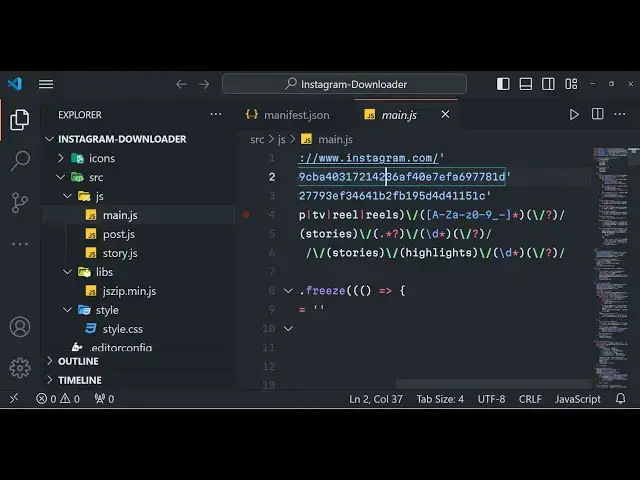
you can see that so these are some of
14:08
the variables and here we are fetching
14:10
the reals stories photographs all that
14:15
so this is the overall code guys it's a
14:17
very awesome extension that I developed
14:20
and it's a must that you have if you use
14:22
Instagram a lot then obviously you don't
14:25
need to waste your time going to third
14:27
party websites and copy pasting URL in
14:29
order to download photographs you can
14:32
directly embed this extension upload
14:34
that into your browser and simply save a
14:38
lot of time and automate this process
14:40
and fetching the information from
14:42
Instagram profile
14:44
so it works for all public and private
14:47
profiles if you are joining private
14:49
profiles it works in the browser that's
14:51
why when you click the download button
14:53
it fetches all the images that you see
14:55
for a particular post right here and a
14:57
story anything thing goes so this is
15:01
actually the thing guys if you are
15:02
interested the link is given in the
15:05
description and I showed you it will
15:08
fetch all the reals
15:10
photographs so thank you very much for
15:12
watching this video and I will be seeing
15:14
you in the next video
#Multimedia Software
#Social Network Apps & Add-Ons
#Photo & Video Sharing
#Photo & Image Sharing
#Video Sharing