Up next in 10

Build a Froala WYSIWYG Rich Text & HTML Editor With Live Preview in Browser Using Javascript
Jan 9, 2025

Get the full source code of application here:
https://gist.github.com/gauti123456/234097c913e353782a87f42976062e64
Show More Show Less View Video Transcript
0:00
uh hello guys welcome to this video so
0:02
in this video I will show you how to
0:04
integrate the fra Rich Text Editor visic
0:07
Rich Text Editor where you can write
0:09
your text and it will show you the live
0:11
counter how many words that you have
0:13
written number of correctors right here
0:16
H it's a rich text editor html text
0:19
visic Rich Text Editor where you can
0:21
bold your text italic underline strike
0:24
through can add bulleted list
0:28
underline you can change the alignment
0:31
make it in the center and then there is
0:33
also the support for adding images you
0:35
can drag and drop your images align it
0:38
properly you can move your
0:43
images style it make it rounded as well
0:49
so so you also get this Block Level
0:53
where it has a shortcut directly you
0:57
provide the support for inserting images
0:59
videos if you want to insert a table you
1:01
can see that as
1:03
well you can provide a footer of the
1:06
table header of the
1:08
table so all these options uh insert row
1:11
above so it's a vis Advanced visic
1:14
Bridge text editor I will show you how
1:16
to directly insert this support right in
1:20
the browser itself so if you just search
1:24
for this package
1:28
fora just open open it in the browser uh
1:31
so you will see this is the next
1:33
Generation visic HTML editor they have
1:35
their own website as well so if you open
1:38
this so I will show you a very basic
1:41
example how to include this directly in
1:43
the browser itself so just create a
1:45
simple HTML file and first of all we
1:49
need
1:50
to so on their website as well you have
1:54
given you will see the CSS and the
1:56
minified JavaScript so just need to
2:00
first of all just copy this
2:02
example so they on their website they
2:05
have given this example so just paste it
2:08
and if you see you will see this basic
2:11
fola Rich text editor will be there with
2:14
all the basic options so you can able to
2:17
write your text so in this
2:22
way I have given the example link if you
2:25
need this source code I have given the
2:27
source code in the description of this
2:28
video so you will see it will show you
2:30
how many words you written correctors
2:33
and then you can bold it alic underline
2:35
so can align it in the center then you
2:39
can also
2:43
insert any image or any file set you
2:46
want to embed you can insert it and
2:50
then you can align it perfectly so this
2:54
is
2:54
actually the the easy way uh let me
2:59
guide you through theod code what we
3:00
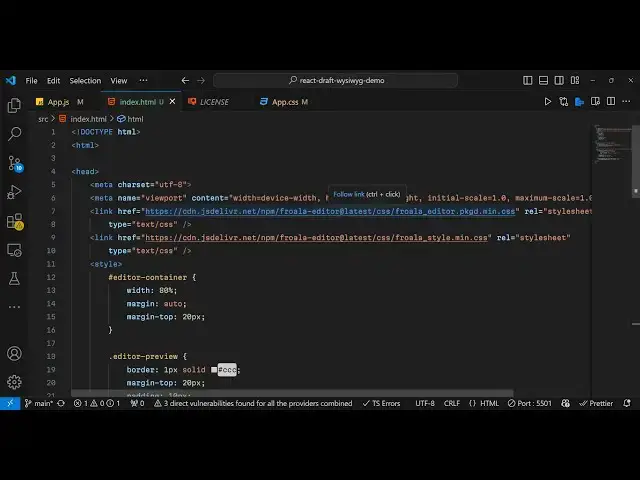
have done did so included the CSS file
3:03
the main. CSS file of this package then
3:05
we have have a simple div ID so we have
3:10
given an ID here of fola editor and we
3:13
target it inside JavaScript we have
3:15
given the same ID div and we called this
3:19
package for all editor and also we
3:22
pasted the script.js which is a CDN link
3:25
for the JavaScript code so this is the
3:27
actual file you can directly use it in
3:29
the browser by making a Syle index. HTML
3:33
file and directly inserting the editor
3:35
in the browser itself so thank you very
3:38
much guys for watching this video and if
3:41
you do need a complete example I have
3:44
given the link in if I paste it you will
3:46
see all these options available to you
3:48
so if you see we are calling the fola
3:50
editor and then we are also passing all
3:53
these tool bar options that you
3:56
see the support the corrector count
3:59
placeholder
4:01
text so if you also run this code you
4:03
will see the same result but a little
4:06
bit of styling has been apply to this
4:08
editor it is now showing it in the
4:10
center position and then I eliminated
4:14
some options but you can see we are
4:16
providing these toolbar
4:19
options so all the options that it
4:21
supports for adding images alignment
4:24
videos links so in this way this is a
4:28
complete example so if you need the full
4:30
source code I have given the link in the
4:32
description of this video so thank you
4:35
very much for watching this video and do
4:38
visit my website as well free mediat
4:40
tools.com uh which contains thousands of
4:43
tools regarding audio video and image
4:46
and I will be seeing you guys in the
4:48
next video
#Web Design & Development
#Development Tools
#Other