Up next in 10

Build a Canva GIF Editor Clone & Viewer to Play GIF in Advanced Player With Controls in JavaScript
Feb 12, 2025

Buy the full source code of application here:
https://procodestore.com/index.php/product/build-a-canva-gif-editor-clone-viewer-to-play-gif-in-advanced-player-with-controls-in-javascript/
Hi Join the official discord server to resolve doubts here:
https://discord.gg/cRnjhk6nzW
Visit my Online Free Media Tool Website
https://freemediatools.com/
Buy Premium Scripts and Apps Here:
https://procodestore.com/
Show More Show Less View Video Transcript
0:00
uh Hello friends welcome to this video
0:02
so in this video I will show you a canva
0:04
clone editor that I develop for
0:06
specifically building uh watching GI
0:09
files editing GI files rightly inside
0:12
the browser so it's a single page
0:14
application so if you reload your
0:16
application it will look something like
0:18
this it will run inside the browser and
0:21
we have two options either we can choose
0:23
a local GI file or we can get this from
0:26
a website so if you own a website if you
0:30
want to copy the link
0:33
here so let's suppose I go to this
0:35
website and I copy this gift link and I
0:38
simply paste it right here and click on
0:41
this button so you will see it will
0:43
fetch the GI file and load this inside
0:46
your browser you can also see this
0:49
loading progress part just telling it it
0:51
is downloading it in the background and
0:53
then it will display this GIF right here
0:55
inside your browser and you can
0:58
actually all all these controls are
1:00
there you can change the speed of the
1:02
GIF
1:05
animation you can stop and play using
1:08
these
1:09
controls you can play it in the rewind
1:11
order as well
1:13
so in either of these order and then we
1:16
also have this option which is split
1:19
option so it will convert at each frame
1:22
of this GIF animation into an actual
1:24
image and for each image we have this
1:26
download button so if you click the
1:28
download button you will a able to
1:30
export this GIF animation frame into a
1:33
actual PNG image so this is actually the
1:37
full GIF editor something like canva and
1:40
also we display this download all frames
1:43
in a zip button so if you want to export
1:46
all the frames into a zip file so you
1:49
can so it will contain all the frames of
1:52
this GIF animation you can convert the
1:54
GIF into a series of
1:56
images each image will represents one
1:59
frame of the GIF
2:01
animation and the second option is
2:04
that you can choose a local file which
2:07
is present inside your system as well so
2:09
you will see that again you can do the
2:12
same process you can change the speed
2:15
and the order as well you can play it in
2:17
the reind order as
2:21
well can change the speed here you can
2:25
pause play this is actually the timeline
2:27
that it shows here so we all have these
2:30
controls to change the speed we have the
2:33
play button so if you click the
2:35
animation will play if you pause it it
2:38
will stop and this is actually the
2:40
timeline that you can see right here
2:42
with this timeline Seeker you can go to
2:44
any location in the zip file and you can
2:47
see that so you can change the speed
2:50
here and then we also have this split
2:53
option right here so as soon as you do
2:55
this you will see it will convert each
2:56
frame into a actual image file and
3:01
each frame will have this download
3:03
button so you click the download
3:06
button so this is actually the onepage
3:09
single page application uh it is
3:11
developed inside uh browser using
3:14
JavaScript HTML and CSS and we are using
3:17
a third parties packages here which is
3:19
an open source libraries which is file
3:22
saer jzip progress bar and J cury and uh
3:27
I have deployed this we uh tool here on
3:29
my website as well you can check out you
3:33
can go to free mediat tools.com and I
3:35
have added this tool right
3:38
here so you can see this is the Cana GI
3:42
player editor tool so you can go to this
3:45
website go to my website right here and
3:47
experience this tool online and try this
3:50
tool before purchasing it so at the
3:53
checkout page as well I also given this
3:55
link here so the full source code is
3:58
given uh you can directly purchase it
4:00
and after purchasing it you will
4:02
actually get this ZIP file right
4:05
here and you just need to extract the
4:08
zip file and then it will show you the
4:10
entire code which is actually the CSS
4:12
code the JavaScript code and then we
4:14
have this index. HTML file here and uh
4:19
it doesn't use any server s side code it
4:21
entirely runs in the browser and you can
4:23
easily deploy this so you just need to
4:25
deploy all these files to whichever
4:28
hosting that you are deploying this tool
4:30
too so it clearly works in the browser
4:33
you can choose your GI file and then the
4:35
GI file will play you will have all
4:36
these controls to change the speed and
4:39
the Order of this animation as well and
4:41
then we have the download button so it
4:43
will
4:44
split download all the frames as a image
4:48
file as well so it's a mini
4:51
editor you can play your GI files
4:54
directly in the browser and also edit
4:56
them as well similarly to canva so you
5:00
can just
5:01
see it can be in any length so for this
5:06
example the I'm taking this you can take
5:10
any GIF here you can see that can do go
5:13
to online just need to copy the link
5:16
here and go to this application simply
5:19
here paste it as soon as you paste it
5:22
and this will actually fetch this GI
5:25
file from the net whatever link that you
5:28
provide and then you can do this edit
5:30
that GI change the speed play that gif
5:34
online in this tool so it's a very handy
5:37
tool and it's developed entirely in the
5:39
browser so it's a single page
5:41
application and it doesn't use any
5:43
server site code it entirely runs in the
5:46
browser using HTML CSS and
5:49
JavaScript so you can see that
5:52
so you can fetch any GI file and just
5:56
play it in this mini player and and we
6:00
have all these controls here can change
6:02
the speed here play it in reverse order
6:05
as well
6:10
so so you will get this source code here
6:13
guys after you purchase it automatically
6:15
from Google Drive after the payment is
6:17
complete so you can see this is actually
6:20
the directory structure we have the CSS
6:22
code we have different fonts and this is
6:24
actually the JavaScript code here
6:29
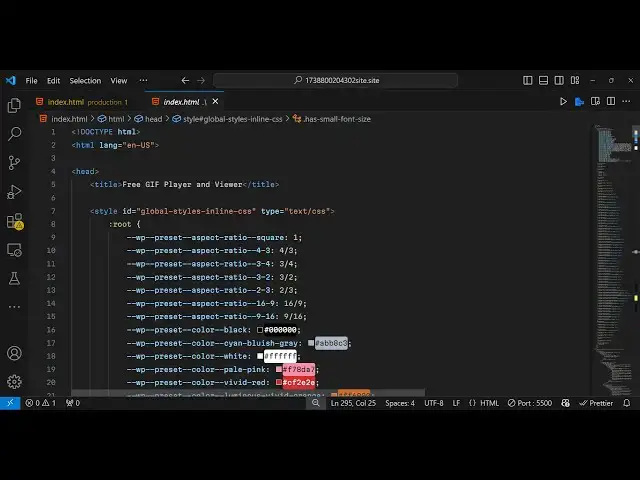
and this is your index.html file so you
6:32
can directly run it if you open it in vs
6:35
code just say open with live server so
6:39
if you have installed extension live
6:41
server then will automatically open in
6:44
the browser you don't need any internet
6:46
connection for this so you can directly
6:49
use this application so offline as well
6:52
so it's a single page
6:54
application you can see that so thank
6:57
you very much guys for watching this
6:58
video and you can try this tool as well
7:01
I have deployed this I as you can see on
7:04
this link before purchasing it so I will
7:07
be seeing you in the next video
#Flash-Based Entertainment
#Movies
#Online Media
#Multimedia Software
#Online Goodies
#Clip Art & Animated GIFs
#Animated Films